Hosts reading aloud online
You’re reading at your computer and want remote guests to hear you clearly, while also being able to hear their contributions. Logitech and Jabra offer computer headsets for this kind of use.


The key question is whether you want your voice to reach online guests, listeners in the room or both. For conversations on your computer, you could use a headset with a suitable connection; to amplify your voice in the room, you’ll also need a compatible audio input and speakers. For a hybrid reading, test both audio routes separately and position the speakers to minimise sound feeding back into the microphone. Shure recommends keeping as much distance as possible between the microphone and speakers.
You’re reading at your computer and want remote guests to hear you clearly, while also being able to hear their contributions. Logitech and Jabra offer computer headsets for this kind of use.
You want to amplify your voice in the living room, so you’ll need to match the microphone, receiver and speakers, and position them appropriately. Shure describes a wireless set with a headset microphone, bodypack transmitter and receiver.
You’re hosting guests both in the room and online. Check the listening and speaking set-up for each group, while also making sure you can hear when someone in the room wants to say something.
A good fit if: You’ll mostly be reading aloud at your computer and sending your voice through a conferencing or recording app.
Keep in mind: A cable limits how far you can move, and the headset won’t amplify your voice for guests in the room.
A good fit if: You want to move away from your computer while reading aloud, and the connection is compatible with your device.
Keep in mind: Plan for power and connectivity. A stated wireless range doesn’t guarantee the same performance in your home.
A good fit if: You want listeners in the room to hear your voice through a compatible audio system and speakers.
Keep in mind: A receiver, audio input and speakers make the set-up more involved. With wireless sets, check the exact variant.
| Requirement | What to check before buying | Who is this important to? |
|---|---|---|
| Clear voice online | Check the microphone position, mute function and microphone selected in the app you’re using. | If I’m reading aloud online, I want guests to hear me clearly. Around 33% of consumers make online audio transmission their priority. |
| Being heard in the room | Check the signal route from the microphone through the audio input to the speaker. Shure recommends keeping as much distance as possible between the speaker and microphone. | If guests are listening in the room, I want to consider their listening experience and avoid feedback. Around 25% of consumers prioritise amplification in the room. |
| Connection and signal route | Check that the USB type matches your computer connection. For a wireless set, take the receiver and a compatible output into account. | If I want to use equipment I already own, the connection needs to suit my specific set-up. Around 17% of consumers prioritise device compatibility. |
| Freedom of movement | Plan for your range of movement and power supply. For wireless sets, check the exact variant and its conditions of use. | If I want to move around the room while reading aloud, I don’t want a cable to get in my way. Around 17% of consumers put freedom of movement first. |
| Hearing what’s happening in the room | Compare the mono or stereo version of the exact model, and try it on during a sound check. | If I want to follow online contributions and still hear what’s happening in the room, the specific earcup version matters to me. Around 8% of consumers prioritise awareness of their surroundings. |
A microphone feature or passive ear-cup isolation doesn’t tell you how loud the reading will be in the room or in other flats.
Check the listening and speaking routes separately. If you’re using speakers in the room, keep the volume as low as you need for the reading.
A microphone on its own doesn’t connect to a room’s audio system and speakers.
Before you buy, note down the inputs and outputs you have and compare them with what’s included in the exact variant.
Wireless sets can come in different frequency variants. The product range name alone won’t tell you which conditions apply to a specific set.
Before choosing, check the frequency band of the variant on offer and the conditions of use that apply to it.
The H390 is a wired computer headset for online audio transmission.
The Evolve2-40-SE range is worth considering for computer communication if mono or stereo and the USB version matter to you.
HP’s Voyager 4300 UC range is a wireless computer headset option for hosts who want to move around.
The BLX14/PGA31 is a wireless set with a headset microphone, bodypack transmitter and receiver, designed for use with additional audio equipment.
According to the manufacturer, the XSW 1-ME3-E is a set for speakers with a headset microphone and stationary receiver.
The Joybuy products below are wired or wireless headsets for voice-related use on a computer. You’ll need a compatible audio system as well if you want to amplify sound in the room.
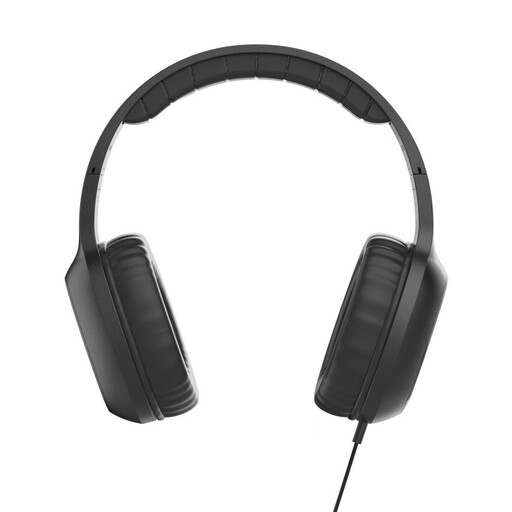 No image available
This on-ear headset could be an option for a wired reading with voice transmission.
The product name lists a microphone, a cable and USB-C.
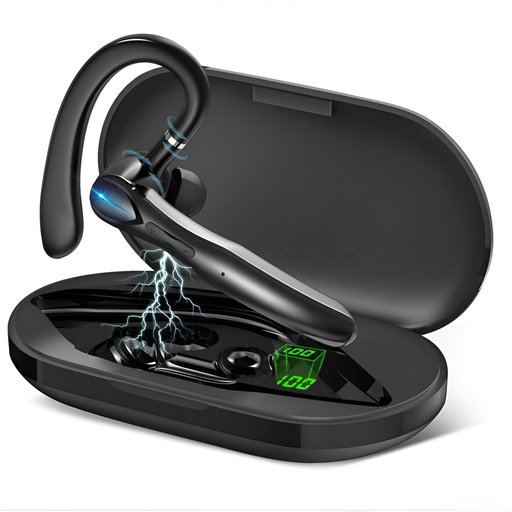 No image available
If you want to read aloud hands-free while keeping one ear free, the mono version could be a good fit.
The product name lists Bluetooth, mono, two microphones and a charging case.
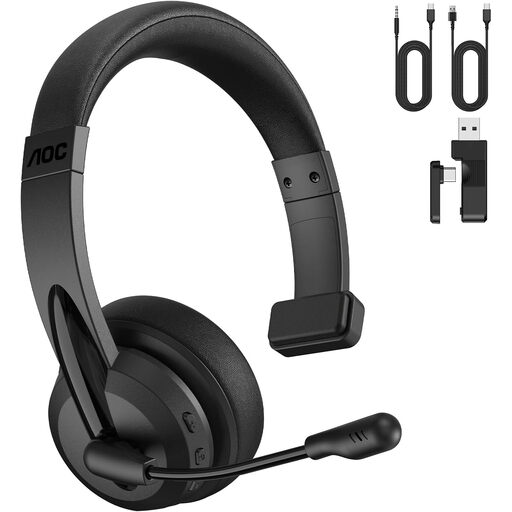 No image available
The mono version could suit a wireless online reading where you want to stay aware of what’s happening in the room.
The product name lists Bluetooth, a 2.4G dongle and a microphone.
 No image available
This model could work for a wireless reading with online guests. Check that it connects to your device and the app you’re using.
The product name lists wireless over-ear headphones with a microphone.
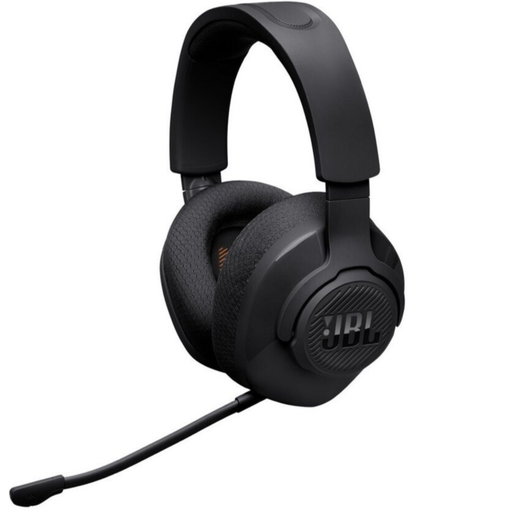 No image available
This headset could be an option for a wireless reading at your computer. First, check that the specific connection works with your app.
The product name lists a wireless over-ear gaming headset.
No. A USB computer headset is primarily designed for use with a computer. To amplify your voice in the room, you’ll need a suitable connection to an audio system and its speakers. When setting things up, check the position of the speakers in relation to the microphone too.
Select the microphone and headphones you plan to use in your app, then make a short test recording. Check the mute function and, if you have speakers in the room, start by testing their position at a low volume.
You can’t tell from the model name alone. Check the frequency band of the specific set and the conditions of use that apply through the German Federal Network Agency. The product range name alone doesn’t tell you everything about an individual variant.
There isn’t one standard time that applies to every reading in a home. For neighbour noise caused by people’s behaviour, the German Environment Agency refers to rules set by Germany’s federal states, local authorities and house rules. Section 117 of the OWiG (German Act on Regulatory Offences) covers unlawful noise where the relevant conditions apply.
Statutory rights are set out in law, while a guarantee is a voluntary additional service with its own terms and conditions, explains the consumer advice centre. Keep your proof of purchase and the exact variant name, and contact the seller if something is faulty.