Who is this headset solution for?

Frequent speakers

If you regularly speak to colleagues joining remotely, pay attention to the microphone position and mute function. Logitech lists these features for the H390, while Zoom highlights microphone quality and how close it is to the speaker as factors in voice transmission.

In-room participants

If you need to follow both the conversation around the table and the people joining remotely, choose earcup isolation that suits how you’ll be using the headset. The BAuA reports on headphone measurements from 2019/2020; these findings cannot be applied across the board to current individual models.

Hot-desking

If you use your headset at different meeting spaces, check the connection, connectivity and exact platform version. Microsoft describes plug-and-play and call controls for certified Teams devices; this does not automatically apply to every version.

What should you look for when buying?

Priority What to check when buying Who is this important to?
Making sure your voice comes through Check the microphone boom and mute function; listen to a voice test recorded in similar room conditions. If I want remote participants to understand me even when other conversations are taking place in the room, microphone pick-up and muting are my top priorities. Around 40% of consumers say making sure their own voice comes through is their main concern.
Hearing people in the room Try the fit and level of isolation; don’t assume that ANC in the earcups is designed to block out other voices. If I want to hear people speaking around the table during a meeting, the level of isolation needs to suit how I participate in person. Around 30% of consumers say being aware of what’s happening in the room is their main concern.
Connecting to a computer Check whether you need USB-A or USB-C, any required accessories, and the exact Teams or UC version. If I want to use the headset with my laptop and meeting app without any fuss, the connection and compatible controls are essential. Around 20% of consumers say a reliable connection is their main concern.
Comfort Check the fit and headband, and assess how comfortable it is during a session that’s typical of your meetings. If I want to wear the headset comfortably throughout my usual meetings, fit is what matters most. Around 10% of consumers say comfort is their main concern.

Common buying mistakes

  • Assuming ANC in the earcups means the microphone picks up your voice well

    ANC affects what you hear through the earcups. Whether remote participants can make out your voice when other conversations are taking place is a separate question. In its measurements of headphones from 2019/2020, the BAuA found no evidence that ANC has particular potential to block out speech in the surrounding area; this was not a test of current individual models.

    Assess the microphone and earcups separately, and listen to a voice test recorded in conditions as similar as possible to your own.

  • Expecting one person’s headset to pick up everyone around the table

    A headset worn by one person is not automatically a solution for picking up everyone in the room. Room acoustics, microphone position and echo cancellation all affect how voices are transmitted.

    Before you buy, decide whose voices need to be heard online and test the audio set-up you have in mind.

    If several people need to speak together, you may also need a suitable room audio solution.

  • Comparing variants by family name alone

    Connections, platform versions and accessories can vary between models. The model name alone is therefore not enough to tell you whether the connection or meeting controls will be right for you.

    Check the full model variant and what’s included against your laptop and meeting app.

    You may also need to buy a suitable adapter or other accessory.

Brands worth considering

Logitech

The H390 is an example of a wired USB solution for a fixed computer workstation.

  • Logitech says the H390 has a moveable microphone, an in-line mute control, USB-A and a 1.9 m cable.
  • These details do not confirm how the microphone will perform in a particular room and do not automatically apply to other Logitech models.

Jabra

The Evolve2 40 SE is a range of wired office headsets; the Evolve2 65 Flex belongs to a different, wireless range.

  • Jabra describes the Evolve2 40 SE as having passive noise isolation and offers different connection and platform versions.
  • Check whether the level of isolation suits conversations with people in the same room; details for one version do not automatically apply to another.

HP Poly

The Voyager Focus 2 is a wireless personal headset option for calls.

  • HP lists ANC in the earcups, microphone noise processing and the option to use it wired when needed for this model.
  • These manufacturer claims do not confirm that the headset will pick up everyone speaking around the table.

EPOS

The IMPACT 1000 series includes wireless office headsets with different versions and what’s-in-the-box contents.

  • EPOS lists Bluetooth and ANC for the series.
  • Features and names vary between versions. The manufacturer’s claims about voice pick-up are not an independent measurement in a small meeting room.

Joybuy products for individual meetings

This selection includes personal wired and wireless headsets for transmitting your own voice. A personal headset is not automatically designed to pick up everyone around the table; you’ll need to plan for a suitable room audio solution for that.

Jabra Engage 75 SE Wireless Stereo Headset

Jabra Engage 75 SE Wireless Stereo Headset

For one-to-one calls on your computer when you want to move around during a meeting.

DECT connection, base station and wideband microphone; the product name specifies a range of 150 m. The computer connection is described as using a USB-C to USB-A cable and a base station.

View at Joybuy
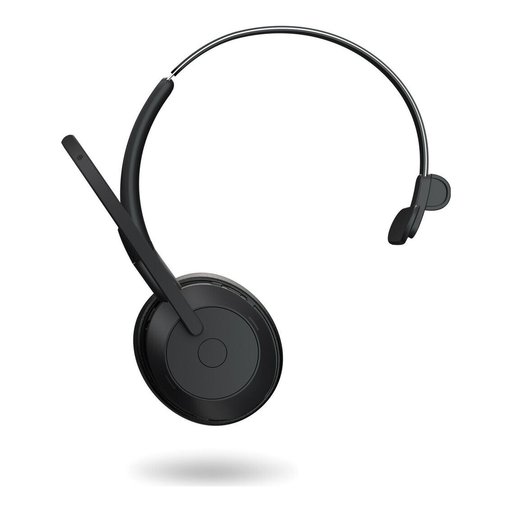
Jabra Evolve2 55 Mono Wireless Headset

Jabra Evolve2 55 Mono

For individual meetings where you prefer a mono headset and want to stay aware of voices in the room.

The description lists Bluetooth 5.2, USB-C, a USB-C adapter, noise-cancelling microphones and Teams certification.

View at Joybuy

Jabra Evolve 20 SE Mono Headset

Jabra Evolve 20 SE Mono

For personal VoIP or softphone calls on a computer using a wired connection.

The description lists USB-C and USB-A, UC certification, an integrated microphone, mute function and an external call control.

View at Joybuy
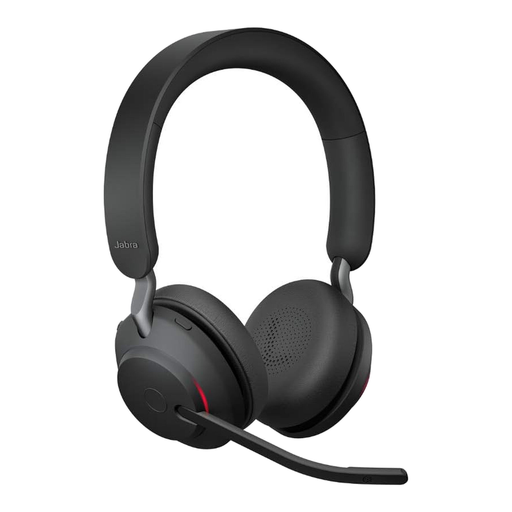
Jabra Evolve2 65 Wireless PC Headset

Jabra Evolve2 65 Wireless PC Headset

For personal wireless calls if you want a microphone boom and a USB-C Bluetooth adapter.

The description lists three microphones, UC certification and 37 hours of battery life. The stated noise isolation may not suit you if you want to hear voices around the table with as little muffling as possible.

View at Joybuy

Jabra Evolve2 30 SE Headset, model 23189-999-779

Jabra Evolve2 30 SE, model 23189-999-779

For individual meetings if you’re looking for a wired headset with built-in microphones.

The description lists two microphones, Teams certification, USB-A and compatibility with a USB-C adapter. The stated noise isolation may affect how well you hear voices in the room.

View at Joybuy

Frequently asked questions about headsets in meeting rooms

Can a headset I’m wearing pick up the whole team around the table for remote participants?

No, you shouldn’t assume that it can. If several people are speaking through a shared connection, plan and test how the room audio will be picked up. Zoom lists microphone position, room acoustics and processing as relevant factors in voice transmission.

How can I avoid echo when several laptops join a meeting in a small room?

Check which devices are actually sending and playing audio. Zoom lists multiple computers with active audio in the same meeting room as a possible cause of echo.

How do I test the microphone and speakers before a meeting?

In Zoom, you can test your microphone and speakers and play back a microphone recording. If possible, check the recording with the usual voices and background noise in the room too.

Is a manufacturer’s warranty the same as the statutory guarantee?

No. According to the information from Your Europe, consumer purchases from a trader are generally covered by a statutory guarantee of at least two years from receipt of the goods. A voluntary manufacturer’s warranty is separate; if you’re buying for a business, check the applicable contractual terms.

Which marking is relevant for a headset sold in Germany?

CE marking is required if the harmonised EU rules applicable to the specific product require it. Radio equipment such as Bluetooth devices is covered by its own EU rules; a CE mark is not proof of microphone performance or an independent quality award.