
Lieferung heute & morgen

Qualitätsgarantie

Willkommens-Angebote freischalten: KOSTENLOSE Lieferung | Bis zu 80 % RABATT | Kostenlose 30-Tage-JoyPlus-Testphase
App herunterladen
When buying headsets and headphones with microphones, it’s easy to focus first on promises about sound quality, lighting or supposed surround-sound features. In everyday use, though, other factors often make the difference between a model that works well and one that doesn’t: the right connection, a clear microphone and a comfortable fit.
Depending on its design, a noise-cancelling microphone reduces certain background noises when you speak. This doesn’t automatically mean active noise cancellation during playback. If you make calls in a noisy office or around other people, check the microphone’s position, pickup pattern and adjustability.
Virtual 7.1 sound often requires software and won’t necessarily work on every console. If you’re choosing a headset for PS5 and Xbox, the connection matters: an analogue 3.5 mm headset may connect directly to the controller, while USB models depend on the console and its software support.
A USB headset with a USB-A plug won’t connect directly to a smartphone with USB-C. Similarly, a USB-C headphone needs a compatible device and won’t automatically support every feature on every tablet, laptop or smartphone. Check which socket your device has before you buy.
A rotating or detachable microphone can be useful, depending on how you plan to use your headset. A boom microphone can be positioned closer to your mouth, while an integrated microphone is less noticeable and can be handy for calls on the go. Also look for:
“Noise cancelling” shouldn’t be taken as a guarantee of clear speech without interference. Room acoustics, distance from your mouth and background noise can all affect voice quality.
An over-ear headset surrounds your ears and can leave more space around them during longer gaming sessions. An on-ear model rests directly on your ears and is often more compact. In-ear headphones are lightweight and easy to carry, but need to fit securely with the right ear tips.
Look for:
Whatever model you choose, avoid keeping the volume high for long periods. If you feel pressure, experience skin irritation or feel uncomfortable, stop using the headset.
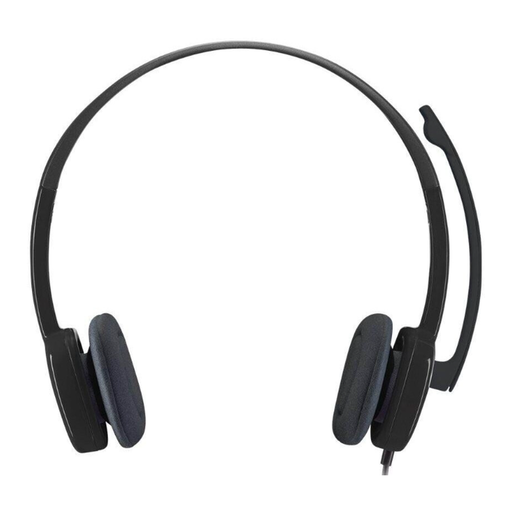
Why it suits this type of user: This wired headset uses a 3.5 mm connection and, according to the product information, is suitable for PCs, Macs, laptops, tablets and smartphones with a compatible audio socket.
The connection type is clearly stated. The microphone rotates through 180 degrees, and the in-line remote offers volume control and a mute function.
On-ear design, 80 g weight, adjustable headband and foam ear cushions. The headset’s stated frequency range is 20 Hz to 20 kHz.
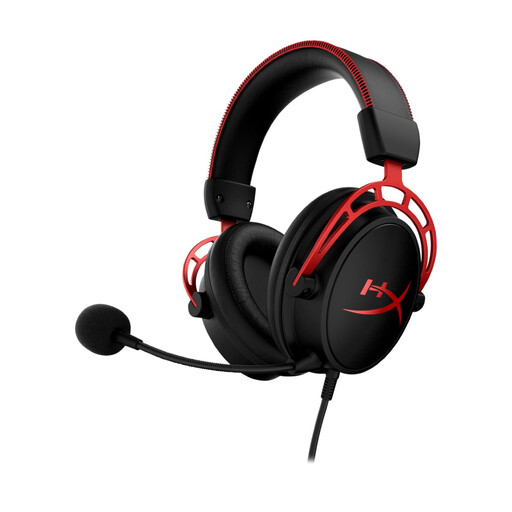
Why it suits this type of user: This over-ear headset is designed for people looking for a detachable microphone, a closed-back design and 3.5 mm compatibility with PC, PS5, PS4, Xbox and Nintendo Switch.
It doesn’t rely solely on specialist software to connect. The detachable microphone, described as noise-reducing, and the in-line controls remain available when used as a wired headset.
50 mm drivers, 65 Ohm impedance, memory foam ear cushions and an aluminium frame. The listed contents include a 1.3 m cable and a 2 m extension cable.
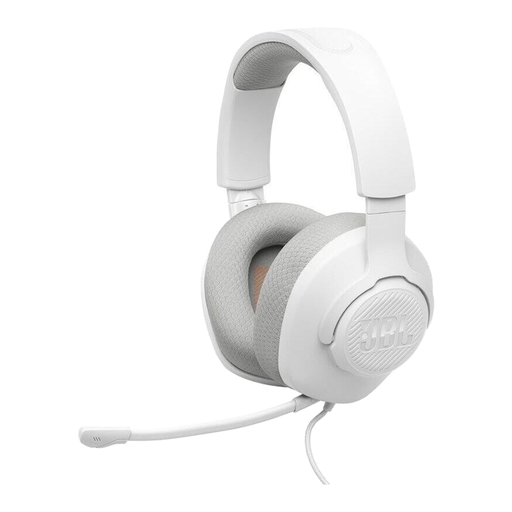
Why it suits this type of user: According to the product specifications, this wired over-ear model is compatible with PC, PS5, PS4, Xbox, Nintendo Switch, mobile devices, Mac and VR devices.
The microphone is detachable and has a mute function. This means you can use the headset without its fixed microphone boom when you’re not taking part in voice chats.
40 mm drivers, 32 Ohm impedance, 220 g weight, a 1.2 m cable and memory foam cushions with breathable fabric. The specifications state that active noise cancellation is not included.
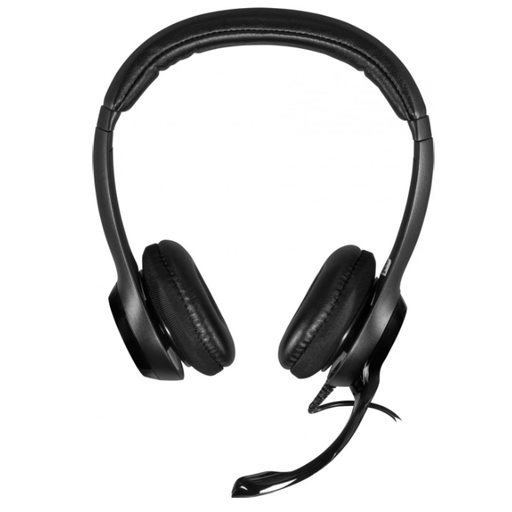
Why it suits this type of user: This USB headset is designed for computer workstations and connects via USB-A. The product specifications list a cable length of 190 cm.
The digital USB connection reduces the risk of needing an unsuitable adapter for a combined socket. Volume and mute controls are built into the in-line remote.
On-ear design, padded headband, rotating microphone and USB-A connection. This model is intended for office use, not for devices without a USB-A socket.
We’ve put together a complete, regularly updated list of products that meet these strict selection criteria and fully comply with the safety regulations in force in the EU.
That depends on the connection on your console or controller. Many wired models use a combined 3.5 mm plug. If your PC has separate audio and microphone sockets, you may need a suitable adapter. Check the product’s compatibility information before buying.
Not necessarily. A USB-A headset needs a compatible socket or adapter to connect to your smartphone. Your device must also support USB audio. For newer mobile devices, a USB-C headphone with a microphone may be the simpler option, provided your smartphone supports USB-C audio.
There’s no reliable way to give a fixed lifespan. It depends on factors such as cable movement, storage, moisture and strain on the cable. A detachable cable or microphone can make maintenance easier. Avoid kinking the cable, and store it dry after use without putting it under excessive tension.