
Lieferung heute & morgen

Qualitätsgarantie

Willkommens-Angebote freischalten: KOSTENLOSE Lieferung | Bis zu 80 % RABATT | Kostenlose 30-Tage-JoyPlus-Testphase
App herunterladen
Setting up a functional workspace at home has become a priority. A height-adjustable desk is often a central consideration, promising more movement and better posture. However, the market is crowded and not every model delivers on its promises. Before you make a decision, it's important to know the common pitfalls that can lead to a poor investment.
Two common problems with budget-friendly models are a lack of stability and noisy motors. A desk that wobbles at its highest position makes focused work impossible and poses a risk to your equipment. Similarly, a loud, slow motor can be so disruptive in daily use that the standing function is rarely used. Another issue is superfluous features that increase the price but offer no real value in practice.
To avoid a buying mistake, you should focus on three core technical parameters. These determine the longevity, functionality, and daily user experience of your desk.
The foundation of a good ergonomic desk is a solid frame. Pay attention to the material specifications—a steel frame is often the most reliable choice here. The crucial factor is the maximum static load capacity, specified in kilograms (kg). A value of 70 kg or more ensures that the desk won't reach its limits, even with multiple monitors, a laptop, and other documents. Check that the frame remains stable and doesn't wobble, even at its highest extended position. Adjustable feet are also a practical detail for compensating for uneven floors.
The core component of any electric desk is its motor. Models with two motors generally offer smoother and faster height adjustment than those with just one. A critical but often overlooked factor is the noise level. Quiet operation (typically under 50 decibels) ensures that adjustments in the home office are not disruptive—either to you or to other household members. Some models also feature overheating protection, which safeguards the motor during intensive use and extends its lifespan.
A desk with a memory function isn't a luxury, but an essential convenience feature. It allows you to save two to four preferred heights for sitting and standing. At the touch of a button, the desk automatically moves to the saved position, making it significantly easier to switch between postures throughout the workday. Additional ports directly on the control panel, such as a USB-C port, can simplify device charging and ensure a tidy workspace without extra power adapters.
Based on these objective criteria, we have identified several models suitable for different user profiles and work styles.
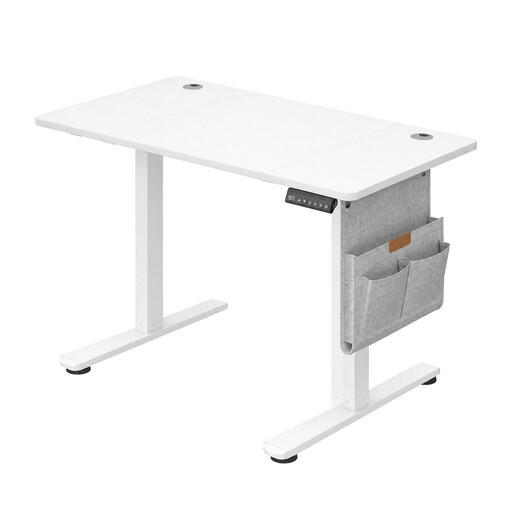
Why this model is a good fit: Ideal for users looking for reliable core functionality for their first ergonomic setup. Its compact size is well-suited for smaller rooms or apartments without compromising on key features.
The model relies on a solid steel frame for stability and a quality motor for quiet adjustment. It focuses on essential functions like memory presets and forgoes costly extras.
Four memory presets for height and a maximum static load capacity of 70 kg provide a solid foundation for daily use in the home office.
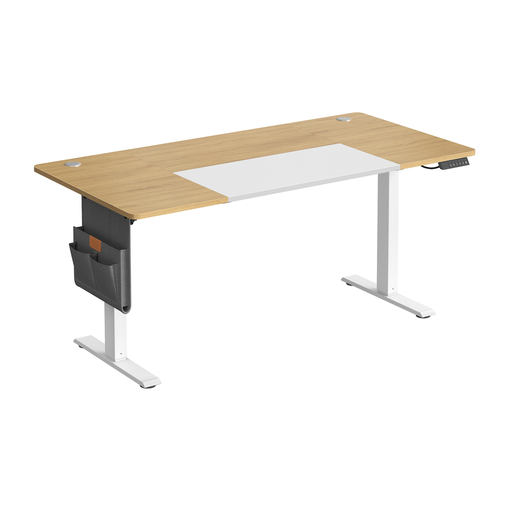
Why this model is a good fit: Perfect for users with a professional setup who need a large work surface for multiple monitors and accessories. The robust construction and generous dimensions support a demanding workday.
The sturdy steel frame and quiet motor ensure wobble-free and silent operation, even when fully loaded and at maximum height. The integrated reminder function is a practical, unobtrusive feature.
Large desktop (160 x 70 cm), integrated USB-C port, and thoughtful cable management for a tidy and highly functional workspace.
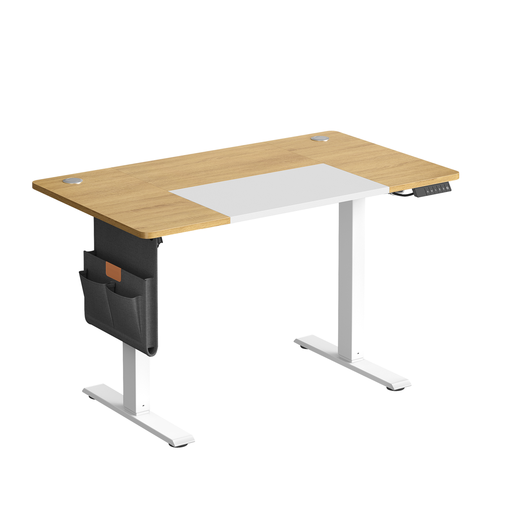
Why this model is a good fit: For anyone who values a tidy and efficient workspace. This model combines the ergonomic benefits of a standing desk with clever organisational details.
Instead of gimmicks, this desk focuses on practical, useful features. The quiet motor and stable frame provide a reliable foundation, while the organisational aids create real value in daily use.
Includes cable management, a fabric organiser pouch, and a hook. The integrated USB-C port further reduces cable clutter.
We have compiled a complete, up-to-date list of products that fully meet these strict selection criteria and rigorous safety standards.
The power consumption of an electric desk is typically very low. In standby mode, where the desk spends most of its time, consumption is often less than 0.5 watts. More energy is only briefly required during the few seconds of active height adjustment. The annual electricity costs are therefore negligible.
Most modern models are designed for self-assembly. Thanks to clearly labelled parts and detailed step-by-step instructions, assembly is usually straightforward, even for individuals without prior DIY experience. It is advisable to assemble it with a second person, especially when placing the desktop.
A simple rule of thumb for the correct ergonomic height is: both when sitting and standing, your forearms should rest on the desktop at an approximate 90-degree angle with your shoulders relaxed. Your wrists should be straight. Save these two positions using the memory function to switch between them effortlessly.