Travellers with favourite games
If you want to carry on playing particular hidden-object games while you’re out and about, first check which platform they run on and whether the controls work as you’d like in handheld mode.


Start with the hidden-object games you actually want to play. A Switch Lite could suit you for compatible Switch games in handheld mode, while a larger Switch model gives you more screen space. A PC handheld is a better fit if it can run the PC games you want to play. Before setting off on your coach journey, check the controls, whether the games launch offline and how long the battery lasts with the specific game.
If you want to carry on playing particular hidden-object games while you’re out and about, first check which platform they run on and whether the controls work as you’d like in handheld mode.
If you want to spot small objects from your coach seat, compare screen size and controls with the weight you’ll be comfortable holding during the journey.
If you won’t have a reliable connection on the way, install and launch your games before you leave, and plan battery life around the specific journey.
A good fit if: You’re looking for a lightweight, compact device for Switch games that support handheld mode.
The trade-off: The 5.5-inch screen leaves less room for small hidden objects. TV output and some Joy-Con features are limited.
A good fit if: You want to play Switch hidden-object games on a larger screen and also use tabletop or TV mode.
The trade-off: It’s less compact than the Lite, and the battery life quoted by Nintendo depends partly on the game you’re playing.
A good fit if: You want to play Switch 2 games as well as compatible Switch games, and prefer a 7.9-inch touchscreen.
The trade-off: Check older Switch games individually for compatibility; not every title is fully supported.
A good fit if: The hidden-object games you want are available on Steam and playable with the controls you plan to use.
The trade-off: Valve lists a weight of around 640 g and gameplay time that varies depending on the content. A compatibility rating doesn’t guarantee that a game will launch offline.
A good fit if: You have specific PC games and an operating system in mind, such as a suitable Windows or SteamOS version.
The trade-off: Compare the exact model and its weight. A stated battery capacity doesn’t tell you how long you can play.
| What to consider | What to check before buying | Who it matters most to |
|---|---|---|
| Access to games | Check the platform, handheld mode and controls for each game you want to play. | If I want to play a particular game or use my existing collection on the go, the platform matters more than a device’s promises. Around 25% of consumers put access to the games they want first. |
| Portability | Compare the weight, including any attached controllers, and consider how you’ll be sitting. | If I’m going to hold the device for a long time in a cramped seat, a comfortable size and shape really matter. Around 20% of consumers prioritise portability. |
| Screen and controls | Try your preferred games on a screen of the relevant size, and check whether the touchscreen or controller works for you. | If I want to spot and select small objects, I look for a screen that’s easy to use and controls that suit the game. Around 20% of consumers prioritise screen readability. |
| Offline play and battery | Install and launch the game before your journey, with no internet connection. Allow for some leeway rather than relying on the manufacturer’s maximum figure. | If I want to play without Wi-Fi or a power socket, the specific game I have must work offline. Around 20% of consumers prioritise uninterrupted offline play. |
| Total cost | Factor in the games you want and any accessories you genuinely need, as well as the device itself. | If I want to keep my spending under control, I compare the features with what my games actually require. Around 15% of consumers put total cost first. |
The Switch Lite requires Switch games to support handheld mode. Older Switch games aren’t automatically fully compatible with Switch 2 either.
Make a list of the specific games you want and check their modes, controls and, where relevant, compatibility with Switch 2.
Some Joy-Con features on the Switch Lite may require additional accessories.
A game’s compatibility rating doesn’t tell you whether it will launch without an internet connection. Steam says games that require an active connection or an external launcher won’t work in offline mode.
Install and launch the exact game you want before you leave, then test that it starts without an internet connection.
Nintendo says battery life depends on the model, software and features in use. The quoted gameplay time for the Steam Deck OLED also varies depending on the content.
Allow for some leeway and check whether you’ll need a way to charge the device during your actual journey.
A voluntary manufacturer’s warranty is separate from your statutory rights against the seller.
Before paying extra, read what the warranty covers and excludes, and consider your statutory rights separately.
For compatible Switch games in handheld mode, as well as Switch 2 titles and compatible older Switch games.
The Steam Deck OLED could suit hidden-object games that are available on Steam and work with your preferred controls.
The ROG Ally X is aimed at buyers who want to play specific PC games on Windows.
The Legion Go S is available in different versions, so choosing the right operating system is essential.
This selection includes Switch consoles, PC handhelds and retro handhelds. For each device, check whether the specific hidden-object games you want are available and how they play.
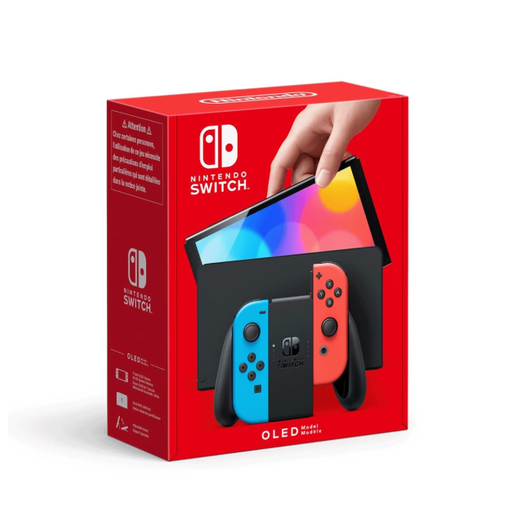 No image available
For Switch games you want to play in handheld mode; Nintendo lists a 7-inch OLED screen.
The product description also lists handheld, tabletop and TV modes.
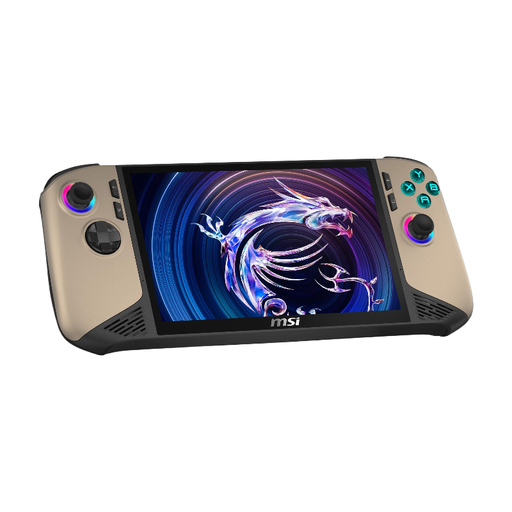 No image available
An option for PC games that run on the device and work with the controls you want to use. Check the specific game before buying.
The product title lists an Intel Core Ultra 7, an 8-inch FHD+ display with a 120 Hz refresh rate, 32 GB RAM, a 1 TB SSD and Windows 11 Home. Bear in mind the listed weight of 795 g if you plan to hold it for long periods.
 No image available
The product description lists pre-installed games, including puzzle games. Check whether the hidden-object games you want are actually included.
The product title lists a 3.2-inch display and a rechargeable battery.
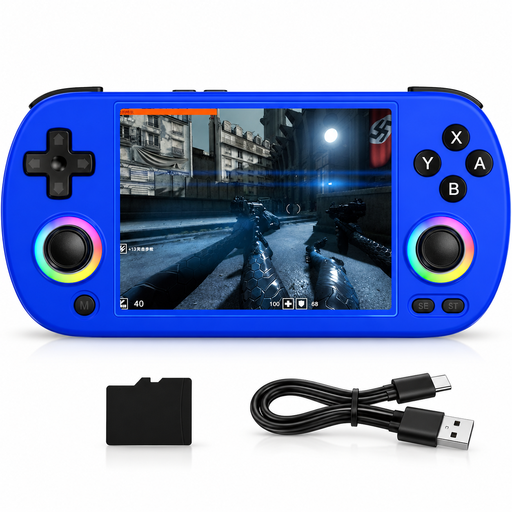 No image available
For retro games, provided your chosen titles run on the device. Check that any specific hidden-object game you want to play is supported first.
The product title lists a 4-inch IPS screen. The product description says it supports more than 30 emulator formats.
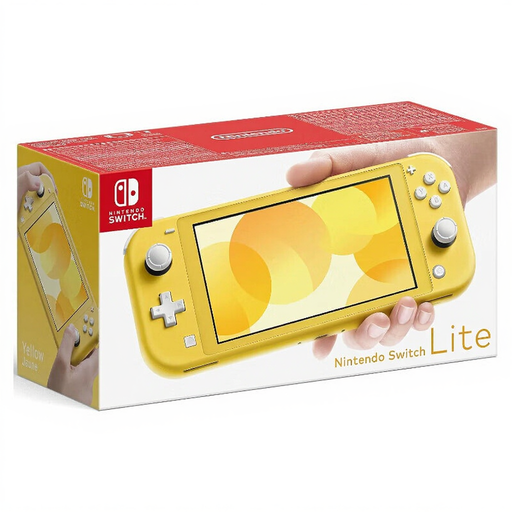 No image available
For Switch games that support handheld mode. Nintendo lists the Switch Lite at around 275 g, with a 5.5-inch touchscreen.
If you want to use specific Joy-Con features, check whether you’ll need additional accessories.
No. Check which features you want to use on the specific game while travelling, and launch it without an internet connection before you set off. For “Hidden Through Time”, the publisher describes a cloud feature for sharing user-created levels. This doesn’t tell you whether that feature is available offline.
Sign in online, install any updates, launch the game once and then switch to offline mode. Steam says that games requiring an active connection or an external launcher won’t work in offline mode.
Compare your journey length with some spare battery time, rather than relying on the upper end of a manufacturer’s estimate. Nintendo notes that battery life depends on the game and the features in use. Download the games you want in advance, check how much storage space is free and make sure you have the right memory card for your model.
The EU consumer portal states that goods come with at least a two-year legal guarantee from the date you receive them. This is separate from a voluntary manufacturer’s warranty. For online purchases, you generally have 14 days from delivery to cancel. The terms that apply will depend on your specific purchase.
Check the age rating for the specific game and look for information about purchasing and communication features. The USK describes its age ratings as a guide to choosing games; the device you choose doesn’t determine the age rating of individual games.