
Lieferung heute & morgen

Qualitätsgarantie

Willkommens-Angebote freischalten: KOSTENLOSE Lieferung | Bis zu 80 % RABATT | Kostenlose 30-Tage-JoyPlus-Testphase
App herunterladen
Choosing a high-end PC is a significant investment. Whether for professional applications, demanding gaming, or creative projects, selecting the right system requires careful consideration of technical details. Too often, marketing promises and unclear specifications lead to poor purchasing decisions. This guide will help you avoid common pitfalls and make an informed choice that meets your needs.
Before we dive into the crucial components, it's important to understand three common mistakes that often lead to inadequate performance or unnecessary expense.
To avoid these mistakes, you should focus on a few core parameters that determine the real-world performance and usability of your system.
The processor is the heart of every PC. Current high-end models like the Workstation PC Intel Ultra 9 or systems with AMD Ryzen AI integrate not only traditional processing cores but also an NPU (Neural Processing Unit). This is specially optimised for artificial intelligence tasks.
The choice of graphics card depends heavily on the use case. There is a clear distinction between gaming and professional workstation cards.
The form factor determines how and where you can use your device. Each type has specific advantages and disadvantages.
For all form factors, look for modern ports like Thunderbolt 4 or Thunderbolt 5 for high-speed data transfer and connecting multiple monitors, as well as current wireless standards like Wi-Fi 7.
Based on the criteria mentioned, we have compiled a selection of devices suitable for specific user profiles.

Why It's a Good Fit: Designed for stability and reliability in mission-critical environments like CAD, data analysis, and software development.
The system uses a professional NVIDIA RTX A400 graphics card with certified drivers instead of an oversized gaming GPU, avoiding unnecessary costs while ensuring maximum stability.
The combination of an Intel Core Ultra 7 with an NPU and a professional GPU is optimised for demanding business and AI workflows.
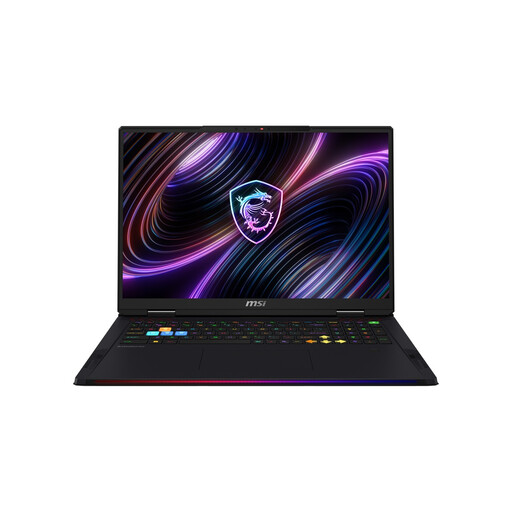
Why It's a Good Fit: Delivers uncompromising performance for gaming at the highest resolutions and frame rates, combined with a high-quality display and a powerful cooling system.
The advanced cooling system (Cooler Boost 5) prevents thermal throttling, ensuring the NVIDIA GeForce RTX 5090's performance is fully utilised even under full load.
Maximum graphics performance for current and upcoming game titles, paired with a 120Hz Mini-LED display for an extremely smooth and vibrant picture.
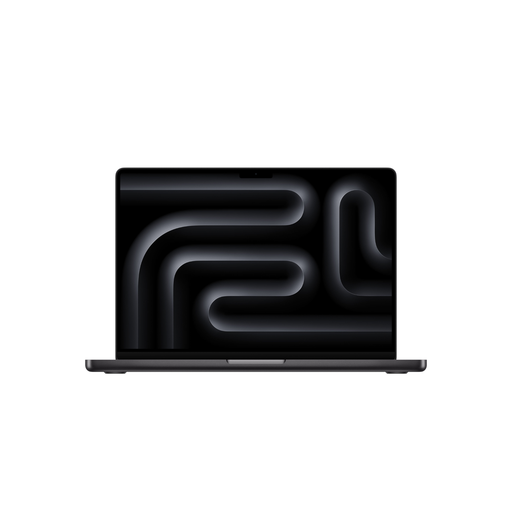
Why It's a Good Fit: Combines extreme performance with high efficiency and portability, ideal for video producers, 3D artists, and musicians who need to work on the go.
The unified architecture of the MacBook Pro M5 prevents bottlenecks from mismatched components from the outset, ensuring optimal performance with high energy efficiency.
Outstanding performance-per-watt enables long battery life even during demanding tasks. The Liquid Retina XDR display offers excellent colour reproduction.
We have compiled a complete, real-time updated list of products that fully meet these strict selection criteria and German safety regulations.
Very important. While the NPU currently plays a role mainly in specialised software and OS features like Windows Copilot+, its importance will grow exponentially. Future versions of creative software, development environments, and even games will increasingly rely on AI acceleration to deliver smarter features and better performance. A system with a powerful NPU is therefore an investment in compatibility with tomorrow's software.
Both approaches have pros and cons. A DIY build offers maximum flexibility in component selection and can potentially be more cost-effective. However, it requires technical knowledge, time, and the willingness to handle your own troubleshooting if problems arise. A pre-built system from an established manufacturer offers the advantage of a warranty on the entire system, professionally tested component compatibility, and a single point of contact for support. For high-end systems, the assurance of a stable, cohesive unit is often worth the premium.
A high-end PC bought today should have a useful life of about 5 to 7 years for most demanding tasks. Core components like the CPU and GPU will define the primary lifecycle. Minor upgrades, such as expanding RAM or adding an extra SSD, can extend its usability over time. After this period, new technologies and software requirements will likely necessitate a more comprehensive upgrade.