
Lieferung heute & morgen

Qualitätsgarantie

Willkommens-Angebote freischalten: KOSTENLOSE Lieferung | Bis zu 80 % RABATT | Kostenlose 30-Tage-JoyPlus-Testphase
App herunterladen
High-performance laptops differ not only in processor, graphics card or screen size. What really counts is whether the components work together consistently, whether the device suits your workflow, and what limitations you'll face in daily use. A large gaming laptop, for example, can deliver impressive performance, but with several kilograms of weight and a bulky power adapter, it's less practical for daily train commutes.
Before you buy, it's worth watching out for typical marketing pitfalls:
For gaming, 3D rendering and AI applications, several components are relevant. A powerful processor with plenty of cores supports rendering, compilation and multitasking. A dedicated graphics card, on the other hand, handles graphics-intensive calculations, ray tracing and certain AI or creative functions.
When looking at a gaming laptop, pay attention to:
A laptop with RTX 5090 or laptop with RTX 5080 can be suitable for high resolutions, demanding games and professional applications. However, the actual performance also depends on the specific chassis, cooling and power delivery. For many users, a laptop with RTX 5070 or RTX 5070 Ti may already be sufficient if you're not constantly rendering or gaming in 4K.
For office work, study and general productivity, 16 GB RAM is often enough. If you open many applications simultaneously, work with large RAW files or use virtual machines, you should consider a laptop with 32 GB RAM. For extensive 3D scenes, video projects, data analysis or local AI models, a laptop with 64 GB RAM may be more practical.
With SSDs, capacity isn't the only thing that matters:
Check whether additional M.2 slots are available. According to the product data, the MSI Stealth 18 HX offers an extra M.2 slot alongside 32 GB DDR5 and 2 TB SSD. This means storage can be adapted more flexibly later on.
A laptop with OLED display offers inherently high contrast and vibrant colour reproduction. This can be appealing for photo editing, films and games. With static user interfaces, you should follow the manufacturer's guidance on usage and care.
A laptop with Mini-LED display works with many individually controlled backlighting zones. Models like the MSI Titan 18 HX or the MSI Stealth 18 HX combine this technology with high resolution and HDR specifications. For creative work, colour gamut coverage, brightness and colour profile are also important.
The refresh rate should match your intended use:
A portable gaming monitor can provide extra screen space on the go. The ARZOPA Z1FC, for example, offers 16.1 inches, Full-HD resolution and 144 Hz. The UPERFECT monitor adds 2K resolution and a refresh rate of up to 144 Hz. Before buying, check whether your laptop supports USB-C video output or whether an HDMI cable is needed.
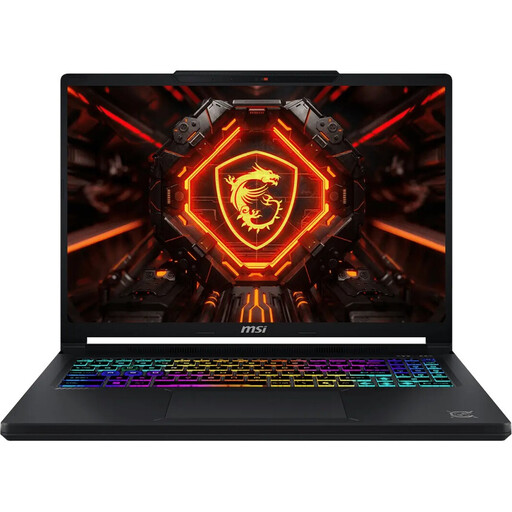
Why this product fits the profile: This 16-inch gaming laptop combines a Core Ultra 9, RTX 5070, 16 GB DDR5, 1 TB SSD and a QHD+ OLED display with 165 Hz. That makes it suitable for gaming, study and versatile multitasking.
The product data lists not just the GPU, but also 12 GB GDDR7 video memory, display resolution and refresh rate.
RTX 5070 with 12 GB GDDR7; QHD+ OLED panel with 165 Hz.
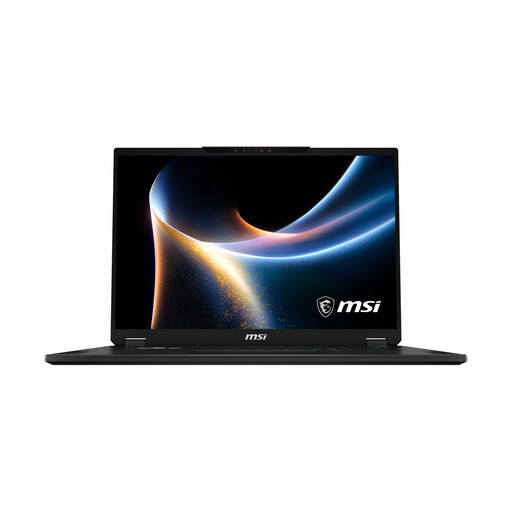
Why this product fits the profile: This 18-inch device is aimed at users who want a large workspace and gaming area, RTX 5080 graphics and extensive connectivity.
The configuration specifies 150 W TGP, 16 GB GDDR7, 32 GB RAM and an additional M.2 slot.
Mini-LED display with 3,840 × 2,400 pixels; 2.5 Gbit/s LAN and Wi-Fi 7.
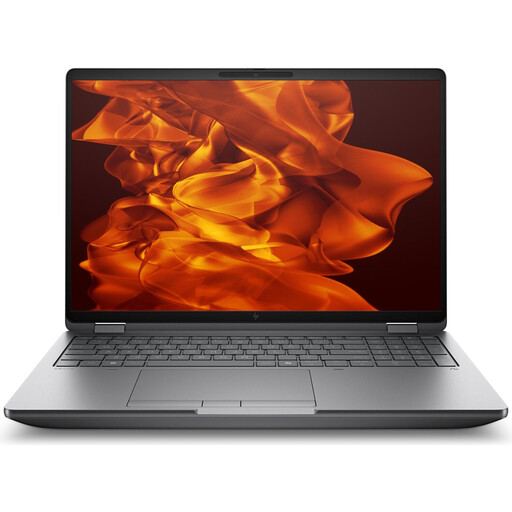
Why this product fits the profile: This mobile workstation is designed for professional applications, CAD, data analysis, AI workflows and 3D rendering.
The RTX Pro 4000 features 16 GB GDDR7 and is listed with ISV certifications and professional graphics capabilities.
64 GB DDR5 RAM; 2 TB SSD and WQUXGA display with 120 Hz.
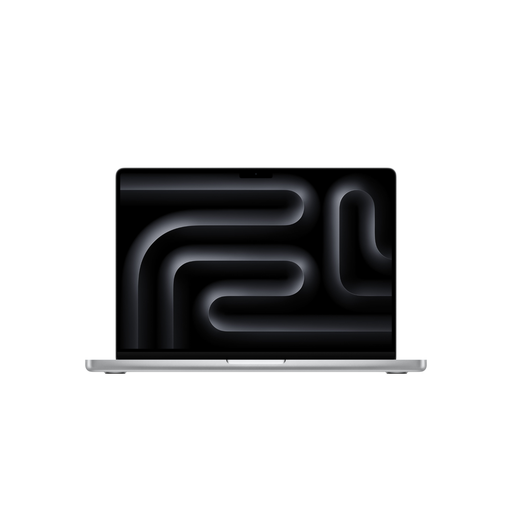
Why this product fits the profile: This compact MacBook Pro is ideal for users in the Apple ecosystem who want to combine video editing, programming and mobile productivity with macOS.
The product description specifies display brightness, ports, storage and external monitor support rather than just general performance terms.
M5 Pro with 15-core CPU and 16-core GPU; 24 GB Unified Memory and 1 TB SSD.
We've put together a complete, regularly updated list of products that fully meet these strict selection criteria and the safety regulations in force in the EU.
A 2-in-1 laptop like the ASUS ROG Flow Z13 or the HP ENVY x360 can switch between notebook, tablet and stand modes. The touchscreen is handy for drawing, presentations and note-taking. However, check whether the keyboard, stylus and power adapter are included in the box.
With MacBook Pro models, the listed product data sometimes shows no power adapter included. This accessory should be factored into the total cost. For gaming devices, weight, power adapter size and noise levels under load are also important points. A machine weighing 3.6 kg with a 400 W power adapter is better suited as a portable desktop replacement than for daily commuting.
For office work and study, 16 GB is often sufficient. For gaming with simultaneous streaming, video editing and professional applications, 32 GB is a well-balanced choice. For large 3D projects, virtual machines or local AI models, 64 GB can make sense.
The lifespan depends on build quality, cooling, battery care and software demands. Upgradeable RAM or an additional SSD slot can extend the practical service life. With intensive use, ventilation openings should remain clear and the device should sit on a firm surface.
High-performance gaming laptops draw significantly more power under heavy load than slim office machines. The power adapter, GPU power limit and display resolution all influence consumption. For longer gaming sessions, the device should be run on its supplied power adapter; for mobile work, an efficient processor with integrated graphics may be more suitable.