
Lieferung heute & morgen

Qualitätsgarantie

Willkommens-Angebote freischalten: KOSTENLOSE Lieferung | Bis zu 80 % RABATT | Kostenlose 30-Tage-JoyPlus-Testphase
App herunterladen
The search for a truly high-performance laptop can quickly become overwhelming. High price tags and long spec sheets make big promises, but not every expensive device delivers the expected performance. As your Joybuy Product Recommendation Officer, I'll help you identify the common pitfalls and make an informed decision based on objective criteria.
Before you invest, you should be aware of three common marketing traps that often lead to disappointment:
To avoid these traps, focus on three crucial, verifiable parameters that define real-world performance.
For maximum performance, the CPU and GPU must be in harmony. A high-end GPU like the NVIDIA GeForce RTX 5090 needs an equally capable partner, such as a latest-generation Intel Core Ultra 9 or AMD Ryzen 9 processor. This is the only way to ensure the graphics card is constantly fed with data, which is essential for demanding 4K gaming or professional video editing. Make sure the components are in the same performance tier.
A high-end notebook is only as good as its cooling system. Look for features like vapor chamber cooling, multiple fans, and generously sized air intakes and exhausts. Manufacturer specifications on cooling technology are often a good indicator of whether the device is designed for sustained peak performance. A heavier, slightly thicker chassis can be an advantage here, as it provides more space for effective heat dissipation.
The display is your interface to the laptop's power. The choice depends on your primary purpose:
Here are a few configurations tailored to specific user groups that purposefully avoid the pitfalls mentioned.
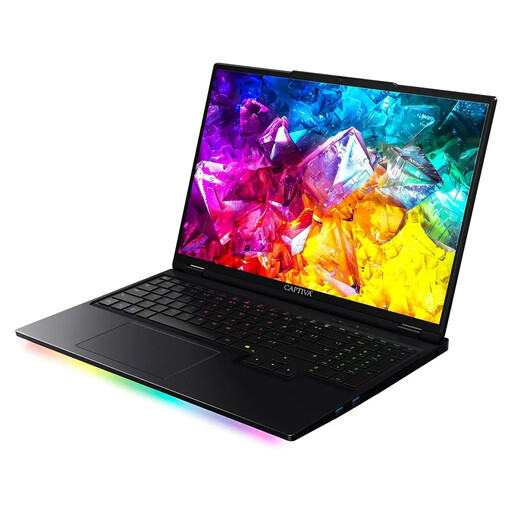
Why This Fits Their Persona: This device is engineered for maximum gaming performance. The combination of an AMD Ryzen 9 9955HX, an NVIDIA GeForce RTX 5090 with 24 GB of VRAM, and a 300 Hz display delivers the necessary power for competitive gaming and streaming at the highest settings.
The configuration is high-end across the board, avoiding bottlenecks. The German-engineered design places a strong emphasis on adequate cooling to minimize thermal throttling under sustained load.
Desktop-like performance from a 16-core CPU and top-tier GPU; extremely fluid gameplay thanks to the 300 Hz display.
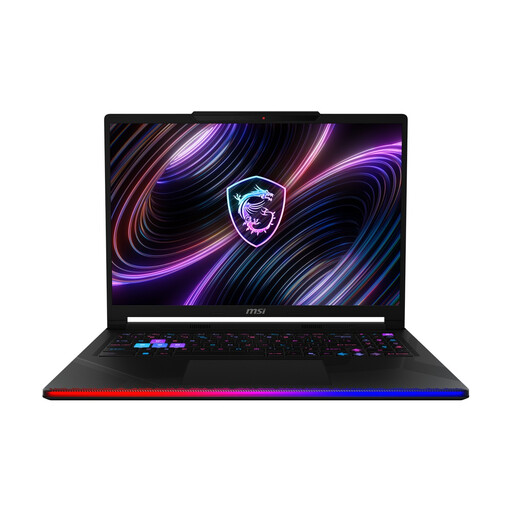
Why This Fits Their Persona: This creator notebook is ideal for video editing, 3D rendering, and design. The color-accurate 16-inch, 240 Hz OLED display with WQXGA resolution is optimized for visual professionals. The RTX 5090 and Intel Core Ultra 9 significantly accelerate render times.
Here, the display isn't a weak point but a central feature. The VESA DisplayHDR True Black 1000 certification and 100% DCI-P3 color gamut coverage guarantee professional-grade color accuracy and contrast.
Outstanding image quality from the 240 Hz OLED panel; massive computing power for creative software thanks to the RTX 5090 and Core Ultra 9.
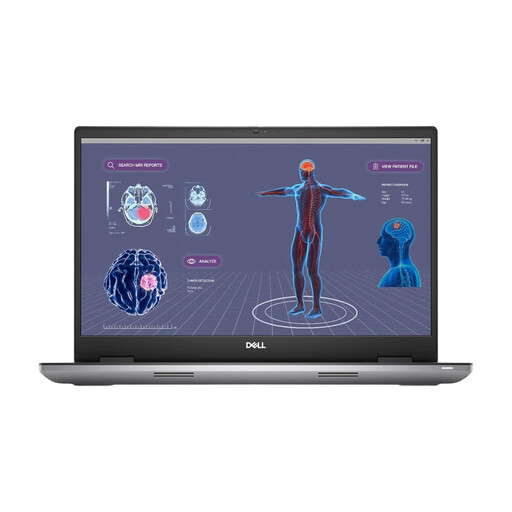
Why This Fits Their Persona: As a classic mobile workstation, the Precision 7780 is built for reliability and certified performance in professional software (CAD, simulation, data analysis). Stability and support are prioritized over raw gaming performance.
This device focuses on professional, certified performance rather than marketing buzzwords. The NVIDIA RTX 3500 Ada graphics card is optimized for professional applications and offers certified drivers for maximum stability.
Robust build quality for professional use; dedicated workstation graphics card; 3 years of Dell ProSupport for service and reliability.
We have compiled a full, real-time updated list of products that fully meet these strict selection criteria and German safety regulations.
The cooling system is absolutely crucial. Without effective heat dissipation, a high-end notebook can only maintain its maximum performance for a short time before being throttled by thermal throttling. A good cooling system is the prerequisite for being able to use the performance you paid dearly for on a sustained basis.
For many professional users, especially in the fields of video editing with 4K/8K footage, 3D rendering, or when working with large datasets, 64GB of RAM is a future-proof investment. While 32 GB is still sufficient for many current tasks, more RAM allows for a smoother workflow with multiple memory-intensive programs running simultaneously and prevents performance degradation on complex projects.
A gaming laptop is optimized for maximum frame rates and fast response times in games. Its graphics card drivers are geared towards the latest game titles. A mobile workstation, on the other hand, is designed for stability, reliability, and certified performance in professional software (e.g., from Autodesk, Adobe, Dassault Systèmes). Their graphics cards (e.g., NVIDIA RTX Ada Generation) use special drivers that are validated for these applications and often come with extended support and service plans.