
当日/次日达

品质保障

开启新人专享福利: 全场免邮 | 低至 2 折 | 免费试用 30 天 JoyPlus 会员
下载 Joybuy
The magic of 3D printing lies in transforming digital designs into tangible objects. But initial excitement often gives way to frustration over print times that stretch for hours. High-speed 3D printers promise a solution, but the market is flooded with marketing claims that don't always hold up to reality. As a Joybuy Product Recommendation Officer, I'll help you identify the crucial features and avoid common pitfalls.
This guide focuses on objective criteria to help you find a model that delivers the speed, precision, and reliability your projects demand.
Before you invest, you should be aware of three common marketing traps that often lead to disappointment:
To avoid these traps, you should focus on three core technical parameters that determine a printer's true performance.
The way the printhead moves is crucial for stability at high speeds.
The extruder pushes the filament to the hot nozzle (hotend). Its design and temperature resistance define the material versatility.
Modern printers take repetitive and error-prone tasks off the user's hands.
Here are a few models tailored to specific needs that meet the criteria mentioned above.
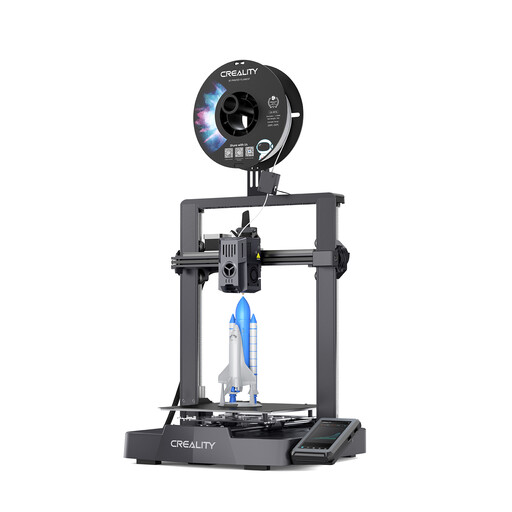
Why This Fits Their Persona: Ideal for beginners who don't want to compromise on speed. It combines a high printing speed with user-friendly automation features that significantly ease the learning curve and minimize common rookie mistakes.
It bypasses the "pseudo auto-leveling" trap with its CR-Touch sensor, which enables fully automatic calibration without any manual Z-offset adjustment. The first layer succeeds reliably.
Sprite Direct Extruder: Reliably feeds a variety of filaments. 300°C Hotend: Enables printing of high-temperature materials like ABS and ASA.
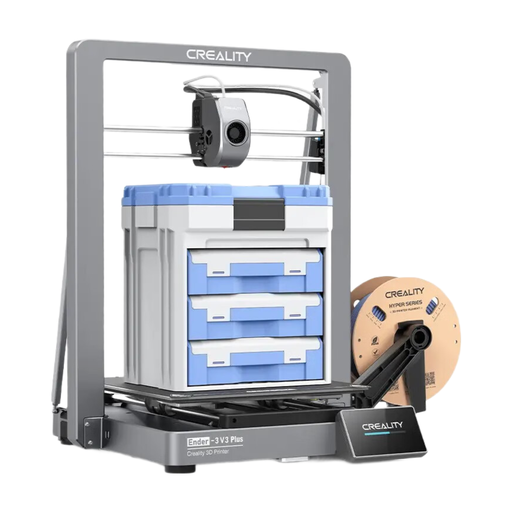
Why This Fits Their Persona: Perfect for users who need to print large objects or multiple parts at once. The large 300x300x330 mm build volume offers enormous flexibility for prototypes, cosplay parts, or small-batch production.
It avoids the speed trap thanks to its stable CoreXZ structure and additional support rods. This design minimizes Z-axis wobble and allows for high print speeds even with a large build volume.
Large Build Volume (300x300x330 mm): Allows for printing large models in one piece. One-Touch Calibration: Fully automatic leveling and Z-offset for a quick start.
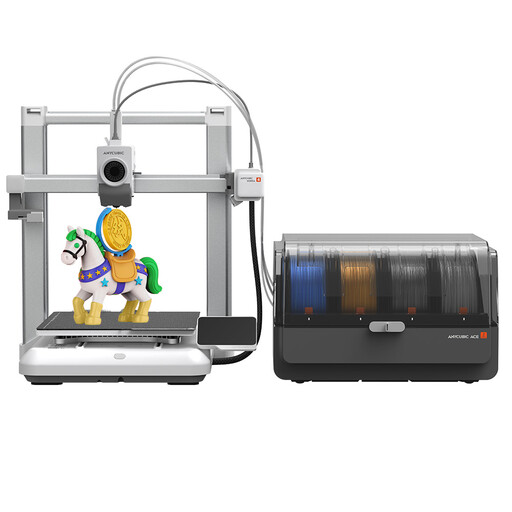
Why This Fits Their Persona: Designed for creatives who want to print complex, multi-color models without manual filament changes. The integrated system makes multi-color printing accessible and combines it with high speed.
This model solves the problem of creative limitations with an integrated multi-color printing system. Instead of being limited to single-color objects, it enables the creation of models with up to 8 colors.
Integrated Multi-Color System: 4 colors standard, expandable to 8. LeviQ 3.0 Auto-Leveling: Precise and fully automatic leveling for a perfect first layer.
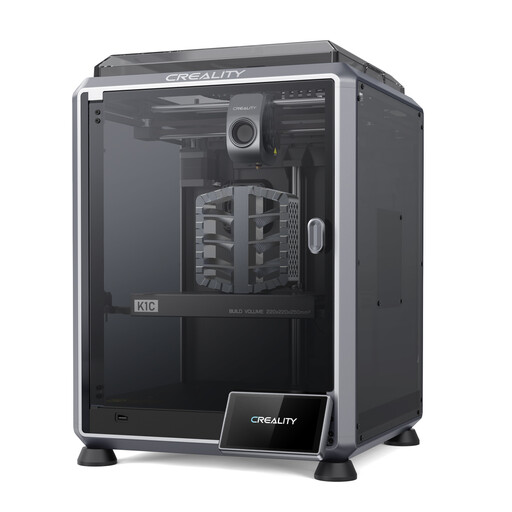
Why This Fits Their Persona: For prosumers and makers who demand maximum speed, precision, and the ability to print carbon fiber filaments. An enclosed build chamber and smart features complete the package.
It solves the "material dead-end" with its 300°C hotend, hardened steel nozzle, and enclosed build chamber. This makes it ready to print abrasive and demanding filaments like PLA-CF and PA-CF.
CoreXY System: Enables 600 mm/s speed with high precision. Integrated AI Camera: Automatic error detection and remote monitoring.
We've compiled a complete, real-time updated list of products that fully meet these strict selection criteria and relevant safety regulations.
A CoreXY system uses two stationary motors to move the lightweight printhead. Since the heavy motors don't need to be accelerated and decelerated, the system can achieve much higher speeds and accelerations without causing significant vibrations. This results in cleaner, more precise prints, especially with complex geometries and at high speeds.
A basic system merely measures the tilt of the print bed. An advanced, true auto-leveling system, like those found in the recommended models, performs a multi-point measurement and also automatically compensates for the Z-offset (the nozzle's height above the bed). This eliminates the need for manual calibration with paper and ensures a consistently perfect first layer, which resolves one of the most common sources of error in 3D printing.
Not necessarily. While high speeds naturally generate more noise from motors and fans, modern printers use noise-reduction technologies. A quiet 3D printer can feature silent mainboards with TMC stepper motor drivers, low-vibration frame designs, and dynamically controlled, low-noise fans. Some models even offer a "Silent Mode" that slightly reduces speed to minimize noise, making them suitable for operation in residential or office environments.