A compact tablet is easier to hold when reading historical letters on the train, while a larger screen gives you more room to view full-page scans. Check readability using a page from one of your own letters, and make sure your files are available offline and your chosen app supports the annotations you need. An e-reader may be suitable for straightforward reading, but features such as text selection and highlighting in PDFs can be limited, depending on the device.
Which tablet is right for you?
Readers of scanned handwriting
If letters are supplied as page images or PDFs, open a typical file in the app you plan to use and check the text size and zoom. The Library of Congress notes that only a small number of its digitised manuscript collections have been transcribed.
Readers who travel by train regularly
If you read on the go, you’ll want a device that’s comfortable to hold and letters saved locally before your journey. Open a file in advance to check that it’s available without a network connection.
Readers who need to annotate
If you want to record observations or mark up passages, check that the file type and app work well together. For PDFs on its e-readers, Rakuten Kobo documents limitations on text selection and highlighting; on a tablet, these features also depend on the specific app and file.
What should you look for when buying?
First, see how a page from one of your own letters looks on the screen. Then compare portability, offline access and the annotation features you need.
Compact colour tablet
A good fit if: you often hold your device on the train and want to switch between letter scans and other files.
The trade-off: a full-page scan will look smaller, so you may need to zoom in more often to read fine handwriting.
Larger tablet with stylus support
A good fit if: viewing full pages and taking regular notes matter more to you than having the smallest possible device.
The trade-off: a larger device takes up more space on your seat or table. Also check whether the stylus you need is included with the specific model.
E-reader
A good fit if: you mainly read easy-to-read text and don’t need a range of tablet apps.
The trade-off: Rakuten Kobo documents zoom for PDFs on its e-readers, but not text selection or highlighting. Check the features using one of your own letters.
| What matters |
What to check before buying |
Who is it important to? |
| Handwriting and scanned pages |
Open a page from one of your own letters in the file format you plan to use; check the text, page overview and zoom. |
If I want to decipher fine handwriting, I still need a good overview of the page when zooming in. Around 33% of consumers prioritise reading handwriting and viewing full scans. |
| Portability on the train |
Check the weight and dimensions of the exact model, including any case you plan to use; read a sample page while seated. |
If I’m reading on the train for a long time, I want a tablet that’s comfortable to hold and easy to put away. Around 27% of consumers prioritise portability during their journey. |
| Opening letters offline |
Download a file before your journey, open it in the app you plan to use and test access without a network connection. |
If I don’t want to revisit an archive website while I’m out, I want to be able to save my letters locally in advance. Around 20% of consumers make offline access their main priority. |
| Notes and highlights |
Use one of your own files to check whether the app supports handwritten notes, image annotations or text highlights; check the stylus and what’s included. |
If I want to record observations as I read, the app and file type need to support the kind of notes I want to make. Around 20% of consumers prioritise annotation features. |
Common misconceptions
-
A high-resolution screen makes all old handwriting readable
Blurry or difficult-to-read originals will still be challenging. The Library of Congress notes that handwritten pages can be difficult for automatic text recognition.
Before deciding, open a representative page at its original quality and check the zoom and any available transcriptions.
-
PDF support automatically means text selection and highlighting
For PDFs on its e-readers, Rakuten Kobo documents zoom, but not text selection or highlighting. On tablets, the editing options depend on the specific file and app.
Try the tasks you want to do with one of your own files in the app you plan to use.
-
Every model comes with a stylus
Stylus support and what’s included in the box are two different things. Depending on the configuration, the Tab Pen may be included with the Lenovo Tab M11 or sold separately.
Before buying, check the exact model, the compatible stylus and the stated contents of the box.
Depending on the model, you may need to buy a compatible stylus separately.
A guide to relevant brands
Apple
The iPad mini is a compact tablet option for letter scans and other files.
- Apple lists an 8,5-Zoll display and a weight of 255 g for the Wi-Fi version of the iPad mini. It supports Apple Pencil Pro and Apple Pencil (USB-C).
- These manufacturer specifications don’t tell you how easy a particular piece of historical handwriting will be to read. Check that the stylus and PDF app suit the way you plan to use them.
Samsung
The Galaxy Tab A11 is a compact Android option, while the Galaxy Tab S10 FE offers a larger screen with an S Pen.
- Samsung lists an 8,7-Zoll screen, 1.340 × 800 pixels and microSD expansion for the Galaxy Tab A11. The Galaxy Tab S10 FE is listed with a 10,9-Zoll screen and an S Pen included.
- These specifications refer to different models and are no substitute for testing your own scan.
Xiaomi
The REDMI Pad SE 8.7 and the separate 4G version are compact Android options.
- Xiaomi lists an 8,7-Zoll screen and microSD expansion for the REDMI Pad SE 8.7.
- The 1.340 × 800-pixel resolution and the limitation that the memory card can store media but not apps apply specifically to the 4G version. Don’t assume these specifications apply to other models without checking.
Lenovo
The Tab M11 is a larger tablet option if seeing the whole page and taking notes matter more than having a particularly small device.
- Lenovo lists an 11-Zoll screen and stylus features.
- Details of the Tab Pen vary depending on the configuration. Check exactly what’s included.
Joybuy tablets for letter scans and notes
The tablets below have larger screens for scanned letter pages. If you plan to read on the train, also check how comfortable each device is to hold and whether your files and annotation app work as you’d like.
 No image available
Samsung Galaxy Tab A11+ X230, 11 Zoll, Wi-Fi, 6 GB RAM, 128 GB, Grey
The 11-Zoll screen gives you room to view letter scans. Try a page of your own on the device before deciding whether the size is right for you.
Screen: 1.920 × 1.200 pixels. Storage: 128 GB with microSD expansion.
View at Joybuy
 No image available
Apple 11-Zoll iPad Air M4, 2026, Wi-Fi, 128 GB, Starlight
The stated stylus support may be useful for taking notes. Check what annotations your app allows you to make with your own file.
Screen: 11 Zoll, 2.360 × 1.640 pixels. Supports Apple Pencil Pro and Apple Pencil (USB-C).
View at Joybuy
 No image available
Teclast ArtPad Pro 2025, 12,7 Zoll, 2K, T-Pen
The larger screen and included stylus may be useful for viewing pages and taking notes. Test the annotation features with your own PDF app.
Screen: 12,7 Zoll, 2K. The T-Pen is specified as having 4.096 pressure levels.
View at Joybuy
 No image available
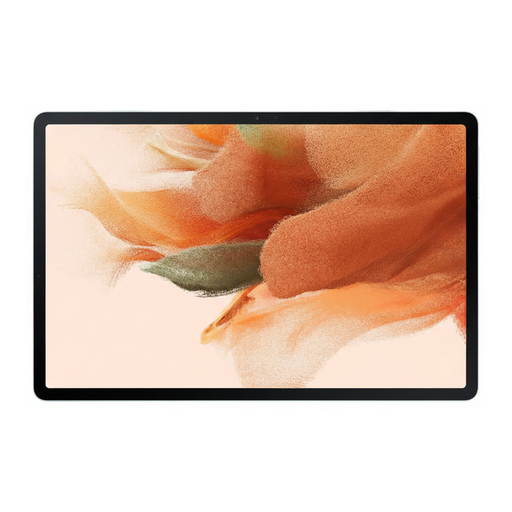
Samsung Galaxy Tab S7 FE, 64 GB, Wi-Fi, Green
The 12,4-Zoll screen gives you room for larger letter pages. Compare how it looks with a scan you actually want to read.
Screen: 2.560 × 1.600 pixels. Storage: 64 GB, expandable via microSD. The product description states that an S Pen is included.
View at Joybuy
 No image available
HONOR Pad X8a, Wi-Fi, 11 Zoll, 4 GB RAM, 128 GB, Space Grey
The 11-Zoll format gives you a larger view of letter scans. Check in advance that it’s comfortable to use on your train journey.
Screen: 11 Zoll with 90 Hz. Storage: 128 GB.
View at Joybuy
Frequently asked questions
Can I search for text in historical letters on any tablet?
No. Being able to open a page image doesn’t automatically mean that the text is searchable. The Library of Congress notes that only a small number of its digitised manuscript collections have been transcribed, and that handwritten pages can be difficult for automatic text recognition. Check whether a searchable text or transcription is available for the specific source you’re using.
How should I prepare my tablet for a train journey?
Save any downloadable letters locally before you travel, open a typical file in the app you plan to use and check that you can view it offline. For example, you can view downloaded files using Files by Google; whether a collection allows downloads depends on what it offers.
Do I need a stylus to make annotations?
Not necessarily: it depends on how you work, as well as the app and file. Samsung lists an S Pen as included with the Galaxy Tab S10 FE; what’s included with Lenovo’s Tab Pen for the Tab M11 depends on the configuration. Try one of your own scans to see which note-taking features the app supports.
What are my rights when buying a tablet online in Germany?
For eligible distance purchases in Germany, you generally have a 14-day right to cancel, starting from delivery; exceptions and possible return costs should be taken into account. The European Union’s Your Europe website also states that consumers have a legal guarantee of at least two years from receiving the goods if they are faulty. This right against the seller is separate from a voluntary manufacturer’s warranty.


