If you often review a draft, tracked changes and a reference side by side, an adjustable 27-inch QHD monitor is a sensible starting point. Dell Germany and BenQ list 2560 × 1440 pixels for the P2725DE and GW2790QT, although readability and how you arrange your windows also depend on your text scaling. If space is limited and you usually work with just one document, a compact Full HD monitor could be a good fit. 4K is mainly worth considering if you also review detailed images and can find a comfortable scaling setting. Tracked changes are controlled by your word-processing software, not your monitor.
Which monitor sizes suit different needs?
Reviewing drafts side by side
If you want to compare wording, tracked changes and a second version at the same time, consider the usable width of your windows and your preferred text scaling. Microsoft Support explains Word’s markup view, while Dell Germany lists a QHD resolution for the P2725DE.
Long writing sessions
For extended periods of writing and proofreading, clear text, a comfortable screen position and minimal distracting reflections all matter. Germany’s Federal Institute for Occupational Safety and Health says that ASR A6 applies to certain workplaces and teleworking environments; it does not set a blanket requirement for working on a private handbook.
Using a laptop with limited desk space
If you work on a laptop and have limited space, consider the monitor’s compact dimensions separately from whether it has the right connections. EIZO lists the FlexScan EV2490 as a 23.8-inch Full HD monitor with USB-C; whether its docking features work with your computer depends on its ports.
What should you look for when choosing?
First, decide whether you want to read the draft and tracked changes at the same time. Then consider desk space, readability at your workstation and how the monitor connects to your laptop.
27-inch QHD
A good fit if: You regularly review a draft and its changes, or a reference, side by side, and have enough desk space.
Consider: The larger size needs more space, and ports and USB-C charging power vary between models.
23.8-inch Full HD
A good fit if: You mainly work on one document or prefer a smaller monitor. EIZO lists the FlexScan EV2490 as a 23.8-inch monitor with 1920 × 1080 pixels.
Consider: You get fewer pixels for wide layouts and two document windows than with the QHD models mentioned here.
27-inch 4K
A good fit if: You also review detailed images or specifically want a higher resolution. ASUS lists 3840 × 2160 pixels for the ProArt PA279CRV.
Consider: More pixels do not automatically make small text more comfortable to read; choose a text scaling setting that works for you.
| Priority |
What to check before buying |
Who is it important to? |
| Comparing a draft and its changes |
View a typical chapter with markup and a possible second window at your preferred text scaling. |
If I want to review a draft, tracked changes and a reference side by side, a practical window layout matters to me; around 36% of consumers put comparing documents side by side first. |
| Readability and positioning |
Check text size, reflections and the adjustment options at your actual workstation. |
When working with text for long periods, I want to adjust the text and screen position to suit my workspace, rather than relying on pixel count alone; around 29% of consumers prioritise readability and positioning. |
| Laptop connection |
Check the video output, required charging power, monitor input and cable against both devices. |
When I work on a laptop, the connection needs to suit my computer and supply enough power; around 21% of consumers prioritise connectivity and power delivery. |
| Compact setup |
Measure your available desk space and consider whether a single document is usually enough. |
With limited desk space and usually just one document, I’d prefer a compact monitor; around 14% of consumers prioritise a small footprint and the right basic features. |
Which common misconceptions should you avoid?
-
4K or a high pixel count automatically makes tracked changes easier to read
The markup view in your word-processing software and your chosen text scaling affect how easily you can read the draft. A higher resolution alone does not tell you whether the text and markup will be comfortable to view.
Before choosing a resolution, check a typical chapter with markup displayed at your preferred scaling.
-
A USB-C port guarantees one-cable docking
Video output, available charging power and ports vary between monitors and laptops.
Check your laptop’s video output, power requirements and the ports on the specific monitor model.
Depending on the devices, you may still need a separate power adapter or another video connection.
-
A listed product is automatically available to order
A product listing does not automatically mean the item is currently available for delivery to your location.
Check the current product page for your delivery location before relying on being able to place an order.
Monitor brands worth knowing
Dell
The Pro Plus P2725DE is an example of a manufacturer’s 27-inch QHD monitor with a USB-C hub and adjustable stand.
- Dell lists 2560 × 1440 pixels and 90 W USB-C power delivery.
- These specifications do not prove that text will be easier to read; check whether the charging power suits your laptop.
BenQ
The GW2790QT is a 27-inch QHD model with USB-C and portrait orientation for document workflows that suit it.
- BenQ lists 2560 × 1440 pixels, 65 W USB-C power delivery, height adjustment and pivot.
- Its stated USB-C charging power is lower than the 90 W Dell lists for the P2725DE; without your laptop’s specifications, this does not establish whether it is right for you.
EIZO
The FlexScan EV2490 is a more compact office monitor with USB-C docking.
- EIZO lists a 23.8-inch Full HD display and up to 70 W power delivery through the USB-C upstream port.
- Compared with the QHD models mentioned, it has fewer pixels for two wide text windows; whether docking works depends on your computer.
ASUS
The ProArt PA279CRV is a 27-inch 4K model for workflows that involve reviewing images as well as text.
- ASUS lists 3840 × 2160 pixels, 96 W USB-C power delivery and height adjustment.
- A high resolution does not automatically make small text more comfortable to read; check which text scaling works for you.
Lenovo
The ThinkVision T27h-30 is a 27-inch QHD model with USB-C docking, Ethernet and a USB hub for a laptop workstation.
- Lenovo lists 2560 × 1440 pixels and 155 mm of height adjustment.
- The German manufacturer’s website marks this specific offer as sold out; that does not indicate availability from other sellers.
Monitors for working with text at Joybuy
The Joybuy monitors below include QHD and 4K options for working with several areas of text, as well as compact Full HD models for mainly working with individual documents. A wide 40-inch display may suit you if you want to keep several documents or sources in view at once.
 No image available
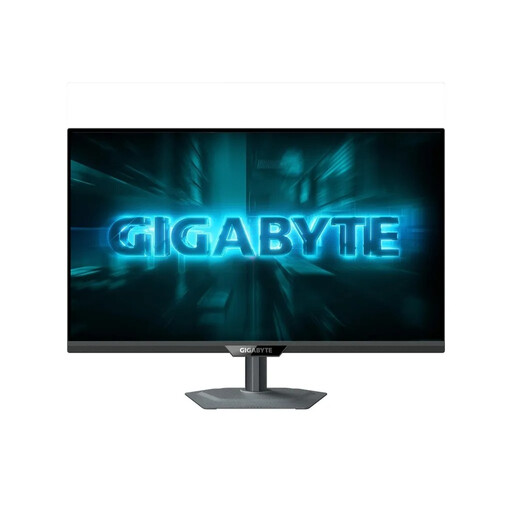
GIGABYTE G27Q2, 27-inch QHD gaming monitor
Could suit a QHD workspace for reviewing a draft and its markup; tracked changes are still handled in your word-processing software.
2560 × 1440 pixels; SuperSpeed IPS; 200 Hz (OC 210 Hz); 0.5 ms GTG.
View at Joybuy
 No image available
INNOCN 40C1U, 40-inch, 5120 × 2160, USB-C 65 W
Could suit wide document and source views if you have enough desk space; check that the text scaling works for your workspace.
5K, 5120 × 2160 pixels; IPS; 100 Hz; 21:9; USB-C PD 65 W.
View at Joybuy
 No image available
INNOCN CB27U1, 27-inch 4K UHD, USB-C 90 W
Could be worth considering if you review image details as well as text; a high resolution alone does not guarantee more comfortable reading.
3840 × 2160 pixels; IPS; 120 Hz; PIP and PBP; USB-C 90 W.
View at Joybuy
 No image available
DELL P2425HE, 24-inch Full HD IPS, USB-C, 3Y Warranty
Could suit you if you mainly work on one document and want a more compact screen; check in advance that your window layout works on it.
24 inches; Full HD; IPS; USB-C.
View at Joybuy
 No image available
MSI PRO MP245PG, 23.8-inch Full HD, IPS, height-adjustable
Could suit a single document and limited desk space; check that you can adjust the stand to suit your working position.
Full HD; IPS; 100 Hz; 1 ms MPRT.
View at Joybuy
Frequently asked questions
Can a monitor track changes to a handbook by itself?
No. In Word, you turn on Track Changes in the software; the monitor displays the markup produced by the application. Microsoft Support also explains how to choose a markup view.
How should I set up my monitor for extended proofreading?
Choose a comfortable text size, position the screen to suit your workspace and watch out for distracting reflections. ASR A6 from Germany’s Federal Institute for Occupational Safety and Health applies to certain workplaces and teleworking environments; it is not a blanket requirement for working on a private handbook.
How can I estimate the electricity costs?
For specific models, compare the EU energy label and product information on a like-for-like basis. The European Commission uses an A to G efficiency scale for monitors; your annual cost will also depend on how you use the monitor and your electricity tariff.
What are my rights when buying online from a trader?
According to Your Europe, the European Union’s consumer portal, goods are generally covered by a minimum two-year legal guarantee from the date you receive them. For an ordinary online purchase, you generally have a 14-day right to cancel from delivery; exceptions and possible return costs should be checked separately. A voluntary manufacturer’s guarantee is different.


