For an itinerary you only share occasionally, the existing Wi-Fi or a smartphone hotspot should be enough, provided you have access, a good signal and a suitable data plan. A dedicated LTE router is mainly useful if several devices repeatedly need a separate mobile connection. A 5G router may be worth considering if 5G is available at your holiday home and you regularly use larger amounts of data. According to the Federal Network Agency, your experience will depend on factors including location, contract, device and network congestion.
Which connection is right for you?
Sharing an itinerary with a group
If you want to open the itinerary regularly on several smartphones or tablets, you’ll need a connection that can be shared by all the devices you plan to use. TP-Link Germany lists support for up to 32 devices connected simultaneously for both the M7650 and M8550.
Travellers unsure about the signal
If you’re not sure whether the mobile network will be strong enough at your holiday home, check coverage for the exact address and, if possible, test the connection there. The Federal Network Agency highlights how location, contract, device and network congestion can all affect your experience.
Occasional users
If you only share a link or file now and again, the existing Wi-Fi or your smartphone’s hotspot may be all you need. Apple Support explains that Personal Hotspot lets you share the mobile data connection of an iPhone or iPad with other devices.
What should you consider when choosing?
Existing holiday-home Wi-Fi
Best if: your accommodation offers access and the connection is suitable for all the devices you plan to use.
The trade-off: you won’t need an additional router or mobile plan, but you’ll need to check access and connection quality at the property.
Smartphone hotspot
Best if: you only occasionally connect other devices and your phone has signal and enough data at the property.
The trade-off: the hotspot uses your phone’s mobile data connection, so it depends on your phone’s signal and data plan.
Battery-powered LTE router
Best if: several devices regularly need their own mobile connection and LTE is available at your holiday home.
The trade-off: you’ll need a suitable SIM and data plan as well as the device.
Battery-powered 5G router
Best if: you regularly use larger amounts of data or connect lots of devices, and 5G is available at your location with your plan.
The trade-off: 5G and high advertised Wi-Fi speeds won’t make up for poor signal or network congestion.
Router with mains power
Best if: the router will mainly stay at your holiday home and there’s a suitable power socket available.
The trade-off: a router like this won’t necessarily be suitable for days out when you’re away from a power socket.
| What matters |
What to check when buying |
Who will find it most important |
| Signal at your holiday home |
Check mobile coverage for the exact address and the plan you’ll use; the Federal Network Agency highlights how coverage can vary by location. |
If I’m not sure the connection will work inside the property, I’ll check the signal at the exact location. Around 36% of consumers put having a usable mobile network first. |
| Existing connection and data costs |
First check whether you can access the accommodation’s Wi-Fi and review the terms of your smartphone plan; a separate mobile router needs a suitable SIM and data plan. |
If you only share an itinerary occasionally, you may prefer to use the existing Wi-Fi or your own data allowance rather than take out another plan unnecessarily. Around 29% of consumers prioritise existing connections and ongoing data costs. |
| Sharing with others |
Compare the number of devices you need to connect with the specifications for simultaneous connections on the model you’re considering. |
For a travelling group, it’s important that everyone can access the itinerary at the same time. Around 21% of consumers prioritise sharing with a group. |
| Power supply |
Before buying, decide whether you’ll also use the router on days out; check the model’s battery and power requirements. |
If I want to take the router with me, being able to use it without a mains socket matters. Around 14% of consumers prioritise portable power. |
Common buying mistakes
-
Choosing 5G based solely on its advertised top speed
A top speed doesn’t mean you’ll have a signal at your holiday home. The Federal Network Agency lists location, contract, device and network congestion as factors that affect your experience.
First check coverage at your holiday home and review your plan. Then decide whether 5G offers any real benefit over LTE for the way you’ll use it.
-
Planning to use a router without a battery as a pocket hotspot
COMPUTER BILD’s comparison describes the FRITZ!Box 6860 5G as a model without a battery. That means it isn’t necessarily suitable for using on the go without a power socket.
Before you buy, decide whether the device will mainly stay at your holiday home or come with you on days out, and check how it needs to be powered.
You’ll need a suitable power supply to use it in a fixed location.
-
Focusing on the device and overlooking the SIM and data plan
A mobile router needs a suitable SIM and data plan. If you only share things occasionally, an existing connection may be enough.
First compare the accommodation’s Wi-Fi with your smartphone hotspot. If you’re getting a separate SIM, check the data allowance, terms of use and whether you’ll need to activate it.
An additional mobile plan can mean ongoing costs.
Key brands at a glance
TP-Link
The M7650 is a battery-powered LTE hotspot, while the M8550 is a battery-powered 5G hotspot with a touchscreen. Both models are worth considering if you need a connection to share with others on your trip.
- TP-Link Germany lists support for up to 32 devices connected simultaneously for both the M7650 and M8550.
- According to TP-Link Germany, the M7650 doesn’t support 5G. The maximum number of devices listed is based on the manufacturer’s specifications and says nothing about the connection at your holiday home.
NETGEAR
The Nighthawk M7 Pro MR7450 is a battery-powered 5G router to consider if you need to connect lots of devices or use additional network features.
- NETGEAR lists support for up to 64 devices and battery life of up to 13 hours for the MR7450.
- These manufacturer figures don’t prove that you’ll get better signal at your holiday home or offer any particular benefit if you’re only sharing a link.
FRITZ!
The FRITZ!Box 6860 5G is an option for a mainly fixed location with a suitable power supply.
- FRITZ! lists 5G, 4G and Wi-Fi Mesh among this model’s features.
- COMPUTER BILD identifies the FRITZ!Box 6860 5G as a device without a mobile battery power supply. This applies to the model mentioned, not to all FRITZ! devices.
devolo
The WiFi 6 Router 3600 5G LTE is a SIM router to consider if you also want to connect wired devices at a fixed location.
- devolo lists one 2.5-gigabit and one 1-gigabit Ethernet port, plus a Nano-SIM slot, for this model.
- Advertised data rates aren’t measurements of the signal or connection at your particular holiday home.
Joybuy products for staying connected at your holiday home
This selection of Joybuy products includes portable LTE hotspots and mobile routers for fixed locations. Before buying, check that the network, plan, SIM and power supply are right for how you’ll use the device.
 Image unavailable
4G Wi-Fi router with SIM slot, 300 Mbps, 2.4 GHz
For a separate mobile connection, provided the SIM, plan and network are suitable for your holiday home.
Features listed in the product name: 300 Mbps, 2.4 GHz Wi-Fi and a SIM card slot.
According to the product details, an activated SIM is required; the stated operating temperature range is −10 °C to 60 °C.
View at Joybuy
 Image unavailable
MERCUSYS MT110 4G LTE Mobile Wi-Fi
A portable LTE hotspot for several devices, provided LTE is available where you’re staying and your chosen plan is suitable.
Features listed in the product name: speeds of up to 150 Mbps, a Nano-SIM slot and a 2200-mAh battery.
A compatible Nano-SIM and a suitable data plan are required; check compatibility with the local mobile network.
View at Joybuy
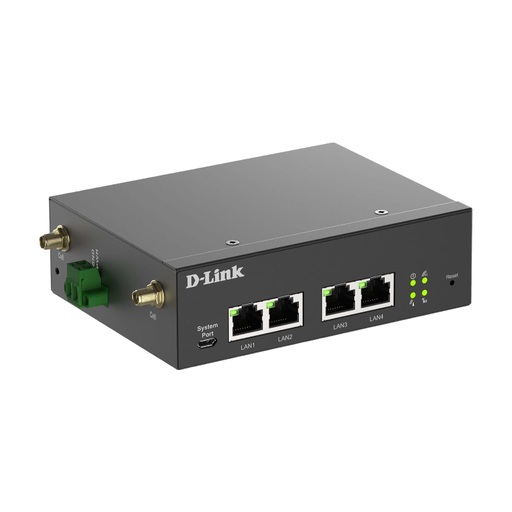 Image unavailable
D-Link DWM-314-G Mobile Router/Gateway/Modem
For a fixed location, rather than as a battery-powered pocket hotspot: the product details specify an external power supply.
According to the product details, the device requires an active 4G/LTE SIM with a data plan.
View at Joybuy
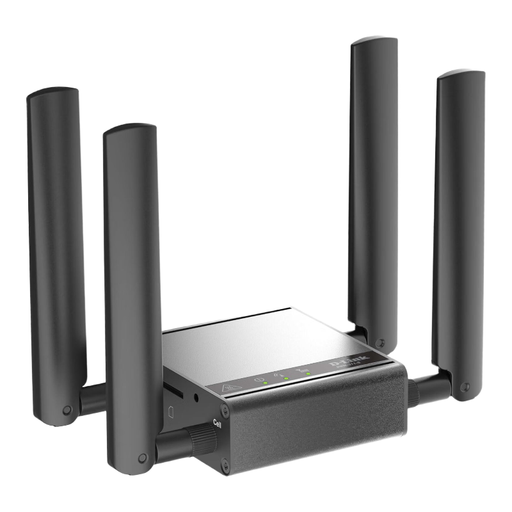 Image unavailable
D-Link DWM-311-G Mobile Router/Gateway/Modem
The product details describe this device as an indoor M2M modem supplied with a power adapter; check that it’s suitable for a fixed location.
View at Joybuy
 Image unavailable
TP-Link M7000 4G/LTE Wi-Fi Router
A portable LTE router for several devices, if the network and plan work at your holiday home and you want to use it away from a mains socket.
Features listed in the product name: speeds of up to 150 Mbps, Nano-SIM, 2.4 GHz Wi-Fi and a 2000-mAh battery.
A compatible Nano-SIM and a suitable data plan are required; check compatibility with your local mobile network provider.
View at Joybuy
Frequently asked questions
Can I share the itinerary without an additional router?
Yes, if the existing Wi-Fi or your smartphone’s mobile connection is suitable for the devices you plan to use. Apple Support explains that Personal Hotspot lets you share the mobile data connection of an iPhone or iPad with other devices. Remember to check your plan’s terms as well.
Why doesn’t a 5G coverage map guarantee reception at my holiday home?
The Federal Network Agency points out that your experience will depend on factors including location, contract, device and network congestion. If possible, test the connection at the property itself.
What should I bear in mind when setting up my own hotspot?
The Federal Office for Information Security recommends changing default passwords and keeping your router’s firmware up to date. Check the security settings on the specific device before letting other people on your trip connect.
Can I use a newly purchased German prepaid SIM straight away without an identity check?
No. The Federal Network Agency states that providers of German prepaid mobile services must verify the subscriber details they collect against an identity document before activation. Allow time for this step if you’re buying a new prepaid SIM for your router.
What product documentation should I check when buying a router for use in Germany?
As part of its market surveillance, the Federal Network Agency checks for things including the CE marking, product and manufacturer identification, required information in German and the declaration of conformity. Check the details for the specific product; a picture of the CE marking alone doesn’t prove that the product is compliant.


