What should you look for when buying?
To back up your files without a mains socket, the card, host device and storage destination all need to work together as a complete copying setup.
| Consideration |
What to check before buying |
Who is it most relevant to? |
| Card format and connection |
Choose an SD or microSD slot and a USB-C or USB-A connection that match your card and host device. |
If I want to read different camera cards on my mobile device, the card format and connection need to be compatible. Around 36% of consumers put card and connection compatibility first. |
| Backup destination and power |
Check available storage or a separate data port for the drive; if you’re using a hub, make sure the whole setup has enough power. |
If you want a second copy on an external drive while travelling, rather than saving files only to your phone, you’ll need a working connection and enough power. Around 29% of consumers prioritise the backup destination and power supply. |
| Copying speed |
Check the standard supported by the card and reader, as well as the stated speed of the card slot – not just the USB port. |
If I need to transfer lots of video files in a day, I want to be able to estimate how long copying will take. Around 21% of consumers put transfer speed first. |
| A readable second copy |
Copy files rather than moving them, then open important footage on the destination device. |
If you want to reuse the original card only after checking the backup, you’ll need time for a quick check as well as enough storage. Around 14% of consumers prioritise a second copy they can verify. |
Joybuy products for copying cards on the go
This selection includes USB-C card readers and hubs for mobile devices, plus a USB-A card reader for computers. If you’re using an external SSD, check the enclosure, drive and power supply together as a complete copying setup.
 No image available
USB-C hub with SD card reader for iPhone and iPad
An option if you want to connect a card and another USB device to a USB-C device.
The description lists SD and microSD slots, as well as a USB 3.0 port.
View at Joybuy
 No image available
4-in-1 USB-C card reader with USB-A and OTG adapter
This option lists SD and microSD cards, along with mobile devices and computers, as compatible uses.
The description lists USB 2.0 at up to 480 Mbit/s, so transferring large video files may take longer.
View at Joybuy
 No image available
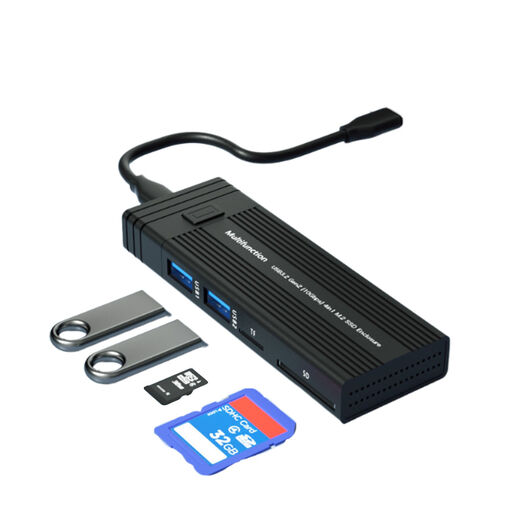
4-in-1 M.2 SSD enclosure with USB hub and card reader
This could work as a setup for a card and M.2 storage if you use a compatible drive separately.
The description lists support for NVMe and SATA M.2 SSDs, as well as SD and TF card readers and additional USB ports. The stated interface speed is 10 Gbit/s; this is not a guarantee of card reader speed.
View at Joybuy
 No image available
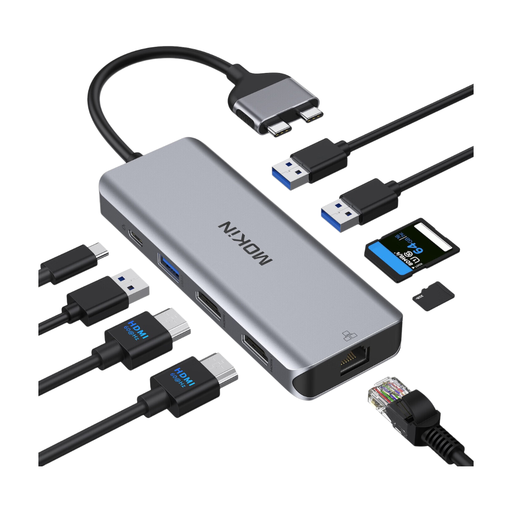
Mokin docking hub with SD/TF slot
The hub combines SD and TF card slots with USB data ports for a compatible host device.
The title lists three USB 3.0 ports, USB 2.0 and a PD connection. According to the product description, this model is not compatible with standard MacBook models with an M1, M2 or M3 chip.
View at Joybuy
 No image available
Baseus Lite Series USB-A card reader for SD/TF
A suitable connection if you want to read SD or TF cards on a computer with a USB-A port.
The description lists support for SD and microSD cards, with speeds of up to 104 MB/s.
View at Joybuy
Frequently asked questions
Can I archive files using only a card reader, without a mains socket?
No. The reader gives you access to the card, but you’ll need a compatible host device with a battery to copy files, as well as available storage on the destination device or drive. Test the complete copying setup before your trip.
What should I check before copying files on an iPhone or Android phone?
Check that your device supports the card reader and destination storage, and that enough power is available. Apple Support lists the supported file systems and a data partition on external storage required for access on an iPhone; Google Files by Google Help explains access to USB storage from Android 7.0. This doesn’t mean that every combination of phone, hub and SSD will receive enough power.
When can I reuse the memory card?
Only once the copy is complete and you can open important files from the backup destination. Germany’s Federal Office for Information Security points out that backed-up data must also be readable when restored.
What are my rights if a card reader I bought from a retailer in Germany is faulty?
For purchases from a retailer, the statutory two-year guarantee generally applies, and you can make a claim against the seller. For distance purchases, you generally also have a 14-day right to cancel from the date of delivery, subject to statutory exceptions. The European Union’s Your Europe website explains these rights and when they apply.


