
Lieferung heute & morgen

Qualitätsgarantie

Willkommens-Angebote freischalten: KOSTENLOSE Lieferung | Bis zu 80 % RABATT | Kostenlose 30-Tage-JoyPlus-Testphase
App herunterladen
A dedicated home cinema projector transforms your living room into a movie theatre, turning film nights, sports broadcasts, or gaming sessions into a big-screen experience. But the market is overwhelming and full of technical jargon that confuses more than it helps. Many buyers invest in devices that fail to deliver on their promises. As your Joybuy Product Recommendation Officer, I'll help you identify the crucial features and sidestep typical purchasing traps.
Before we dive into the important technical specs, you should know the most common marketing tricks that often lead to disappointment.
To avoid a bad purchase, focus on three objective criteria that determine a projector's performance and user-friendliness.
Brightness is crucial for getting a clear and colour-rich image, especially in rooms that aren't completely dark.
The native resolution determines the image sharpness. Here are the most common standards:
Modern projectors take a lot of work off your hands and integrate seamlessly into your home.
Here are some models tailored to different needs that avoid the pitfalls mentioned above.
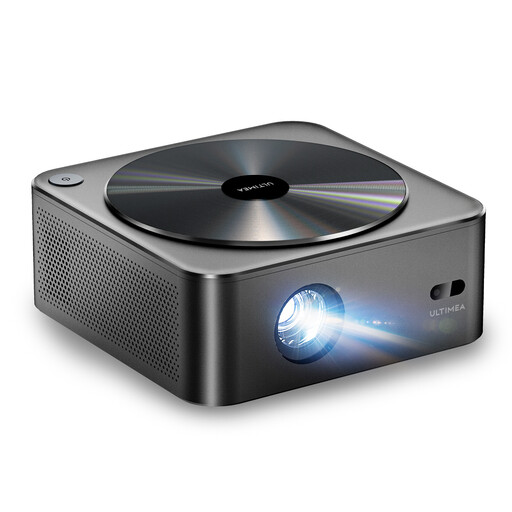
Why This Fits Their Persona: Ideal for anyone looking for a straightforward yet high-quality big-screen experience without breaking the bank. Perfect for a first home cinema in the living room or bedroom.
This model specifies its brightness at 700 ANSI lumens and features a native 1080p resolution. The auto-focus and keystone correction make setup a breeze.
Fully automatic image setup (autofocus, 6D keystone correction) and a dust-proof optical system for a longer lifespan.
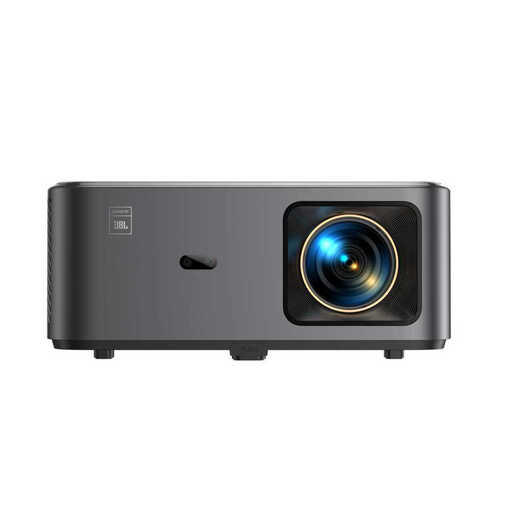
Why This Fits Their Persona: For users seeking an all-in-one solution. This device combines high image and sound quality with a full-fledged smart TV interface, replacing a TV, soundbar, and streaming box in one.
With integrated Google TV, you have direct access to over 7,000 apps, including Netflix. The native 1080p resolution and sound by JBL ensure a high-quality experience with no hidden compromises.
Integrated JBL stereo speakers with Dolby Audio for room-filling sound and NFC screencasting for an exceptionally easy connection to your smartphone.
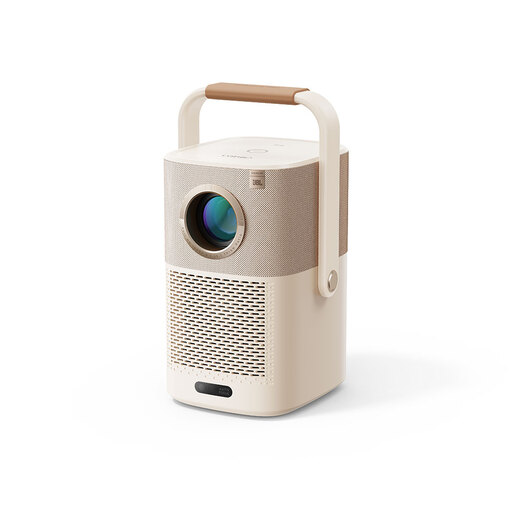
Why This Fits Their Persona: The perfect companion for anyone who wants to take their cinema experience into the garden, onto the balcony, or camping. The combination of a battery, carrying handle, and smart features makes it maximally flexible.
This portable projector solves the problem of being dependent on power outlets. With a native 1080p resolution, smart features via a Google TV dongle, and automatic image correction, it's ready to go instantly.
Built-in battery for up to 2.5 hours of video playback and a clever handle/stand design for flexible projection angles, even onto the ceiling.
We've compiled a complete, up-to-date list of products that fully meet these strict selection criteria and German safety regulations.
For a classic home cinema in a well-darkened room, 500 to 800 ANSI lumens are generally sufficient for an image width of up to 120 inches. If you also want to use the projector in daylight or in a only slightly darkened living room, you should consider a model with 1000 ANSI lumens or more to ensure a high-contrast and vibrant picture.
The native resolution indicates the actual number of physical picture elements (pixels) that the projector uses to compose the image. A Full HD projector, for example, has 1920 x 1080 pixels. Devices that only "support" a higher resolution downscale the input signal to their lower native resolution. For image sharpness, only the native resolution is decisive.
Setup is very simple with modern devices. Models with autofocus and automatic keystone correction adjust and straighten the image on their own within a few seconds. After connecting to Wi-Fi, you can directly access streaming apps via the integrated operating system, similar to a smart TV. The entire process often takes only a few minutes.