Clusters with too few LAN ports
If you want to connect several wired nodes, remember to allow for the uplink to your existing network: it uses a port that won’t then be available for a cluster node. TP-Link lists five Gigabit ports for the TL-SG105.


For a simple cluster that doesn’t need VLANs, an unmanaged, fanless Gigabit switch is sufficient, as long as enough ports remain free after allowing for the network uplink. Choose a manageable model for configurable VLANs or 2.5GbE ports if the devices involved support those speeds. PoE is only useful if you need to power compatible devices and the power budget is sufficient.
If you want to connect several wired nodes, remember to allow for the uplink to your existing network: it uses a port that won’t then be available for a cluster node. TP-Link lists five Gigabit ports for the TL-SG105.
If you want to separate lab or other network segments using VLANs, you’ll need a model with genuinely configurable management features. D-Link lists VLAN features for the DGS-1100 series; check the specifications for the exact model and hardware revision.
2.5GbE ports matter if the devices on those connections support that speed. TP-Link and QNAP list five 2.5GbE ports for their respective models.
| Buying criterion | What to check | Who it matters most to |
|---|---|---|
| Usable ports | Allow for your planned devices, the uplink and room to expand; check the number of free ports on the specific model. | If several nodes need to be connected by cable at the same time, you’ll need a free port for each connection. Around 29% of consumers would prioritise having enough ports after allowing for the uplink. |
| VLAN management | Check whether the specific model lets you configure VLANs and whether your other network devices are compatible. | If you want to separate lab and other networks, you’ll need configurable VLANs and will have to set them up yourself. Around 22% of consumers would prioritise this network separation. |
| Connection speed | Make sure the network ports on your devices match the switch’s port speed. | If fast local transfers between compatible devices matter to you, the devices at both ends must support 2.5GbE. Around 21% of consumers would prioritise speed between cluster nodes. |
| Use in your room | Check the fan specification, placement and power specifications for the exact model version. | If the switch is near your desk or bed, a fanless model can help you avoid fan noise. Around 21% of consumers would prioritise quiet operation in their room. |
| Power over Ethernet | Check the PoE standard, compatible ports and total power budget against your devices’ requirements. | If you want to power compatible devices over their network cables, the standard and available power must meet their requirements. Around 7% of consumers would prioritise PoE for this purpose. |
A port may already be in use to connect to your router or existing network, so it won’t be available for a node.
Allow separately for the uplink, connected devices and any room to expand. If your setup grows, you may need a switch with more ports sooner than expected.
The connection negotiates its speed with the device at the other end. Devices without a compatible network port won’t automatically benefit from the faster link.
Check the ports on the devices that need to transfer data faster between them. You may also need to upgrade the network ports on your end devices to achieve higher link speeds.
The PoE standard, the power available per port and the total power budget all limit which devices the switch can power.
Check the specifications for the exact model against all the PoE devices you plan to use. Devices that aren’t compatible with the supported PoE standard may need a separate power supply.
The models listed cover basic Gigabit connections and unmanaged 2.5GbE connections.
The DGS-1100 series is a good option for web-managed Gigabit networks with configurable features.
According to QNAP, the QSW-1105-5T is an unmanaged switch for small 2.5GbE networks.
According to NETGEAR, the GS305EP combines Gigabit ports with PoE+ and web management.
The products below include compact 2.5GbE switches, models with VLAN management, and Gigabit switches with PoE options for compatible devices.
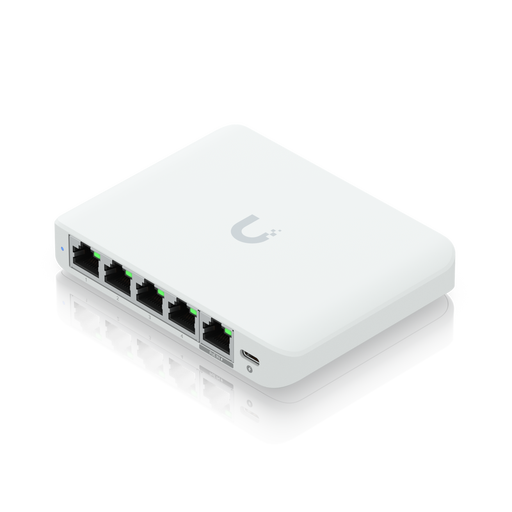 No image available
A good choice for fast local connections if your connected devices support 2.5GbE and you want to configure VLANs.
Five 2.5GbE ports and VLAN management through UniFi Network. Powered via PoE input or USB-C; the PoE port doesn’t supply PoE power to connected devices.
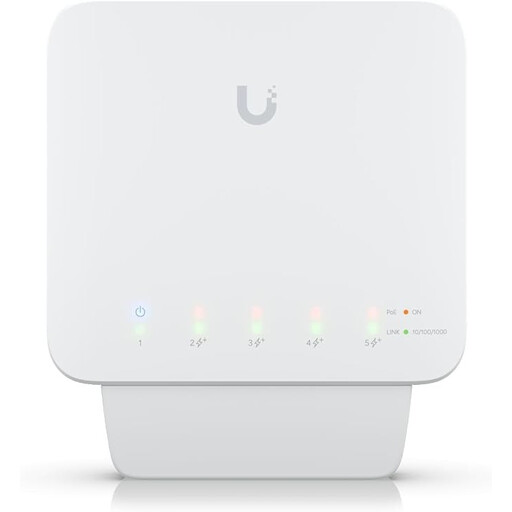 No image available
An option if you want to connect Gigabit devices, use VLANs or power compatible end devices over Ethernet.
Five Gigabit ports and four PoE+ outputs, with up to 25 W per port. Requires a compatible PoE++ source or a 60 W PoE adapter; adapter not included. Available PoE power depends on the input power supply.
 No image available
A good choice if you’re looking for extra Gigabit ports and VLAN management in a compact desktop model.
Five Gigabit RJ45 ports, VLAN configuration and port isolation through UniFi Network. Powered via USB-C or PoE in accordance with 802.3af/at.
 No image available
An option for wired Gigabit devices and compatible end devices that need PoE.
Five Gigabit ports, four of which are PoE+, with a total power budget of 60 W. The model is described as fanless. One of the five network ports will be used for the uplink.
 No image available
A good choice if you want to connect several wired devices and manage network segments.
Eight Gigabit RJ45 ports and two SFP slots. The specifications list web management, VLAN support and static routing; the model is described as fanless.
Connect one of the switch’s ports to your existing network and count it as being in use. According to TP-Link, the TL-SG105 needs no configuration; for VLANs, however, you’ll need a manageable model and will have to set up the network segments.
No. The connection negotiates its speed with the connected device, so all the devices involved need compatible network ports. A higher local port speed also says nothing about your internet speed.
Check whether the exact model version has a fan, and consider where you’ll put it and how much power it uses. TP-Link lists a maximum power consumption of 3.0 W at 220 V/50 Hz for the fanless TL-SG105; this figure applies to that model and isn’t a measurement of your own setup.
The German Federal Network Agency lists points to check including correct CE marking, accurate manufacturer details, German instructions with any necessary warnings, and a declaration of conformity. According to the European Commission, the manufacturer is responsible for meeting the applicable EU requirements and affixing the CE marking; the CE mark alone is not an independent quality mark.