What should you consider when choosing?
First decide whether a shared network will do or whether you need VLAN segmentation. Then check that the required port speeds and dimensions suit your devices and available space.
| Consideration |
What to check before buying |
Who is this important to? |
| Ports and footprint |
Count every connection, including the uplink; check the dimensions and mounting options of the exact variant against the space available. |
If I need to fit nodes, an uplink and other devices into a small space, I don’t want to get the port count or footprint wrong. Around 29% of consumers prioritise having enough ports and suitable dimensions. |
| Speed |
Compare the interfaces on the nodes, NAS and required uplinks; consider both ends of every important connection. |
If I want more than Gigabit between nodes or to the NAS, the devices along each data path need to support it. Around 24% of consumers prioritise suitable speeds across these connections. |
| VLANs and management |
Check the type of VLAN you need, along with support from the switch, uplink and other devices involved. |
If I want to separate lab traffic from the rest of my network, I need the right VLAN features and compatible settings on the devices involved. Around 24% of consumers prioritise configurable segmentation. |
| Noise and placement |
Check the fan specifications and dimensions of the exact variant, and consider where you plan to place it. |
If the switch is going on my desk within earshot, I want to know whether its design will fit the space and whether it has a fan. Around 18% of consumers prioritise quiet operation and suitable dimensions. |
| PoE power |
Only if you plan to connect PoE devices, check that the standard, power per port and total budget meet their requirements. |
If I want to power additional devices through the switch, their PoE requirements need to match the power available per port and the total power budget. Around 5% of consumers prioritise PoE for the additional devices they plan to use. |
Switches at Joybuy
The range includes managed 2.5 Gbit/s and Gigabit switches, as well as unmanaged Gigabit models for connecting clusters at your desk. For the specific product listing, also check the CE mark, product and manufacturer identification, and any required accompanying information in German. The German Federal Network Agency lists these points in connection with market surveillance.
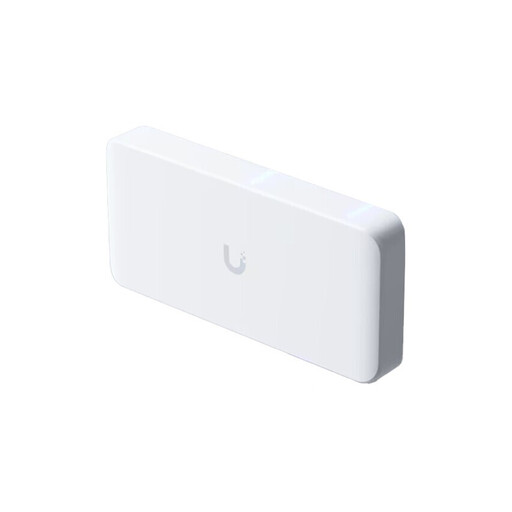 No image available
Ubiquiti UniFi Flex 2.5G PoE, 8-port, PoE++, managed, 10 GbE uplink, white
For several fast cluster devices and a planned 10 GbE uplink; the title specifies eight 2.5 GbE RJ45 ports, PoE++ and a managed model.
The AC/DC adapter is not included and is sold separately; a PoE+++ input is listed as an alternative power source. Check that you have the right power supply and compatible devices.
View at Joybuy
 No image available
D-Link DGS-1210-10/E, 10-port smart managed Gigabit switch
For a managed Gigabit network, if eight RJ45 ports and two SFP slots suit the connections you have planned.
The product name specifies a switching capacity of 20 Gbit/s and a fanless design. Check that Gigabit ports are fast enough for your nodes and that the SFP connections are compatible with your devices.
View at Joybuy
 No image available
TP-Link TL-SG1008P, unmanaged Gigabit switch with PoE
For a shared Gigabit network with wired devices and planned PoE-powered equipment; the product name specifies an unmanaged switch.
As an unmanaged model, it does not offer comparable VLAN configuration. Check the specifications for the exact variant against the requirements of your planned PoE devices.
View at Joybuy
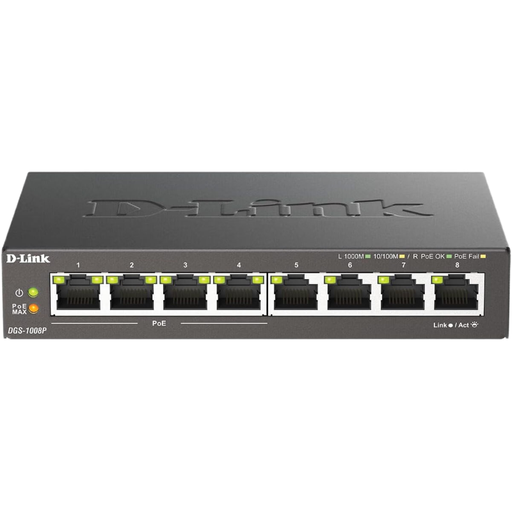 No image available
D-Link DGS-1008P/E, unmanaged Gigabit switch with PoE
For wired Gigabit connections and planned PoE devices; the product name describes an unmanaged desktop model.
As an unmanaged model, it does not offer comparable VLAN configuration. Check the PoE specifications for the exact variant against your devices’ requirements.
View at Joybuy
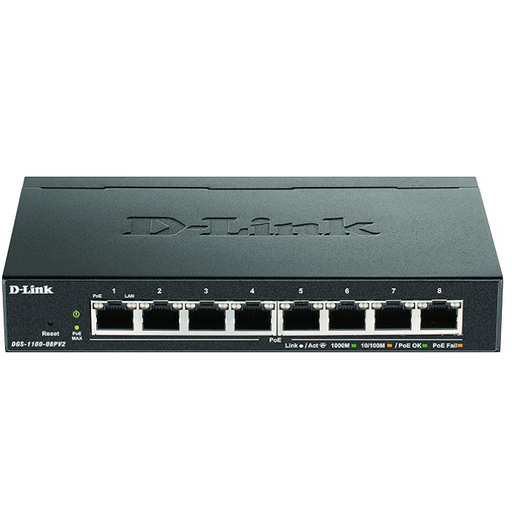 No image available
D-Link DGS-1100-08PV2, managed L2/L3 Gigabit switch with PoE
For a managed Gigabit network with VLAN requirements and planned PoE-powered equipment; the product name specifies eight Gigabit ports.
For the stated total PoE budget of 64 W, the combined power requirements of connected devices must stay within the budget. Also check whether Gigabit is fast enough for your cluster connections.
View at Joybuy
Frequently asked questions
Do I automatically need 2.5 Gbit/s for multiple cluster nodes?
No. Check the ports on your devices and the data path you need. According to TP-Link Germany, the 2.5 Gbit/s ports on the TL-SG108-M2 also negotiate at 1 Gbit/s or 100 Mbit/s with the device at the other end. If Gigabit is enough for your connections, a Gigabit switch is a perfectly valid option.
What should I look out for when setting up VLANs?
First, check whether your exact model supports the VLAN feature you need. TP-Link Germany documents, among other features, 802.1Q-based VLANs for the TL-SG108E. For connections to other devices, make sure their port and VLAN settings suit your planned network setup.
How can I avoid choosing the wrong PoE switch?
Note the standard and power requirements of every PoE device you plan to connect, then compare them with the power available per port and the total budget. For the TL-SG1005P V5, TP-Link Germany specifies four PoE+ ports, up to 30 W per port and 65 W in total; its data ports are Gigabit ports.
What should I know about faults and disposal in Germany?
For a consumer purchase, statutory rights against the seller are separate from a voluntary manufacturer’s warranty, as explained by the Verbraucherzentrale. Discarded electrical equipment must not go in household waste; the German Environment Agency lists local collection points among the available return options.


