People with a dedicated desk
If you want to direct airflow towards your seat, it’s important to be able to position the fan properly and find a spot where it won’t get in the way of your screen or paperwork.


If you mainly want air moving around your seat, an adjustable desk fan could be a good fit. If you want the airflow to reach several areas or would rather not have it blowing directly at you all the time, consider an oscillating fan or one aimed into the room. Check the noise level and how draughty it feels at the setting you’ll actually need, as well as the space it takes up and how it’s powered. The German Environment Agency notes that a fan cools your skin by moving air, but does not lower the room temperature.
If you want to direct airflow towards your seat, it’s important to be able to position the fan properly and find a spot where it won’t get in the way of your screen or paperwork.
A low setting you can comfortably use is important during calls. The stated minimum noise level doesn’t tell you how loud the fan will be at the airflow setting you need.
If you want to move the fan or circulate air beyond your immediate seating area, its adjustability, oscillation range and, where applicable, battery power could all be important.
A good fit if: You mainly want a breeze at a fixed workstation and can direct the airflow away from your face, papers or microphone.
Things to consider: A fixed direction gives you targeted airflow, but covers a smaller area. At close range, a strong airflow can feel uncomfortable.
A good fit if: You want the airflow to reach different areas in turn, or find it distracting when it blows on the same spot continuously.
Things to consider: The oscillating head needs room to move. Check that there’s enough space to make good use of its range at your desk.
A good fit if: You want to move air around your home office rather than have it blow directly at you all the time.
Things to consider: Position the fan to suit where you sit. Moving air is no substitute for fresh air or lowering the room temperature.
For a desk fan, the main things to consider are the direction and strength of the airflow, noise during calls, available space and power supply.
| What matters | What to check when buying | Who is this important to? |
|---|---|---|
| Airflow at your desk | Check the tilt, whether oscillation can be switched on and off, and whether the low setting suits the distance from your seat. | If I want air moving around my seat without it blowing in my face all the time, I look for adjustable positioning and oscillation. Around 36% of consumers put airflow distribution first. |
| Noise and draughts | Consider noise ratings alongside the relevant fan setting. If possible, assess the airflow and noise at the distance you plan to use it. | For video calls and focused work, I need a setting that feels comfortable and isn’t unnecessarily distracting. Around 29% of consumers prioritise a quiet working environment. |
| Space and positioning | Compare the fan’s dimensions with the free space on your desk and make sure you have a flat, dry place to put it. | If there’s little room alongside my screen and paperwork, I want to know in advance whether the fan will fit safely and conveniently. Around 21% of consumers focus mainly on the space needed and positioning. |
| Power supply and moving between locations | Check whether it runs on mains power or a battery, what charging accessories you’ll need and the stated runtime at your preferred setting. | If I move between workspaces or don’t have a suitable socket nearby, flexible positioning matters more to me than staying plugged in. Around 14% of consumers prioritise the power supply when working in different locations. |
A more powerful fan won’t lower the temperature of the room air. The German Environment Agency describes the cooling effect as air moving over your skin.
Choose a fan for the airflow you want. In hot weather, make separate plans for shade and suitable ventilation.
A minimum rating may refer to a lower setting than the airflow you actually need when working from home. IMTEST noted audible differences even at low settings.
Compare noise and airflow at the setting you’d use during calls or focused work.
Meaco states that the Sefte 10 Table Pro can run for up to 40 hours on its lowest setting. That doesn’t mean it will last as long with stronger airflow.
Check the runtime for your preferred setting and consider whether mains power would be easier at your desk.
A Joybuy listing for the Honeywell HT900E states 30 W, while the available HT900E manual lists 35 W. The model name alone doesn’t explain this discrepancy.
Before buying, check the full model version, rating plate and technical specifications.
Meaco’s Sefte 10 Table Pro is a desk fan with a battery and app control. Meaco says it can run for up to 40 hours on the lowest setting.
The Rowenta Turbo Silence Extreme+ VU2750 is described as an adjustable desk fan with automatic oscillation.
The Philips 3000 Series CX3050/01 is a desk fan with a tilt function and automatic oscillation.
Vornado’s German distributor describes the 533 as suitable for small to medium-sized rooms. It can also be used as a desk fan.
The HT-900E is described as a simple, adjustable turbo fan. IMTEST included it in its desk fan test.
This selection includes adjustable and oscillating desk fans, as well as models with flexible positioning or cordless operation. The right option for you will depend on factors such as desk space, the airflow distribution you want and the power supply available.
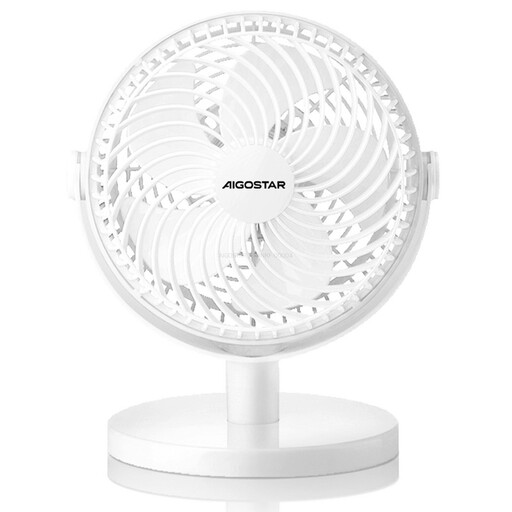 No image available
An option if you’re looking for an adjustable fan with USB power for your desk.
The title lists two speed settings and a head that adjusts through 360°.
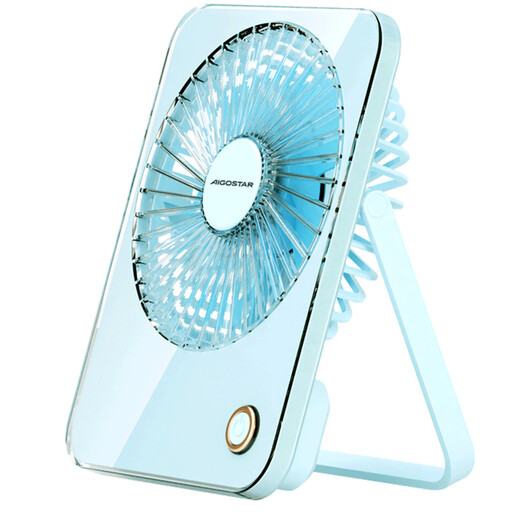 No image available
A good fit for a workspace where you want to move around and are considering a battery-powered model.
The title lists a 3600 mAh battery, three speed settings and a design that folds through 180°.
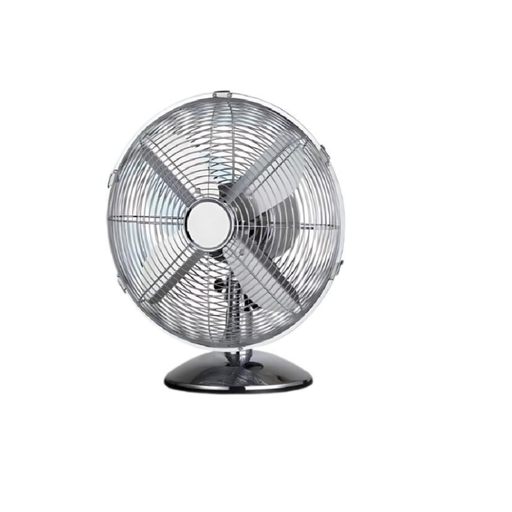 No image available
An option if you’re looking for an oscillating fan with manually adjustable tilt for a fixed workstation.
The product details list three speeds, automatic left-to-right oscillation and four aluminium blades. Its 30 cm diameter is worth bearing in mind if space is limited.
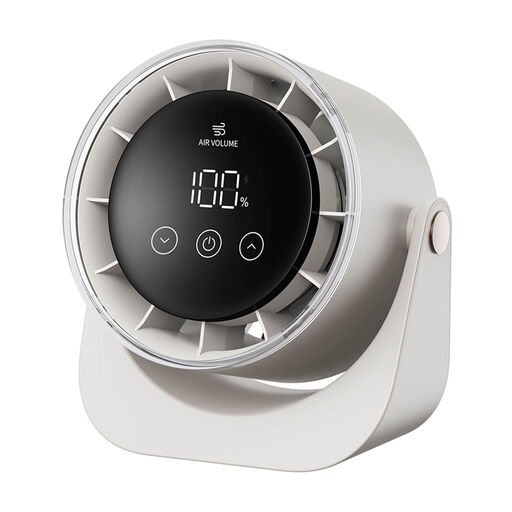 No image available
Worth considering if you want to position the fan flexibly and adjust the airflow in small increments.
The title lists 100 speed settings and 90° tilt. According to the product description, runtime is up to 10 hours on the low setting.
 No image available
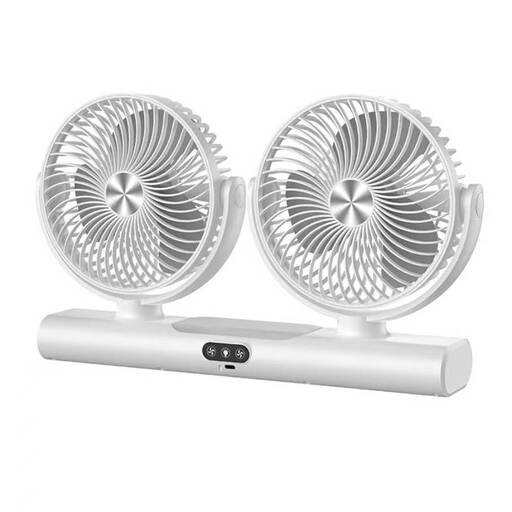
The two independently controlled heads are an option if you want to direct airflow in different directions.
The title lists three speed settings per head. The product description specifies manual 360° adjustment and USB-C power.
No. According to the German Environment Agency, a desk fan moves the air and cools your skin, but doesn’t lower the room temperature. In hot weather, shading and ventilation when the air outside is cooler are separate measures.
Start by pointing an adjustable head away from you or into the room, and choose a low setting. If the fan has an oscillation function, see whether the moving airflow feels more comfortable at your desk. A flat, dry surface is also recommended in the available HT900E manual.
Compare ratings only alongside the relevant speed setting. A minimum rating doesn’t necessarily indicate how loud the fan will be at the airflow level you need during calls or focused work.
Look for clear product identification, manufacturer details, labelling and easy-to-understand instructions and safety warnings. The German Federal Network Agency lists these points as part of its market surveillance. The EU requirements that apply depend, among other things, on the device and its power supply. A shop description alone doesn’t confirm that a specific product listing is compliant.
The seller is responsible for your statutory rights if a product is faulty; these are separate from any voluntary manufacturer’s guarantee. The German consumer advice centre generally states a 14-day right to cancel for online purchases. The terms and when the period starts depend on the circumstances of each case.