Home office with an Ethernet print server
If your print server already has a LAN port, the main thing to consider is how many more wired devices you want to connect. TP-Link Germany lists switches with five and eight RJ45 ports.


If your print server is already connected to your network via Ethernet and your router has no spare ports, a simple gigabit switch is usually the right solution. Count the router uplink, the print server and all your other wired devices. If you have a USB-only printer, you’ll first need a compatible way to share it on the network. VLANs and PoE are only useful if you want to separate networks or power compatible devices over an Ethernet cable.
If your print server already has a LAN port, the main thing to consider is how many more wired devices you want to connect. TP-Link Germany lists switches with five and eight RJ45 ports.
If your printer only has USB, first check which sharing solution works with your specific model and the features you need. TP-Link Germany marks its TL-PS110U USB print server as ‘End of Life’.
If you want work devices and other devices on separate networks, you’ll need to plan how they can access the print server. Zyxel describes VLAN features for the GS1200 series. Communication between VLANs also requires the right network configuration.
Best for: connecting a print server and other devices to extra ports on the same home network.
Bear in mind: this type of switch doesn’t let you set up VLANs to separate your network.
Best for: deliberately assigning devices to separate network segments, if you’re able to manage the configuration.
Bear in mind: to access a print server on a different VLAN, you’ll also need suitable routing and access rules.
Best for: powering a compatible device such as an access point over an Ethernet cable, alongside your print server.
Bear in mind: the PoE standard, power per port and overall power budget must suit the connected device.
Best for: situations where you currently have a USB printer but no Ethernet print server.
Bear in mind: a switch can’t share a USB printer on the network. TP-Link marks its TL-PS110U model as ‘End of Life’.
The figures show the share of consumers choosing a switch to connect a print server in a German home office.
| Purchase priority | What to check before buying | Who is it particularly important to? |
|---|---|---|
| Printer connection | Check whether you already have an Ethernet print server and which printer features it supports. | If I first need to check whether my printer is accessible over LAN, I look for the right connection. Around 31% of consumers put connectivity and printer compatibility first. |
| Number of ports | Count the router uplink, print server and all the wired devices you plan to connect. Compare the connection speeds you need. | If several devices need a permanent wired connection, having enough ports for everything is essential. Around 31% of consumers prioritise the number of LAN ports. |
| Quiet workspace | Check whether the model has a fan, whether there’s room for the device and power supply, and how much power the model uses. | If the switch is right beside my desk, quiet operation and a suitable place to position it matter to me. Around 13% of consumers value these most. |
| Network separation | Check for VLAN support and factor in your router, routing and the access you want to allow to the print server. | If work devices need to stay separate from other devices, you’ll still need to plan how they can print. Around 13% of consumers prioritise network separation. |
| PoE power | Check that the PoE standard and power requirements of the end device match the switch ports and its overall power budget. | If you want to power additional compatible devices over Ethernet, the PoE budget is key. Around 12% of consumers prioritise this feature. |
A switch provides Ethernet ports, but it doesn’t share USB printers on the network.
First check whether you have an Ethernet print server or what compatible sharing solution your printer needs.
The connection from the switch to the router also uses a port.
Count the router uplink, print server and every other wired device separately before deciding how many ports you need.
PoE is designed for compatible network devices that need power. It isn’t required for a standard print server connection.
Check the PoE standard and power requirements of each device you plan to connect, as well as the switch’s overall power budget.
Separate VLANs won’t automatically connect your computer and print server.
Before setting everything up, decide which networks should be able to access the print server, then plan your routing and access rules.
The models listed cover basic gigabit switches, web-managed options and PoE devices.
The models listed range from the basic five-port GS105 to the web-managed GS305EP with PoE+.
The DGS-105 is a five-port gigabit option for a basic home or small office network.
As well as five or eight gigabit ports, the GS1200 series offers web management and VLAN features.
This selection includes gigabit switches with PoE, managed models with VLAN features and a basic option for adding more LAN ports. Even with one of these switches, you’ll first need a suitable printer-sharing solution if you have a USB-only printer.
 No image available
An option for connecting an Ethernet print server and other LAN devices, while also powering additional PoE devices.
It has five gigabit RJ45 ports and four PoE+ ports. The overall PoE budget is 60 W, so the combined power requirement of the connected devices must stay within this limit.
 No image available
A possible choice if you want to manage network devices and configure VLANs to separate your network.
This model has eight gigabit RJ45 ports and two SFP slots, leaving eight copper ports available for additional RJ45 devices.
 No image available
An option if you want to connect an Ethernet print server and other wired devices, with the flexibility to configure VLANs if needed.
It has five gigabit RJ45 ports, VLAN management and four PoE+ ports, with an overall power budget of 65 W.
 No image available
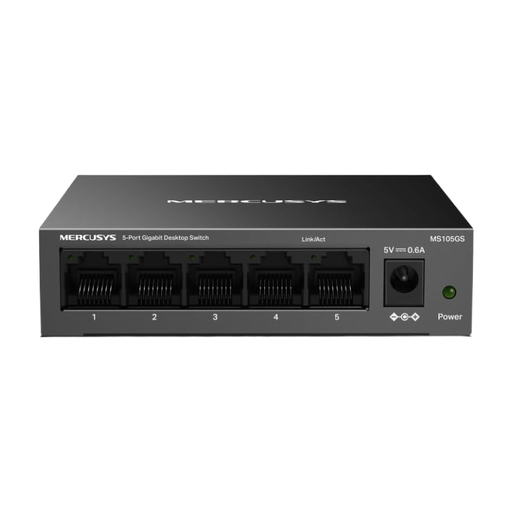
A straightforward option if an Ethernet print server and other wired devices need extra ports on the same network.
This model is described as an unmanaged five-port gigabit switch with plug-and-play operation.
No. A switch with RJ45 Ethernet ports can’t share a USB printer on the network. If your printer only has USB, first check for a sharing solution that’s compatible with your specific printer and supports the features you need. TP-Link Germany marks the TL-PS110U as ‘End of Life’.
Connect one switch port to your home router and another to the Ethernet print server. Then check the print server’s instructions to make sure it’s accessible on your home network, and set up the printer as directed by its manufacturer.
Count the connection to your router, the print server and every other device you want to connect by cable. Choose the number of ports based on that total, and only allow for extra connections if you actually plan to use them.
If your computer and print server are on different VLANs, communication between them also requires suitable routing and access rules. Cisco explains that switches don’t simply forward traffic between separate VLANs.
Not just to connect a standard print server. PoE is only relevant if you want to power other connected devices over an Ethernet cable and they support the appropriate PoE standard. Remember to check the switch’s overall power budget too.