If you mainly listen at your desk and have room for two speakers, an active stereo pair is a sensible place to start. The key is whether its connections suit your computer and other sources. Compact USB speakers save desk space, while larger active speakers offer different connection and expansion options. A Wi-Fi speaker may be a better fit if you also want to stream without a direct PC connection.
Which solution suits you?
Film soundtrack fans at a fixed desk
If you want to position one speaker on either side of your usual listening spot, first check that you have the right connections and enough space. Edifier lists several inputs for the R1280DBs, while Sonos explains how to connect two Era 100 speakers as a stereo pair.
Home office with limited desk space
If your speakers need to sit beside your monitor and your computer is your main audio source, a compact USB model could be worth considering. Creative lists USB-C audio and USB-C power for the Pebble V3; check that your computer and power supply are compatible.
Listeners using several audio sources
If you switch between your computer, mobile phone and streaming, check that the inputs and set-up of the specific system work with your sources. Edifier lists several wired inputs and Bluetooth for the R1280DBs; with the Sonos Era 100, you first need to set it up over Wi-Fi before using Bluetooth.
What to look for when buying
| Buying consideration |
What to check |
Who this matters most to |
| Stereo sound at your listening spot |
Check whether the listing includes two speakers and whether there’s room for both beside your monitor. |
If I listen to film soundtracks at a fixed desk, I want to be able to position one speaker on either side. Around 36% of consumers say a stereo pair at their listening spot is their main priority. |
| Connecting your audio source |
Check that your computer or mobile phone’s audio output matches the speaker’s specific input. |
If I switch between my computer and mobile phone, I want a connection that works with my devices. Around 29% of consumers prioritise compatibility with their audio sources. |
| Space and positioning |
Measure the available space and allow room for cables and, where needed, a power supply. |
When space is limited at my workstation, I want to position speakers without unnecessarily cutting into my working area. Around 21% of consumers put available desk space first. |
| Bass and expandability |
Check the connection on the exact model and consider whether you’d have room for an additional subwoofer. |
If deep notes matter to me, I want to know whether I can expand the system later without committing to it straight away. Around 14% of consumers say bass expansion is their main priority. |
Avoid common assumptions
-
Assuming similarly named Edifier models are the same
The information about the subwoofer output applies to the R1280DBs and shouldn’t automatically be assumed to apply to the similarly named R1280DB.
Before buying, check the full model name and the inputs on the product being offered.
-
Confusing a single Wi-Fi speaker with a stereo pair
Sonos describes stereo pairing using two Era 100 speakers. A single speaker is therefore not the same as a pair positioned in two separate places.
Decide whether one speaker in a single position is enough, or whether you want two compatible devices for a stereo pair.
-
Assuming Bluetooth works straight away without Wi-Fi set-up
According to Sonos, the Era 100 must first be set up using the app over Wi-Fi before you can use Bluetooth. A separately sold adapter is required for Line-In.
Check the whole set-up, from your audio source and any required set-up or accessories to the speaker.
Key brands at a glance
Edifier
Active speaker pairs: the R1280DBs is worth considering if you want to connect several sources, thanks to its range of inputs and subwoofer output.
- Edifier lists Bluetooth, RCA, optical and coaxial inputs for the R1280DBs.
- The connection details and 42 W RMS total power are manufacturer specifications for the R1280DBs. They aren’t independent sound measurements or claims about every Edifier model.
Creative
Compact PC speakers: Creative lists USB-C audio, USB-C power and Bluetooth for the Pebble V3.
- The USB connection can carry both audio and power, provided your computer and power supply are compatible.
- Claims about sound performance are manufacturer statements, not the result of a comparison test with larger speakers.
Sonos
Connected speakers: the Era 100 focuses on Wi-Fi, Bluetooth and the option to create a stereo pair.
- Sonos explains how to connect two Era 100 speakers as a stereo pair.
- According to Sonos, you need to set up the speaker in the app over Wi-Fi before using Bluetooth; a separately sold adapter is required for Line-In.
Audioengine
Desktop stereo systems: according to Audioengine, the A2+ Gen 3 combines USB-C audio and Bluetooth with an output for adding a subwoofer.
- The features listed apply specifically to the Gen 3 version.
- Similarly named older A2+ versions shouldn’t be assumed to be the same without checking the exact model.
Logitech
PC audio with added bass: on 20 August 2026, F.A.Z. Kaufkompass named the Z407 its favourite among the PC speakers it tested.
- This assessment applies to the Z407 tested and the selection made by F.A.Z. Kaufkompass.
- One editorial team’s verdict isn’t a general ranking for film soundtracks or for all Logitech speakers.
Speakers for your desk
This selection includes PC and desktop speakers for film soundtracks, from USB stereo speakers and active stereo bookshelf speakers to compact systems with several connection options.
 No image available
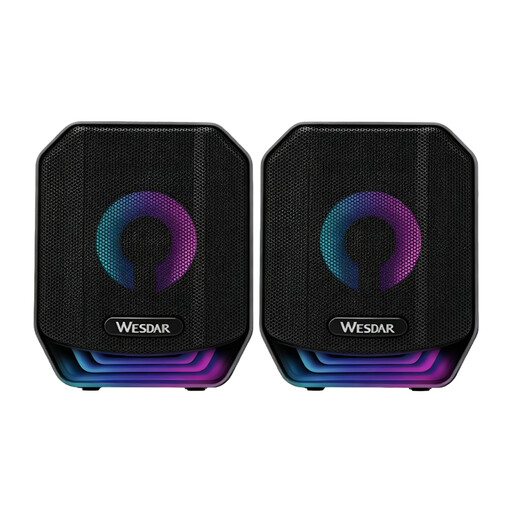
PC Speaker Set, wired USB stereo speaker set, 2-piece, Black
A good fit for a desk set-up if you’re looking for two wired PC speakers with a USB connection.
Described as a two-piece stereo set with RGB lighting.
View at Joybuy
 No image available
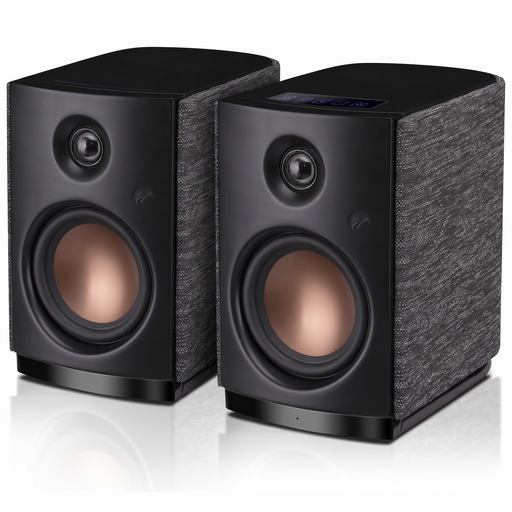
HiVi-Swans OS-10, active Hi-Fi stereo bookshelf speakers
An option for a fixed listening spot if you’re looking for active stereo speakers with Bluetooth and an Aux input.
Specifications for this model include Bluetooth 5.0, 4-inch woofers and 62 W RMS.
View at Joybuy
 No image available
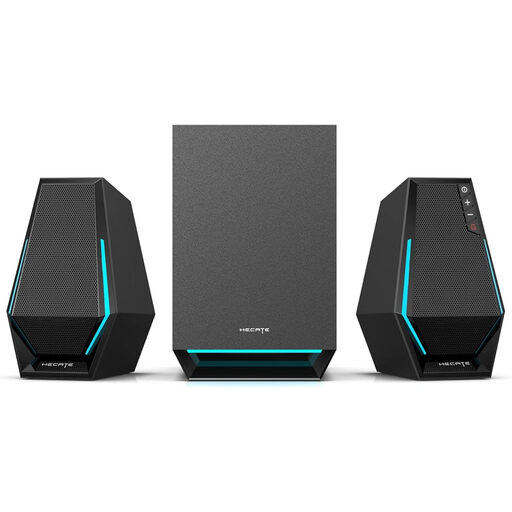
Edifier Hecate G1500 MAX 2.1 speaker system
For your computer, if you’re considering a 2.1 system with several listed connection options.
The product name lists 60 W, a subwoofer output, Bluetooth 5.3, USB, USB-C and a 3.5 mm AUX input.
View at Joybuy
 No image available
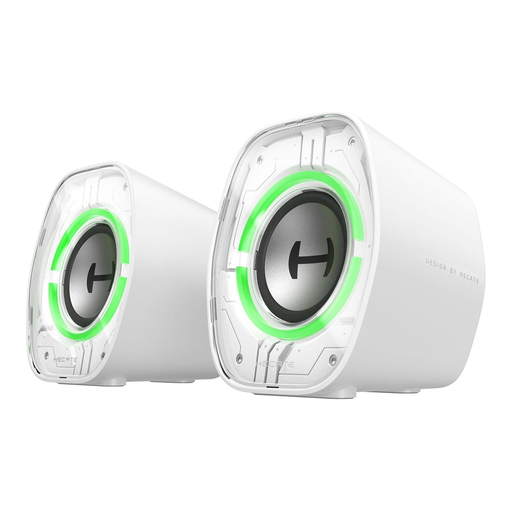
Edifier G1000 II desktop computer speakers, White
For your desk if you’re looking for speakers for a PC or laptop with several listed connection options.
The product name lists a 2.5-inch full-range driver, Bluetooth 5.4, USB-C and AUX.
View at Joybuy
 No image available
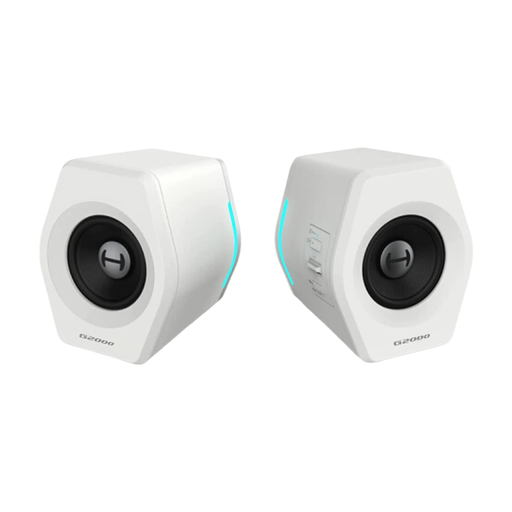
Edifier G2000, 32 W speakers for laptop and desktop, White
An option for computer audio when watching films if you’re looking for a desktop system with USB, AUX and Bluetooth.
Described as 32 W speakers with USB, a 3.5 mm connection and Bluetooth.
View at Joybuy
Frequently asked questions
Can I play film soundtracks from my PC without Bluetooth?
Yes, as long as your computer and speakers have a compatible audio connection. Creative lists USB-C audio for the Pebble V3; Edifier lists RCA, optical and coaxial inputs, among others, for the R1280DBs.
Will a Sonos Era 100 work as a Bluetooth speaker straight out of the box?
No. Sonos requires you to set up the Era 100 in the app over Wi-Fi first; after that, you can use it as a Bluetooth speaker.
Do I need a subwoofer straight away for more bass?
No, an additional subwoofer isn’t essential. If you’d like to add one later, Edifier lists a subwoofer output for the R1280DBs. Check that you have enough space and that your chosen subwoofer is compatible before buying.


