If you play without an external monitor, compare 17.3-inch and 18-inch models by resolution, usable screen area and the space they take up. If you already have a monitor, a laptop with the right video outputs may be all you need. For Two Point Hospital, SEGA lists 4 GB RAM and a GeForce GT 1030 with 2 GB as requirements. That doesn’t mean you automatically need a particularly expensive graphics card for this game. Check the requirements for the specific game you want to play, as well as the laptop’s full specification.
Which screen is right for you?
Players without an external monitor
If you want to keep an eye on rooms, menus and workflows directly on your laptop, compare screen size, resolution and chassis dimensions. CHIP also highlights a sufficiently high resolution as an important factor when choosing a large-screen gaming laptop.
Players with a permanent monitor setup
If you already use a large monitor, focus on the graphics hardware and video output on the specific laptop. Lenovo lists HDMI and USB-C with DisplayPort for the LOQ-17IRX10 range; the specification of the particular variant is what matters.
Players who move between locations
If you regularly move your laptop or take it with you, its dimensions and weight matter as well as the built-in screen. A larger laptop can take up more space, and Lenovo notes that the weight of the LOQ-17IRX10 range depends on the configuration.
What should you look for when buying?
Large built-in display
A good fit if: you want to play without an additional monitor and view everything directly on your laptop.
The trade-off: the laptop’s dimensions and the space it takes up depend on the model you choose; screen size alone tells you nothing about resolution or usable screen area.
Laptop with an external monitor
A good fit if: you already have a large screen or mainly play at a fixed desk.
The trade-off: you’ll need a monitor, space to set it up and, if necessary, a suitable cable. You won’t have the large display when you’re away from home.
Requirements vary from game to game. For Two Point Hospital on Windows, SEGA lists 4 GB RAM and a GeForce GT 1030 with 2 GB as the minimum requirements. These specifications don’t automatically apply to other hospital simulation games.
| What matters to you |
What to check before buying |
Who is it important to? |
| Clear view on the laptop |
Compare the screen size, native resolution, aspect ratio and dimensions of the complete model variant. |
If I play without an additional monitor, I want to see menus and workflows clearly on the laptop itself; around 33% of consumers are likely to prioritise the built-in screen area. |
| Hardware that suits the game |
Compare the official requirements for the specific game with the CPU, RAM, graphics and operating system of the model on offer. |
If I mainly want to check compatibility with the game I’ve actually chosen, I’ll look at the full specification rather than relying on the word ‘gaming’; around 27% of consumers are likely to prioritise this. |
| Flexible use |
Check the weight and dimensions of the model and, if using a monitor, the video output and monitor input. |
If I regularly move my laptop or take it with me, the screen size needs to suit the available space and be practical to transport; around 20% of consumers are likely to prioritise flexibility. |
| Specification that suits your needs |
Compare the game’s requirements, your preferred display, RAM, storage and operating system across the full configuration. |
If I don’t want to pay for capacity I won’t use, I’ll choose a specification that suits my game and screen; around 20% of consumers are likely to prioritise value for money. |
Common buying mistakes
-
Assuming 18 inches automatically means a clearer view
Screen size alone doesn’t tell you how many pixels the display has or whether the laptop will fit in the space you have in mind.
Compare the resolution, aspect ratio and dimensions of the specific model variant.
-
Buying based only on the range or graphics card name
Hardware and operating systems can vary within the same model range. Lenovo lists different specifications for the LOQ-17IRX10 range; one documented German configuration is supplied without a pre-installed operating system.
Check the full model number, as well as the CPU, GPU, RAM, operating system and display. If you’re considering a version without a pre-installed operating system, find out what else you’ll need for your setup.
-
Focusing only on screen size when choosing an external monitor
The laptop’s video output needs to work with the connection you’re planning to use and the display.
Compare the ports and supported display modes on both devices, and check whether you’ll need a suitable cable.
Brands and model ranges at a glance
ASUS
The ROG Strix G18 and TUF Gaming A18 ranges offer a choice of 18-inch configurations for shoppers looking for a large built-in display.
- ASUS lists an 18-inch, 16:10 display with 2.5K resolution for certain ROG Strix G18 configurations.
- Available components vary by model. Manufacturer specifications for one configuration don’t confirm the features of every model or how it will perform in a particular hospital simulation game.
Acer
The Nitro V 17 AI and Nitro 18 AI ranges include documented display options measuring 17.3 and 18 inches respectively.
- Acer lists a 17.3-inch Full HD display for one Nitro V 17 AI variant and an 18-inch WQXGA display for one Nitro 18 AI variant.
- The GPU details in the summary and detailed specifications on Acer’s product page don’t match for the Nitro 18 AI NH.QYKEG.003. Check the full model number and specific specifications before comparing graphics performance.
Lenovo
The LOQ-17IRX10 range offers a 17.3-inch option. If you’re considering an external monitor, you can check the ports on the specific model.
- Lenovo lists HDMI and USB-C with DisplayPort for the range. One documented configuration has a 17.3-inch display with a resolution of 1920 × 1080 pixels.
- Components and operating system depend on the configuration; one German variant is documented as having no pre-installed operating system.
HP
OMEN 17 is a gaming range with a 17.3-inch display, suited to shoppers who prefer a large screen built into their laptop.
- HP lists a 17.3-inch Full HD display, 16 GB RAM and Windows 11 Home for the OMEN 17-db1773ng.
- These details apply to the named variant and don’t support a general claim about the performance of the entire OMEN range.
Joybuy products with large built-in displays
The Joybuy models below are gaming laptops with built-in 18-inch displays, designed for anyone who wants to play on a large laptop screen without a separate monitor.
 No image available
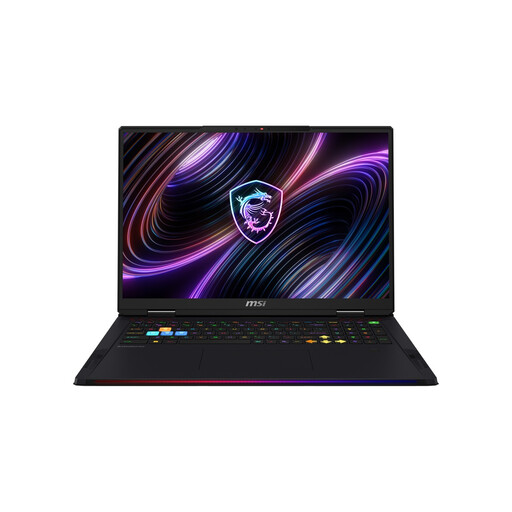
MSI Raider 18 Max HX A2WI-1075
The built-in 18-inch display is a good fit if you want to play on a large laptop screen without an external monitor.
18-inch Mini LED display with 3840 × 2400 resolution and 120 Hz; Intel Core Ultra 9 290HX, NVIDIA GeForce RTX 5080, 32 GB DDR5 RAM, 2 TB SSD and Windows 11 Home. At 3.6 kg, it’s heavy to carry around regularly.
View at Joybuy
 No image available
MSI Titan 18 HX Dragon Edition Draco Epic A2WJ-1218
The built-in 18-inch display is ideal if you want a large screen directly on your laptop and don’t need a separate monitor.
18-inch Mini LED display with UHD+ resolution and 240 Hz; Intel Core Ultra 9 290HX Plus, NVIDIA GeForce RTX 5090 with 24 GB, 96 GB DDR5 RAM, 4 TB SSD and Windows 11 Home. It weighs 3.6 kg.
View at Joybuy
 No image available
MSI Raider 18 HX A2WH-1088
The built-in 18-inch display is a good option if you’d rather not set up a separate monitor for gaming.
18-inch display with 2560 × 1600 resolution and 240 Hz; Intel Core Ultra 9 275HX, NVIDIA GeForce RTX 5070 Ti with 12 GB, 32 GB DDR5 RAM, 1 TB SSD and Windows 11 Home. At 3.6 kg, it’s heavy to carry around regularly.
View at Joybuy
 No image available
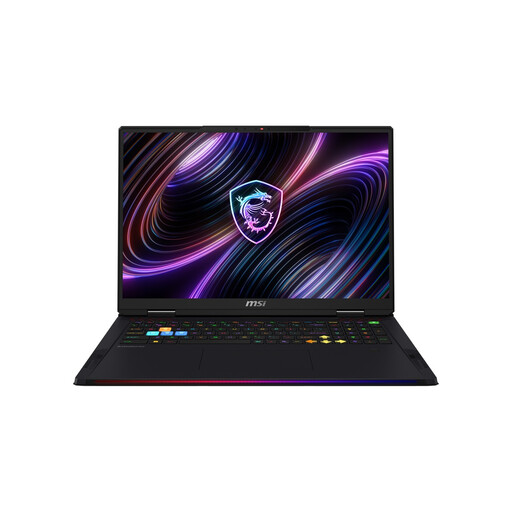
MSI Raider 18 Max HX A2WJ-1074
The built-in 18-inch display is worth considering if you want a large screen directly on your laptop.
18-inch Mini LED display with UHD+ (3840 × 2400 pixels) and 120 Hz; Intel Core Ultra 9 290HX Plus, NVIDIA GeForce RTX 5090, 64 GB DDR5 RAM, 2 TB SSD and Windows 11 Home. It weighs 3.6 kg.
View at Joybuy
 No image available
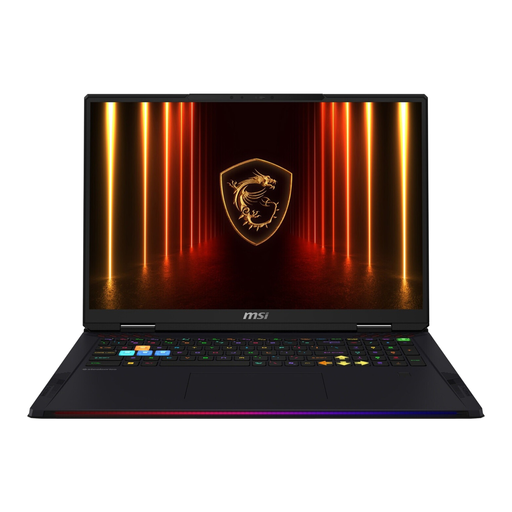
MSI Raider 18 HX AI A2XWJG-074
The built-in 18-inch display is a good fit if you want to manage your game on a large screen directly on the laptop.
18-inch WQUXGA display with 3840 × 2400 resolution and 120 Hz; Intel Core Ultra 9 285HX, NVIDIA GeForce RTX 5090, 64 GB RAM, 4 TB SSD and Windows 11 Home. It weighs 3.6 kg.
View at Joybuy
Frequently asked questions
Do I need a particularly powerful gaming graphics card for Two Point Hospital?
No, not for this game alone. Among other minimum requirements for Windows, SEGA lists Intel HD Graphics 630; the recommended configuration includes a GTX 1060 with 3 GB or an RX 580 with 4 GB. Minimum requirements don’t guarantee a particular resolution or frame rate. Other games have their own requirements.
How do I set up an external large-screen monitor?
Check that the video ports on the specific laptop and monitor are compatible, and that they support your preferred resolution and refresh rate. Lenovo lists HDMI and USB-C with DisplayPort for the LOQ-17IRX10 range. This doesn’t guarantee compatibility with every monitor or cable, or with other laptop ranges.
What should I consider when using and maintaining my laptop over longer periods?
Make sure there’s enough room around the laptop and keep the vents clear. Check the dimensions of the specific model and follow the manufacturer’s cleaning instructions. Screen size or GPU name alone won’t tell you how noisy the fans are or how much maintenance is needed.
What are my rights when buying online in Germany?
When you buy as a consumer through distance selling, you generally have the right to cancel, usually within 14 days of receiving the goods. Exceptions may apply, and the circumstances of the contract should be taken into account. Verbraucherzentrale distinguishes this right from your statutory rights if goods are faulty. A guarantee, by contrast, is voluntary and is not the same as your statutory rights.


