Choose your laptop based on whether it works with the docking station and peripherals already available, whether you edit training materials directly on the device, or how often you carry it around. For a flexible workspace, the ports on the exact configuration and the total weight, including accessories, are key. Bitkom lists docking functionality as a purchasing criterion, while the BAuA highlights weight when work involves frequent changes of location.
Which laptop is right for you?
Planners using a desk dock
If you use monitors and input devices at different desks, check that the ports and docking support on the complete laptop configuration match your existing setup. Bitkom lists docking functionality as a purchasing criterion.
People creating training materials
If you write training plans and compare drafts, sources or schedules, look for a display that’s easy for you to read and a comfortable typing position. For portable display devices used at a fixed workstation for extended periods, the BAuA rule ASR A6 sets out requirements for workstation equipment.
Mobile training planners
If you often carry your laptop between rooms or locations, consider the weight of the charger and any adapters as well as the device itself. The BAuA highlights the total weight of work equipment when working in frequently changing locations.
What should you consider when buying?
| Purchasing priority |
What to check |
Who is it important to? |
| Connecting at a shared desk |
Check the ports on the complete model variant, as well as the video connection and power delivery of the dock you already have. |
If I want to use my existing monitors and input devices without connection issues, dock compatibility comes first for me. This is the main priority for around 36% of consumers. |
| Reading and creating materials |
Check the display size and resolution of the exact variant, as well as the space available on your desk. For extended use at a fixed workstation, consider the ASR A6 requirements for separate input devices. |
If I compare drafts and sources directly on my laptop, a clear display and a comfortable typing position matter most to me. Around 29% of consumers prioritise working on documents. |
| Portability and power |
Consider the weight of the device together with the charger and adapters, and check the charging port and equipment available at your destination. |
If I often carry my laptop between workstations, I want to take the weight of all the accessories I need into account too. Around 21% of consumers prioritise mobility. |
| Protecting work data |
Check which software is approved and clarify your organisation’s procedures for signing in, locking the device and storing data. The BSI recommends locking your device when you leave your desk. |
If I work with sensitive information in training materials, I need to follow the rules for handling work data. Around 14% of consumers prioritise data protection. |
Avoiding buying pitfalls
-
Assuming similar model names mean the same specification
The Dell Pro 14 PC14250 and the Dell Pro 14 PC14255 are different models; the PC14255 is described with an AMD configuration.
Before buying, compare the full model number, processor and ports you need.
-
Assuming a larger display means Windows is pre-installed
For the tested HP ProBook 460 G11 A23HLEA#ABD configuration, HP lists FreeDOS rather than Windows.
Check the operating system and availability against the full product number. If your work requires Windows, also check the effort involved in installation and licensing.
-
Comparing only the laptop’s weight
If you often move between locations, the weight of the charger and adapters you need at different workstations matters too. The BAuA highlights the total weight of work equipment.
Before choosing, make a note of the power and monitor connections required at your workstations, then factor in the accessories you’ll need.
Key brands at a glance
Lenovo
The ThinkPad T14 Gen 6 Intel range is one option if you’re looking for a compact laptop to use at different desks.
- Lenovo lists HDMI, Ethernet, USB-A and Thunderbolt 4 for the range.
- Specifications and options depend on the full model number; the list of ports does not automatically confirm compatibility with a specific dock.
Dell
The Dell Pro 14 PC14250 is a 14-inch business laptop designed for working at different desks.
- For the tested base configuration, Dell lists a 16:10 IPS display with 1920 × 1200 pixels, 16 GB RAM and Windows 11 Pro.
- Specifications vary by configuration. Check the ports and what’s included with the specific offer.
Apple
The 13-inch MacBook Air with M5 is a macOS option for frequent changes of location, provided the applications you need are compatible.
- Apple lists a weight of 1.23 kg and two Thunderbolt 4 ports for this size.
- You may need a suitable connection for existing HDMI or USB-A devices. Apple’s battery life claim is not a measurement for planning training.
HP
The HP ProBook 460 G11 offers a 16-inch option for planning without an external monitor.
- For the A23HLEA#ABD configuration, HP lists 16 GB RAM and a display with 1920 × 1200 pixels.
- This configuration is listed with FreeDOS. These details apply to this specific offer, not to the brand as a whole.
Laptops available at Joybuy
This selection includes 14-inch models for creating training materials and connecting to equipment at shared desks.
 Image unavailable
HP OmniBook Ultra 14-kd0072ngx
One option if you edit training materials on a 14-inch laptop and need Thunderbolt 4 ports.
3K touchscreen; Intel Core Ultra 7 356H; 16 GB RAM; 1 TB SSD; Windows 11 Home; three Thunderbolt 4 ports; 1.27 kg.
View at Joybuy
 Image unavailable
Dell Pro 14 Essential PV14255
One option if you edit training materials and want to connect via HDMI, USB-A or USB-C at a shared desk.
AMD Ryzen AI 7 350; 14-inch display with 1920 × 1200 pixels; 16 GB RAM; 1 TB SSD; Windows 11 Pro; USB-A, USB-C and HDMI.
View at Joybuy
 Image unavailable
HP OmniBook Ultra Flip 14-fh0670ng
One option if you want to work on the touchscreen or use the included stylus to take notes.
14-inch 2-in-1 with 2.8K OLED touchscreen; Intel Core Ultra 7 258V; 32 GB RAM; 1 TB SSD; Windows 11 Home; two Thunderbolt 4 ports; 1.34 kg; stylus included.
View at Joybuy
 Image unavailable
ASUS Zenbook 14 UX3405CA-QD1303W
One option if you edit materials on a 14-inch display and want to connect existing devices via HDMI, USB-A or Thunderbolt 4.
WUXGA OLED display; Intel Core U7 255H; Intel ARC; 16 GB RAM; 1 TB SSD; Windows 11; Thunderbolt 4, USB-A and HDMI; 1.22 kg; German keyboard layout.
View at Joybuy
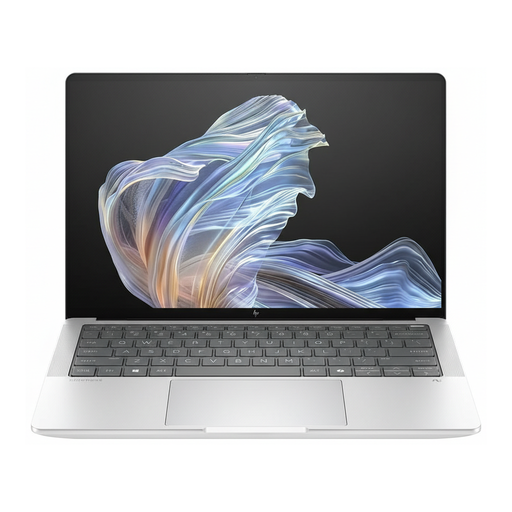 Image unavailable
HP EliteBook Ultra G1a
One option if you’re looking for a 14-inch business laptop with Windows 11 Pro and USB-C Power Delivery for use at different workstations.
Snapdragon X Elite; 2.2K display; 16 GB RAM; 512 GB SSD; Windows 11 Pro; USB-C Power Delivery.
View at Joybuy
Frequently asked questions
Do I need a separate keyboard at a hot desk?
Not as a blanket rule for every purchase. For portable display devices used at a fixed workstation, the German ASR A6 describes a separate keyboard and, depending on the work involved, a separate mouse as part of workstation design. Whether this applies depends on how the device is used and the workstation itself; the employer is responsible for the workplace.
Is USB-C enough for any monitor and dock?
No. The USB-C label alone does not confirm compatibility. Check that the video connection and power supply of the specific laptop model work with your monitor and dock. Lenovo lists Thunderbolt 4 and HDMI for the ThinkPad T14 Gen 6 Intel range; Apple lists Thunderbolt 4 and DisplayPort support via USB-C for the MacBook Air with M5.
How should I handle training data when I leave my workstation?
The BSI recommends locking your device even if you’re only stepping away briefly, and using only software approved by your IT team on work devices. If you process personal information, you must also comply with the relevant data protection obligations. The specific technical and organisational procedures depend on the processing involved and your organisation’s requirements.
What should I check about returns and faults after buying online?
Consumers who buy online generally have a 14-day right to cancel, although exceptions and the specific terms of the contract should be checked. Your statutory rights against the seller are separate from any voluntary guarantee. If there’s a fault, you should first ask the seller to put it right.
What matters when setting up and using the laptop?
Position the screen and input devices to suit how long you’ll be working, and keep the operating system and approved applications up to date. The BSI recommends installing software updates; for work use, your own IT team’s approvals and procedures also apply.


