What should you look for when buying?
First decide whether one person or several people will be joining in together. Then test the audio where you’ll actually be sitting and check which areas the camera captures.
| Criteria |
What to check before buying |
Who is it most important for? |
| Clear audio |
Test the microphone position and sound with typical background noise. |
If I’m hosting the meeting on my own, I want to be heard clearly even with house-share noise in the background. Around 36 % of consumers say clear speech is their top priority. |
| Controlled camera framing |
Check the camera position, viewing angle and preview before the call. |
If I don’t want other people or private areas of the house in shot, I’ll check the frame before starting. Around 29 % of consumers put a private camera frame first. |
| Joining in together |
Test the picture and sound from all the seats you plan to use. |
If we’re sitting together at one computer, everyone needs to be in shot and heard clearly when speaking. Around 21 % of consumers prioritise joining in together on one device. |
| Notes or movement |
Check the autofocus, camera positions and any software you may need. |
If I want to show notes or move around while hosting, I’ll need the right adjustment options. Around 14 % of consumers prioritise presenting or moving around. |
Webcams at Joybuy
This selection includes webcams for hosting a meeting while seated and making video calls, as well as one model with features for showing notes. Test the sound and framing at the position where you plan to use each webcam; a model’s features alone can’t guarantee a particular result in a house-share room.
 No image available
AOC 4K PRO Webcam
For hosting while seated: the listed viewing angle is 75°; test the sound where you plan to sit.
The product title lists a Sony IMX363 sensor, PDAF autofocus, a dual microphone and a lens cover.
Connections: USB-A and USB-C.
View at Joybuy
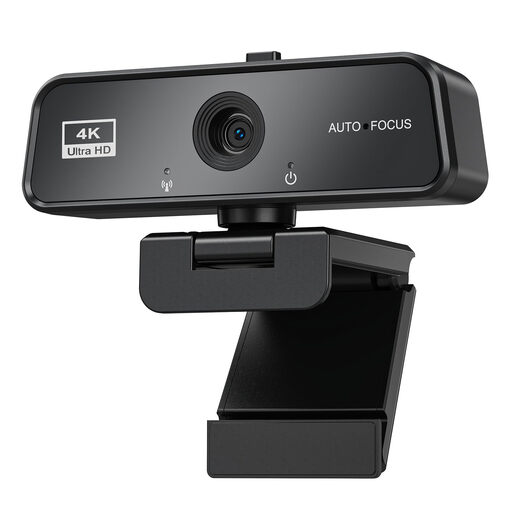 No image available
maxineer 4K Webcam
For video calls, the product title lists autofocus and a microphone; test how clearly you can be heard in your room.
Resolution listed in the title: 3840 × 2160 at 30 FPS. USB 3.0 and a lens cover are also listed.
The title lists plug-and-play for Windows and Mac.
View at Joybuy
 No image available
Logitech C922 Pro Stream Webcam
For a fixed computer setup: check the framing and sound with the webcam in the position you plan to use.
The product description lists a 78° viewing angle, HD autofocus and a stereo microphone.
A rotating mount and a table tripod are also listed.
View at Joybuy
 No image available
Philips 4K UHD Webcam 4000 Series, SPL6408BT/00
For video conferences: check the framing and microphone at the computer setup where you’ll actually be using it.
The product title lists 8 MP, autofocus, two microphones and a manual privacy cover.
USB-A and the EU version are also listed.
View at Joybuy
 No image available
Insta360 Link 2C Standard Bundle, Graphite Black
For video calls and showing notes from time to time: according to the description, DeskView mode lets you capture a view from above.
The product title lists 4K, a 1/2-inch sensor, auto-framing, HDR and gesture control.
The product title describes the microphone as featuring AI noise reduction; test the sound in your house-share room. According to the description, advanced settings and features require Link Controller software. The device is currently not compatible with ARM-based Windows systems, according to the description.
View at Joybuy
Frequently asked questions
Will 4K on the box give you a visibly better group meeting?
Not on its own. According to Zoom, higher transmitted resolutions for group HD video depend on your account type, whether the feature has been enabled and other requirements. Check the requirements of your video conferencing service rather than assuming the sensor resolution is the same as the transmitted picture quality.
What should I check when connecting and setting up the webcam?
First check that the connection is compatible with your computer, then select the camera and microphone input in your video conferencing software. Hama lists USB-A and UVC operation without additional camera drivers for the C-600 Pro; OBSBOT lists OBSBOT Center for features such as tracking modes. A test call is a good way to check the picture and sound where you plan to use the webcam.
Can I record the planning meeting?
In Germany, recording spoken words in a non-public setting without permission is a criminal offence under § 201 of the German Criminal Code (StGB). Don’t make an audio recording without permission. In its 2020 guidance, the Data Protection Conference also treats images, audio and people nearby as potentially personal data. The guidance is aimed at businesses, public authorities and other organisations, and isn’t a blanket legal assessment of every private house-share meeting.
What if the webcam isn’t suitable or is faulty after I buy it?
In Germany, online purchases generally come with a 14-day right to cancel; check for exceptions and the terms of your contract. If the product is faulty, statutory rights against the seller are different from a voluntary guarantee. The consumer advice organisation Verbraucherzentrale explains both; test the framing and sound in good time and keep your purchase documents.
What should I check before the next meeting?
Check the camera preview, selected microphone input and camera position. For the OBSBOT Tiny 2 Lite, the manufacturer describes firmware updates through OBSBOT Center and a Sleep Mode privacy feature. Whether you need additional software or an update depends on the model you choose.


