What should you look for when buying?
The right type depends mainly on where the quiz host and players sit, and which voices the camera needs to pick up.
USB webcam for the quiz host
A good fit if: you usually host on your own at a laptop and want to move the camera from time to time.
Keep in mind: Flexible framing doesn’t automatically make a webcam suitable for picking up voices from across the room.
Front-facing conference camera
A good fit if: the players are sitting on one side of the room, in front of a screen.
Keep in mind: Logitech says the MeetUp 2 has a 120° diagonal field of view. Whether everyone fits in the frame depends on the camera’s position and the distance between seats.
360° table camera
A good fit if: you’re sitting around a table and answers come from several directions.
Keep in mind: Video and audio ranges vary by model. Additional views may also show more of your shared space.
| Priority |
What to check when buying |
Who it matters to most |
| Get everyone in shot |
Field of view and distance between seats at the planned camera position; for a video bar, check the resulting group framing too. |
When we’re sitting side by side in front of the screen, I want everyone’s face in shot without having to keep adjusting the camera. Around 36% of consumers put group framing first. |
| Make voices easy to understand |
Microphone layout and stated range; test your video-calling service from the furthest seat. |
I want to hear questions and answers clearly, even from further away. Around 27% of consumers prioritise speech clarity. |
| Move the camera easily |
USB connection, mount and the framing you need from each position. |
When I take turns hosting from different laptop spots, I want to be able to reposition the camera easily. Around 18% of consumers put flexible use at individual seats first. |
| Get a 360° view of the table |
Space in the middle of the table, video range and available viewing modes. |
When we’re sitting opposite one another, I want everyone in shot without having to pan the camera. Around 10% of consumers prioritise a 360° view. |
| Privacy and set-up |
Check the capture area, connections, power supply and stated items included in the box. |
In a shared home, I want to control what’s in shot and connect the camera without a complicated set-up. Around 9% of consumers give top priority to privacy and ease of installation. |
Joybuy products for your house-share quiz
The following Joybuy products include front-facing conference cameras for groups and webcams for quiz hosts using a computer.
 No image available
Logitech ConferenceCam, 10.4 × 15 × 15.4 cm
Described as a conference camera for small groups, it could suit a quiz group sitting in front of a screen.
Product name: Conference Room/Office; dimensions according to the product name: 10.4 × 15 × 15.4 cm.
View at Joybuy
 No image available
DELL Pro WB5023 2K Webcam, USB 2.0
Could suit a quiz host using a laptop if you’re looking for a webcam for a single hosting position.
Product name: 2K webcam with USB 2.0; audio is specified in the product name.
View at Joybuy
 No image available
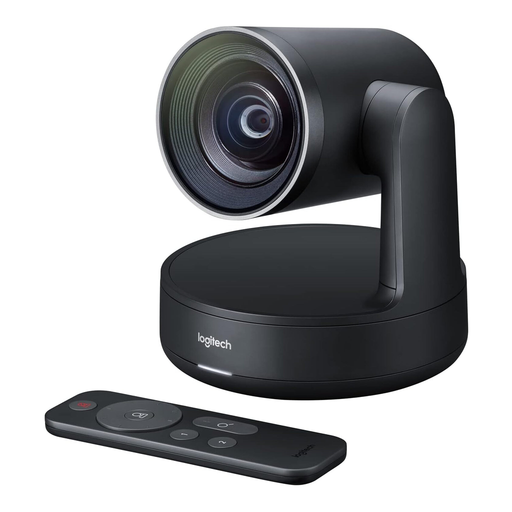
Logitech Conference Camera Rally 960-001227
A conference camera that could be an option if you’re looking for a device to run your quiz from a computer.
View at Joybuy
 No image available
Insta360 Link 2C Standard Bundle, Graphite Black
Could suit a quiz host using a PC or Mac if you’re looking for a webcam with automatic framing.
Product name: 4K webcam for PC/Mac, 1/2" sensor, HDR, microphone with AI noise reduction and gesture control.
View at Joybuy
 No image available
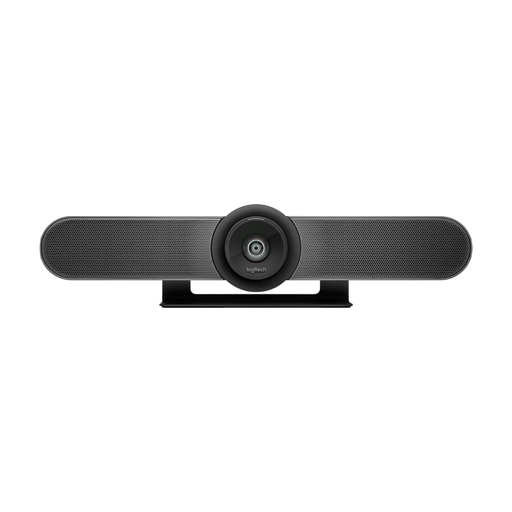
Logitech MeetUp All-in-One 4K Conference Camera, 120°
Suitable for several people sitting in front of a screen if you’re looking for a conference camera for a small room.
Product name: 4K conference camera with a 120° field of view, integrated microphones and speaker.
View at Joybuy
Frequently asked questions
Is a webcam enough for your quiz, or do you need a video bar?
If you’re the main person speaking at the computer, start by checking the webcam’s framing. If several people are sitting in front of the same screen, the camera needs to capture everyone and pick up their voices. Logitech describes the MeetUp 2 as a model for small group rooms.
What should you check before your first quiz night?
Set the camera up in the place you plan to use it, then check the framing, voices from the furthest seat and playback without disruptive echo in your video-calling service. Logitech lists a laptop connection and a separate power supply as included with the MeetUp 2, so check that you have the right ports and a nearby socket too.
What rights do you have when buying a camera online in Germany?
For eligible online purchases from a trader, you generally have a 14-day right to cancel, starting from the day you receive the goods; you must be told about any return costs. If the goods are faulty, you also have at least two years of statutory rights against the seller. These rules don’t apply in the same way to purchases from private individuals. The information on cancellation and consumer rights is based on guidance from Your Europe, the European Union.
Can you simply record your house-share quiz?
Taking part live isn’t the same as making an audio recording. Under § 201 StGB, recording other people’s non-public conversations without authorisation is a criminal offence, so check that everyone agrees before you record. Whether the GDPR applies to a particular use depends on its purpose; the Data Protection Conference describes an exception for activities that are exclusively personal or domestic.
Is the CE mark a quality mark for picture or sound?
No. It doesn’t assess whether a camera suits your seating arrangement or room acoustics. For products covered by the relevant EU harmonisation rules, the manufacturer uses the CE marking to declare that the product meets the applicable requirements. The European Union explains this framework for CE marking.


