For checking a household inventory on the train, choose a tablet that can open your specific file offline in the app you use before you set off. That matters more than having mobile connectivity on its own. Deutsche Bahn says Wi-Fi is available across its entire ICE fleet, but only on some IC trains and selected regional services, so you can’t rely on the connection or its speed to access your file. If your list has lots of columns or photos, make sure it’s easy to read in your document, and check that the app, input method and syncing process all work together when you make changes.
Which tablet is right for you?
For offline access
If you want to open your inventory list even when your connection is unreliable and sync changes later, check the offline mode for the specific app and file you use. The Google Docs Editors Help explains how to make individual files available offline in Google Sheets on Android tablets and iPads.
For comparing lists and photos
If you’re checking several columns, details or photos of your items, your inventory file should be easy to read on screen without constant zooming. Apple Germany lists an 11-inch display for the iPad (A16), while Xiaomi Germany gives the Pad 7 a diagonal screen size of 11.2 inches.
For making updates on the go
If you’ll be correcting entries or adding notes during your journey, consider how easy your app is to use and whether your input device is compatible. Check support in the specific app you use and what’s included with the version you’re considering; Samsung Germany, for example, says the Galaxy Tab S10 FE comes with an S Pen.
What should you look for when buying?
First check that you can access your specific file offline in your app, then make sure your inventory list is easy to read and use. Mobile connectivity and input accessories are additional considerations, depending on whether you need to get online and what changes you plan to make.
| Buying consideration |
What to look for |
Who it matters most to |
| Offline access |
Check whether your app can open and, if needed, edit this exact file without a connection; then test that it syncs correctly. |
If I need my inventory list without reliable train Wi-Fi, I want to test access to my file before the journey. Around 36% of consumers put offline access first. |
| List readability |
Open a typical file and check the text size, zoom and visible columns. Screen size and aspect ratio are useful guides, but they’re no substitute for checking how easy it is to read. |
If I want to compare columns, details or photos without constant zooming, how the file displays in my app is what matters. Around 29% of consumers prioritise how easy their list is to read. |
| Ease of use in a confined space |
Compare the weight and dimensions of the specific version, as well as any accessories you plan to bring. |
With limited space in my seat, a device that’s easy to handle matters more to me than extra screen space. For around 21% of consumers, ease of handling in a small space is the top priority. |
| Adding and correcting entries |
Try the tasks you plan to do in your app and check that any stylus or keyboard is compatible and included with the exact version. |
If I want to add or correct entries during the journey, my input method needs to work with my app. For around 14% of consumers, input is the most important buying priority. |
Common misconceptions to avoid
-
Assuming mobile data or train Wi-Fi guarantees access to your file
Wi-Fi availability varies by train type, and connection speeds can fluctuate. A tablet with mobile connectivity still needs a network with coverage.
For important lists, make sure you’ve tested offline access. Choose mobile connectivity only if you regularly need up-to-date online information while travelling, and check that coverage and the data plan suit your needs.
A mobile data plan can add ongoing costs if you choose a cellular version.
-
Assuming a file saved offline can automatically be edited offline
Offline features depend on the app and platform you use, and you’ll need to make sure any changes are added to the right version of your data later.
Test a copy of your inventory file to check that you can read and edit it without a connection, then sync it as you intend.
-
Assuming the model name tells you which accessories and charging adapter are included
What’s included in the box and which accessories are available can vary by model and offer.
Before buying, check the exact version, stylus or keyboard compatibility, and the details of what’s included in the box.
A charging adapter or separate input device that you need but isn’t included could mean extra costs.
Brands and suitable options
Apple
The iPad (A16) is worth considering for checking your inventory on an 11-inch device, if the app you use is available on iPadOS.
- Apple Germany lists 128 GB as the smallest storage option, with weights of 477 g for Wi‑Fi and 481 g for Wi‑Fi + Cellular.
- Mobile connectivity and support for specific Apple Pencil models depend on the version; stylus support doesn’t mean a stylus is included. Check the exact configuration and what’s in the box.
Samsung
The Galaxy Tab S10 FE is an Android option to consider if taking notes with a stylus is important to you.
- Samsung Germany says an S Pen is included.
- According to Samsung, the device is supplied without a charging adapter. Wi-Fi and 5G versions should be considered separately; the documented 5G version has the model number SM-X526BLBREUB.
Xiaomi
The Pad 7 is an Android option if you’re looking for an 11.2-inch screen to work with your list.
- Xiaomi Germany lists a weight of 500 g and 8 GB RAM with either 128 or 256 GB storage.
- The stated maximum display brightness of 800 cd/m² doesn’t guarantee readability in the lighting conditions on a train. Xiaomi says a power adapter isn’t included.
Lenovo
The Tab M11 is another 11-inch Android option; the documented ZADB0226ES configuration combines Wi‑Fi and LTE.
- Lenovo lists 4 GB RAM and 128 GB storage for this configuration; the offer description mentions a pen.
- Check whether the pen is included with the specific version and works with your app.
Joybuy products for checking your inventory on the train
These Joybuy offers include Wi-Fi tablets for files prepared for offline use, as well as models with mobile connectivity. Before buying, check app compatibility, network coverage and the exact version.
 No image available
Samsung Galaxy Tab A11+ X230, 11-inch, Wi-Fi, 6 GB RAM, 128 GB, Grey
The Wi-Fi version is worth considering for an inventory list saved offline before your journey, if your app is available on the device.
Listed in the product name: 11 inches, 6 GB RAM and 128 GB storage.
View at Joybuy
 No image available
TECLAST P50T T7250, 11-inch, Android 16, 16 GB (3 GB + 13 GB virtual), 128 GB
This Wi-Fi tablet is worth considering for a list saved offline before your journey; check that your inventory app works with this specific version.
Listed in the product name: 90 Hz, 5 GHz Wi‑Fi, 8,000 mAh and Widevine L1; storage is listed as 128 GB.
View at Joybuy
 No image available
Apple iPad Air 11-inch (M4, 2026), Wi‑Fi, 128 GB, Blue
The Wi-Fi version with 128 GB is an option for an inventory list prepared before your journey, provided your app is available on the device.
Listed in the product name: iPad Air with M4, 11 inches, Wi‑Fi and 128 GB storage.
View at Joybuy
 No image available
Teclast P50, 11-inch, 8 GB RAM, 128 GB
If you want to access up-to-date online information while travelling, the stated mobile connectivity is worth considering; it doesn’t replace an offline plan.
Listed in the product name: Android 15, 90 Hz, dual-SIM 4G LTE and 5 GHz Wi‑Fi.
View at Joybuy
 No image available
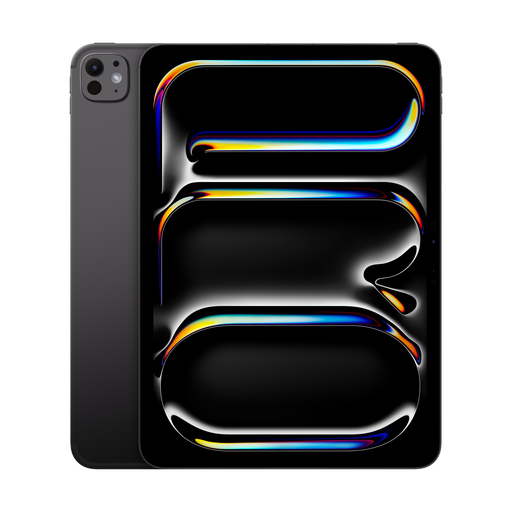
Apple iPad Pro 11-inch (2025), Wi‑Fi + Cellular, 2 TB, Nano-texture glass, Space Black
The Cellular version is an option for locally stored inventory files and potential mobile internet access, if it works with your app; mobile connectivity doesn’t replace offline access.
Listed in the product name: 2 TB storage and Nano-texture glass.
View at Joybuy
Frequently asked questions
Is the Wi-Fi on the train enough for my inventory?
Don’t rely on it alone for a file you need. Deutsche Bahn says Wi-Fi is available across its entire ICE fleet, on some IC trains and on selected regional services; speeds can fluctuate. Save the file offline in your app before you travel, and test that you can open it.
How do I set up the list for my journey?
In Google Sheets, you can make a specific file available offline on Android tablets and iPads, as explained in the Google Docs Editors Help. Then open that exact file once without a connection and check that you can carry out the reading or editing task you have planned.
Will I have extra costs for a stylus, keyboard or charging?
It depends on the specific offer. Samsung says an S Pen is included with the Galaxy Tab S10 FE, but no charging adapter is supplied; Xiaomi also says the Pad 7 doesn’t come with a power adapter. Check what’s included, accessory compatibility and whether you’ll need a data plan for the exact version you’re buying.
What are my rights if my tablet is faulty?
According to the official Your Europe consumer portal, purchases from a business seller in the EU are covered by a legal guarantee of at least two years from the date you receive the goods. This is separate from any voluntary manufacturer’s warranty.
What should I bear in mind when using public train Wi-Fi for private inventory data?
The German Federal Office for Information Security recommends avoiding access to confidential data over someone else’s Wi-Fi wherever possible. If you have no alternative, the BSI recommends using a VPN if possible.


