
Lieferung heute & morgen

Qualitätsgarantie

Willkommens-Angebote freischalten: KOSTENLOSE Lieferung | Bis zu 80 % RABATT | Kostenlose 30-Tage-JoyPlus-Testphase
App herunterladen
Choosing a new business laptop is a decision with far-reaching consequences for your productivity. Too often, well-intentioned marketing promises lead to purchasing decisions that prove impractical in day-to-day work. Before you invest, it's crucial to understand the common pitfalls that often only become apparent after a few months of use.
Many users focus on processor speed and memory, overlooking critical aspects that significantly impact daily use. Here are three common mistakes when selecting a premium laptop for work:
To make an informed decision, you should focus on the technical specifications that have a direct impact on your efficiency and security.
For demanding business applications, multitasking, and running multiple programs simultaneously, a powerful combination of processor and RAM is essential. An Intel Core Ultra 7 laptop offers a modern architecture optimised not only for high computing power but also for energy efficiency. Paired with 32 GB of RAM, you are well-equipped for current and future software requirements. This memory capacity enables a smooth, lag-free workflow, even when resource-intensive applications like video editing, large spreadsheets, or virtual machines are running in the background.
A 14-inch OLED notebook represents a significant leap forward compared to conventional LCD panels. OLED technology allows for the display of true blacks, resulting in an infinite contrast ratio. This makes colours appear more vibrant and details sharper. For professionals who spend a lot of time analysing data, editing presentations, or creating visual content, this means more accurate representation and less eye strain. The 16:10 aspect ratio, as found on the HP EliteBook Ultra G1a Business Laptop, also provides more vertical screen real estate—a practical advantage when reading documents or coding.
Despite its compact form factor, a slim business notebook must offer versatile connectivity. An HP laptop with Thunderbolt 4 is a clear indicator of future-proof connectivity. A single Thunderbolt 4 port can charge the notebook, transfer data at up to 40 Gbps, and drive two 4K monitors simultaneously. This significantly simplifies creating a clean and powerful workspace. As for the operating system, Windows 11 Pro is the logical choice for business use. It offers enhanced security features like BitLocker encryption and management tools that are essential for protecting corporate data.
Depending on your workflow and priorities, technical requirements can vary. Here are some recommendations tailored to specific user profiles.
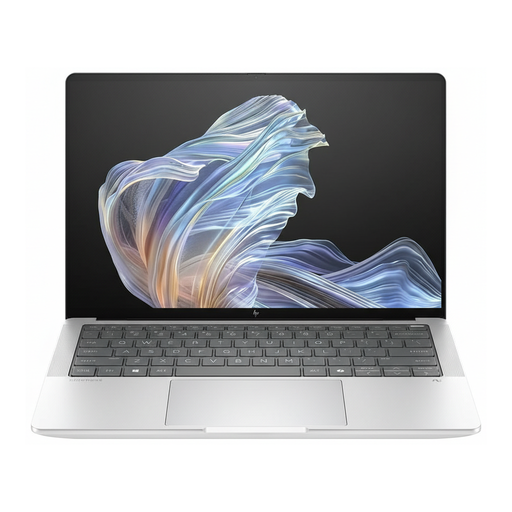
Why This Fits Their Persona: Ideal for executives and consultants who are constantly on the move and refuse to compromise on performance, security, and portability. Its slim design and robust build make it a reliable companion.
With three Thunderbolt 4 ports, it sidesteps the connectivity trap. The 14-inch OLED display prevents compromises on image quality, and the 9MP webcam with a privacy shutter directly addresses security needs.
A combination of an Intel Core Ultra 7 processor, 32 GB RAM, and a fast 1 TB SSD. The advanced cooling system ensures consistent performance even under heavy load.
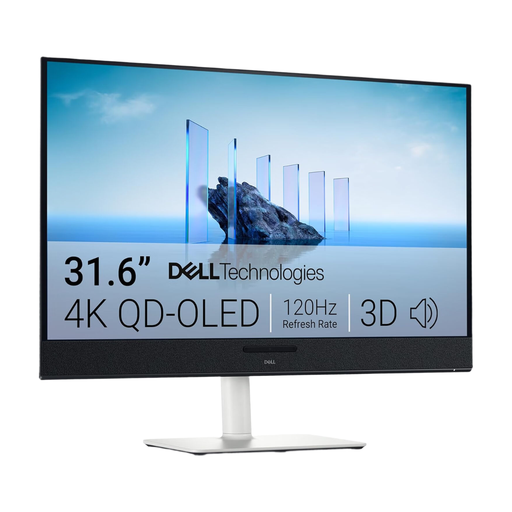
Why This Fits Their Persona: Perfect for financial analysts, designers, or developers who need maximum screen real estate with the highest level of detail at their desk. The 4K resolution on a 31.6-inch screen allows for multiple windows to be displayed side-by-side with high sharpness.
This monitor is the direct solution to the trap of compromised display quality. Its QD-OLED technology with 99% DCI-P3 colour gamut coverage delivers image quality that far surpasses standard laptop displays.
Comprehensive connectivity with three USB-C ports (90W Power Delivery) and HDMI 2.1. The ergonomic adjustment options (height, tilt, swivel) promote a healthy posture.
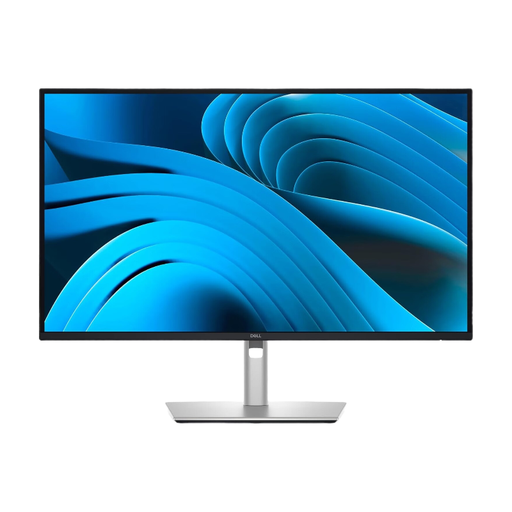
Why This Fits Their Persona: Suitable for project managers and office staff who value a clean desk and an efficient work environment. The monitor acts as a central docking station, reducing cable clutter.
This monitor solves the connectivity trap with its integrated USB-C hub with 90W Power Delivery. A single cable for video, data, and laptop power makes adapters obsolete.
The 27-inch QHD IPS panel with a 100 Hz refresh rate offers a sharp display and smooth scrolling. The extensive ergonomic adjustment options are ideal for long workdays.
We have compiled a complete, real-time list of products that fully satisfy these strict selection criteria and UK safety regulations.
For simple word processing and emails, it might be. However, for demanding professionals working with large datasets, multiple virtual desktops, design software, or programming, 32 GB of RAM is a worthwhile investment. It ensures smooth system performance during multitasking and guarantees the laptop remains capable for years to come.
The main advantage of Thunderbolt 4 lies in its versatility and speed. A single port can:
For freelancers who often handle sensitive client data, the security features of Windows 11 Pro are crucial. Features like BitLocker device encryption protect data in the event of theft. Windows Information Protection (WIP) helps prevent accidental data leaks. These professional tools are essential for protecting your reputation and complying with data protection regulations like GDPR.