
Lieferung heute & morgen

Qualitätsgarantie

Willkommens-Angebote freischalten: KOSTENLOSE Lieferung | Bis zu 80 % RABATT | Kostenlose 30-Tage-JoyPlus-Testphase
App herunterladen
The search for the right convertible laptop can quickly become overwhelming. Models like the HP ENVY x360 16 Convertible Laptop, in particular, promise flexibility for both academic and professional life. However, not every device marketed as a "2-in-1" lives up to its promises in daily use. As a Joybuy Product Recommendation Officer, I'll help you identify the crucial features and avoid common purchasing pitfalls, so you can make an informed decision.
Many users invest in a convertible notebook only to find they barely use its flexibility after a few months—often because the device has fundamental flaws. Watch out for these three common problems:
To avoid a poor investment, you should carefully examine three technical aspects before buying. These will determine whether an HP convertible notebook like the ENVY x360 16 meets your needs.
A robust hinge is essential for long-term satisfaction with a 2-in-1 device. It should offer consistent resistance throughout its entire range of motion and hold the display securely in any position. Models with metal hinge components and a torsion-resistant chassis have a clear advantage here. They ensure that switching between laptop, tent, stand, and tablet modes remains smooth even after thousands of cycles.
For a 16-inch device, a WUXGA IPS display with a resolution of 1920 x 1200 pixels is a good starting point. The 16:10 aspect ratio provides more vertical screen real estate than traditional 16:9 displays, which is especially beneficial for documents and web pages. However, pay attention to two other key metrics:
The Intel Core Ultra 7 155U processor found in the HP ENVY x360 16 belongs to Intel's U-series. These processors are optimized for energy efficiency, offering balanced performance for everyday tasks, multitasking, and creative applications without excessively draining the battery. This makes it a suitable choice for users who primarily need a laptop for school and work. However, those who constantly perform compute-intensive tasks like video editing or 3D modeling should consider models with H-series processors, which are designed for maximum performance.
Not every user has the same needs. Here are three recommendations tailored to different user profiles that avoid the pitfalls mentioned earlier.
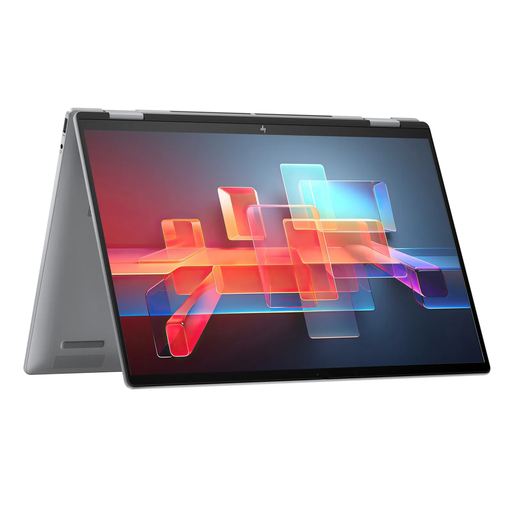
Why This Fits Their Persona: Ideal for students and professionals who need a powerful and flexible device for office applications, research, presentations, and occasional creative tasks. The 16-inch format offers plenty of space to work.
The ENVY series' robust chassis and precise hinge avoid the pitfall of instability. The bright WUXGA display with 100% sRGB coverage bypasses the compromise on image quality.
Balanced performance from the Core Ultra 7 155U processor and 16 GB of RAM. Versatile connectivity options, including Thunderbolt 4.
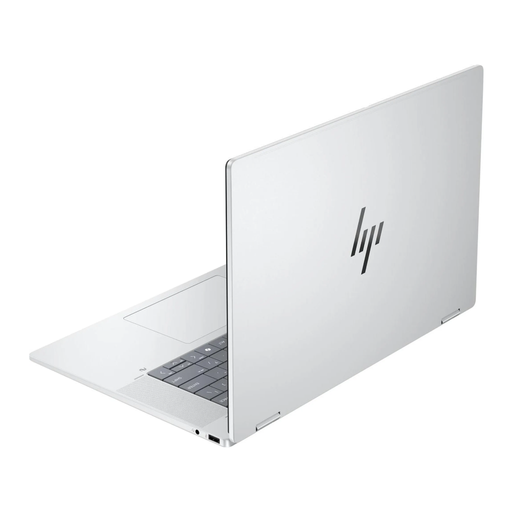
Why This Fits Their Persona: Perfect for designers, photographers, and content creators who require maximum performance and a color-accurate display for demanding projects. The generous specifications allow for smooth work with large files.
The 3K OLED display with 400 nits and 100% DCI-P3 color gamut far exceeds standard requirements, avoiding the pitfall of a mediocre display. 32 GB of RAM provides ample performance headroom.
Outstanding display quality for visual work. Enormous performance thanks to 32 GB of RAM and a 1 TB PCIe 4.0 SSD.
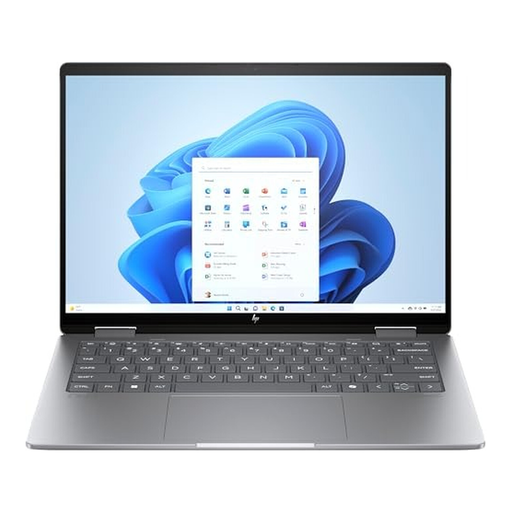
Why This Fits Their Persona: For commuters, field staff, or students who are frequently on the go and need a lightweight, compact device without sacrificing the flexibility of a convertible.
Despite its compact form factor, it features a high-quality 2.8K display. The Intel Core Ultra 5 processor delivers solid performance that is more than sufficient for mobile productivity.
High portability due to the 14-inch format and low weight (approx. 1.39 kg). A sharp 2.8K display with a 120 Hz refresh rate for smooth visuals.
We have compiled a complete, real-time list of products that fully satisfy these strict selection criteria and UK safety regulations.
The hinge on the HP ENVY x360 is designed for durable and repeated use. Its construction aims to provide consistent resistance, ensuring the display remains stable in all modes—laptop, tablet, tent, and stand. With normal use, it should function reliably throughout the device's lifespan.
The display is well-suited for basic to intermediate photo editing. With a resolution of 1920 x 1200 and 100% sRGB color space coverage, it reproduces colors accurately. However, professional photographers or graphic designers who rely on even wider color gamuts like Adobe RGB or DCI-P3 might consider a more specialized display, such as the OLED panel in the HP OmniBook.
Battery life heavily depends on usage. According to the manufacturer, the 68-Wh battery is rated for up to 11 hours of typical use. For everyday tasks like web browsing, video streaming, and office applications at moderate brightness, all-day use on a single charge is realistic. Compute-intensive applications will shorten the runtime accordingly. Thanks to HP Fast Charge, the battery can be recharged quickly when needed.