
Lieferung heute & morgen

Qualitätsgarantie

Willkommens-Angebote freischalten: KOSTENLOSE Lieferung | Bis zu 80 % RABATT | Kostenlose 30-Tage-JoyPlus-Testphase
App herunterladen
A large screen, a modern graphics card and a powerful processor make a gaming laptop look attractive on paper. In practice, though, it’s the details that determine whether the device suits your gaming habits, your workspace and your budget. If you’re looking to buy an HP OMEN 17 gaming laptop, you shouldn’t just focus on model names or individual components.
A 17.3-inch display offers more surface area than a smaller notebook and works well for gaming, streaming and video editing. However, the size says nothing about sharpness, colour gamut coverage or motion clarity.
So, at the very least, check:
A Full HD 144 Hz gaming laptop isn’t automatically the best choice for every use. If you mainly cut videos, you should also look at colour gamut coverage and the connectivity options for an external monitor.
The name RTX 5050 or RTX 5070 describes the GPU family, but not all the conditions inside the notebook. What matters includes the available video memory, the cooling system and the power limit set by the manufacturer. Without these details, a direct comparison is only partially possible.
According to the product specs, the HP OMEN 17 with RTX 5050 comes with 8 GB of video memory. That’s a reasonable specification for a gaming notebook, but it doesn’t replace checking what your games actually require. For high resolutions, ray tracing or extensive mods, games can demand significantly more graphics resources.
A gaming laptop with 16 GB of RAM covers many games, browser tabs and typical streaming tasks. For particularly heavy multitasking, large video projects or virtual machines, more memory can be worthwhile.
A 1 TB SSD also offers plenty more space than smaller drives, but modern games often take up many gigabytes. So, check:
The model HP OMEN 17 17.3" Gaming Laptop Notebook | Full HD Display 144Hz | AMD Ryzen AI 7 | 16 GB RAM | 1 TB SSD | Windows 11 | USB-C Power Delivery | Black Design (17-db1071ng) combines several components that matter to gamers:
The AMD Ryzen AI 7 350 laptop is aimed at users who plan to stream, run creative applications and do demanding multitasking alongside gaming. The “AI” label refers to dedicated acceleration in the processor. However, you shouldn’t automatically assume a specific performance boost in every application.
Under heavy graphics load, we recommend using the supplied power adapter on a firm, flat surface. Blocked ventilation openings can impair heat dissipation. A 17-inch gaming laptop is also better suited for stationary use or occasional transport than for daily commuting.
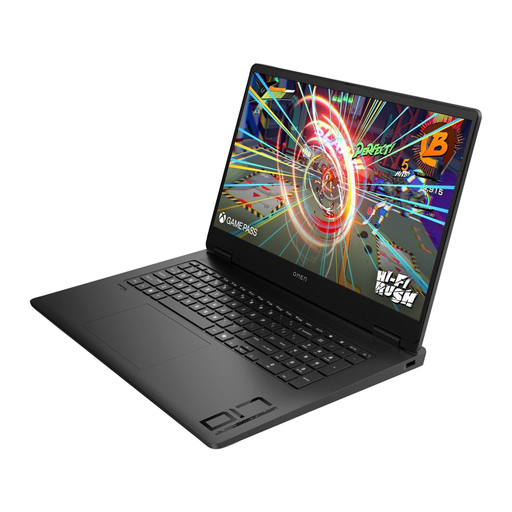
Why this product fits the profile: The combination of RTX 5050, 16 GB RAM, 1 TB SSD and a 144 Hz Full HD display brings together the key gaming components in one device.
The relevant display, graphics, storage and operating system details are clearly stated, rather than relying on vague performance claims.
17.3-inch IPS panel with 144 Hz plus a 1 TB NVMe SSD; Windows 11 Home is pre-installed.
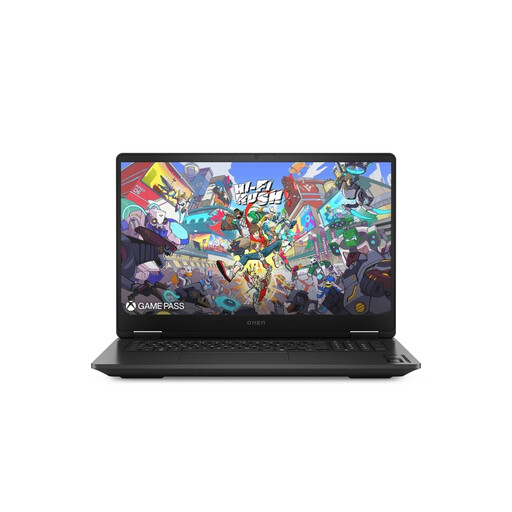
Why this product fits the profile: The QHD resolution, 240 Hz, 24 GB DDR5 RAM and RTX graphics with 8 GB GDDR7 appeal to users who want higher display standards and headroom for multitasking.
Resolution, refresh rate, colour gamut coverage and memory configuration are all listed separately. This allows you to assess the spec in more detail than by relying on the GPU name alone.
QHD IPS display with 240 Hz; 24 GB DDR5 RAM and a 1 TB PCIe 4.0 SSD.
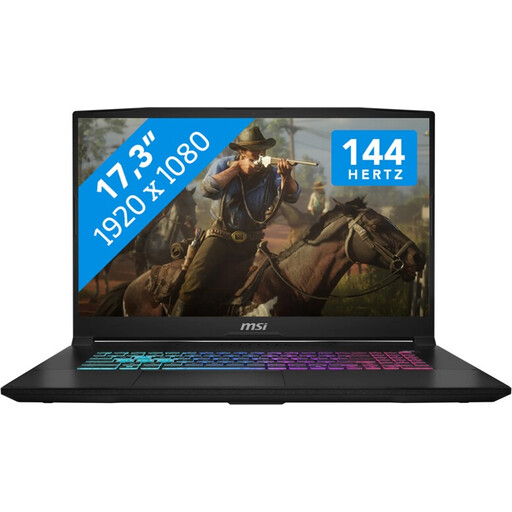
Why this product fits the profile: An alternative for gamers who want 17.3 inches, Full HD and 144 Hz, but also an Intel Core i7, RTX 5060 and expandable storage options.
The specs mention two RAM slots and two M.2 NVMe slots. This makes it easier to plan ahead if you need more storage later.
RTX 5060 with 8 GB GDDR7; stated expandability for RAM and mass storage.
The purchase price is only part of the total cost. Gaming notebooks need the power adapter during heavy use. This can limit mobile operation and makes good ventilation essential. You may also need to factor in games, editing software, external storage and a monitor.
Before you buy, also check:
We’ve put together a full, regularly updated list of products that meet these strict selection criteria and comply with EU safety regulations.
The combination of AMD Ryzen AI 7 350, 16 GB RAM, RTX 5050 and a 1 TB SSD is designed for many streaming and editing tasks. How well it performs depends on the software, project resolution, codec and desired export speed.
The lifespan depends on care, thermal load, software updates and the demands of new games. Expandable storage or RAM can make future upgrades easier. For stable performance, use the device on a firm surface and keep it updated regularly.
During games and graphics-intensive programs, the power consumption is typically higher than for office tasks. For longer gaming sessions, you’ll need to use the mains adapter. Windows and manufacturer profiles can help you switch between performance and battery life; actual run times depend on usage and settings.