What should you look for when buying?
Start by choosing a platform that fits your planned learning path, then check that the software, support and operating conditions are suitable for teaching over several years.
| Buying criterion |
What to check before buying |
Who is it most relevant to? |
| Getting started with programming |
Check the visual environment and supported devices; confirm whether the transition to Python or C/C++ is documented for the specific model. |
Teachers working with beginners may want to create sequences visually first, then introduce text-based code. Around 24 % of consumers put this approach to programming first. |
| Expandability |
Check the API documentation, supported language and firmware versions, and the computers and access rights required. |
If learners are to move on from basic movements to their own programmes and sensor projects, usable interfaces matter. Around 24 % of consumers prioritise expandability for future projects. |
| Teaching materials |
Check the scope, language and duration of materials, and the terms for using them across multiple devices, separately from the robot offer. |
For regular lessons, ready-made activities or a simulator can help with planning. Around 14 % of consumers focus on teaching materials and prepared sequences. |
| Data protection |
Before activation, check what image or audio data is processed or transmitted, and for what purpose, as well as the rules that apply in your federal state and institution. |
If you plan to use camera or microphone features with people in the classroom, check exactly how the data will be processed in advance. Around 19 % of consumers prioritise data protection when it comes to interaction. |
| Long-term use |
Ask for written details of the support period, spare parts, repair process, training provision and recurring licences for the model. |
For courses running over several years, reliable support and supplies are important, so use doesn’t depend solely on the initial set-up. Around 19 % of consumers put long-term use first. |
Under § 7 ProdSG, CE marking must be applied where the relevant regulations require it. Your Europe, the European Union’s information portal, also explains that CE marking is required only for products covered by the relevant regulations. So check the required documentation against the specific model on offer.
Humanoid robots at Joybuy
The following Joybuy products are intended for humanoid robot development, programming and interaction projects. For classroom use, check that each model’s features, software and safety requirements are suitable for your needs; not every model is specified as having a visual learning environment or a particular Python pathway.
 No image available
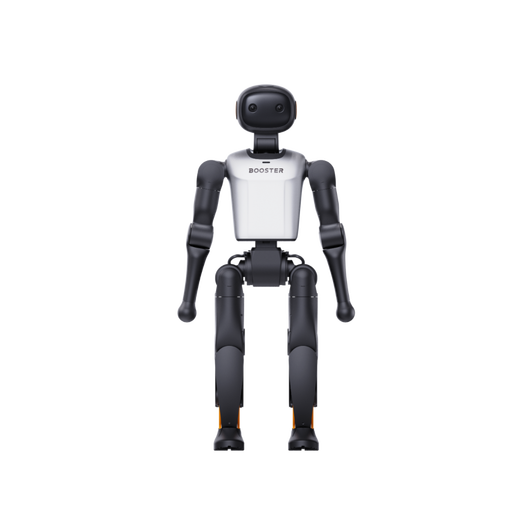
Booster Robotics K1 Geek Humanoid Robot, 48 TOPS AI, 22-DoF
For development projects involving custom AI and interaction programmes; the product description mentions APIs, development tools and the ability to programme your own AI algorithms.
48 TOPS AI; 22-DoF.
View at Joybuy
No image available
Booster Robotics K1 Edu Humanoid Robot, 117 TOPS AI, 22-DoF
For education and research projects involving custom software development; the title and product description mention a development platform, APIs and development tools.
117 TOPS AI; 22-DoF.
View at Joybuy
 No image available
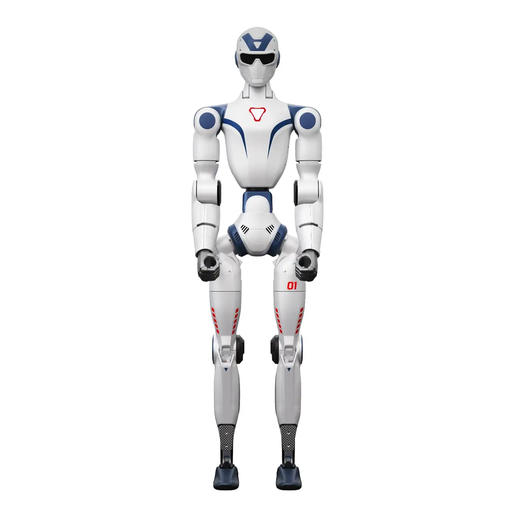
Unitree R1 Humanoid Robot, Dual Cameras, 26 Degrees of Freedom, Blue and White
For supervised human–robot interaction projects; the product title mentions an integrated AI language model and intelligent interaction.
Dual cameras; 26 degrees of freedom; integrated AI language model. Do not operate near stairs, edges or uneven surfaces; keep hands, hair and loose clothing away from moving joints. The device is not waterproof. According to the product warning, use only with the supplied charger and keep away from children under six.
View at Joybuy
 No image available
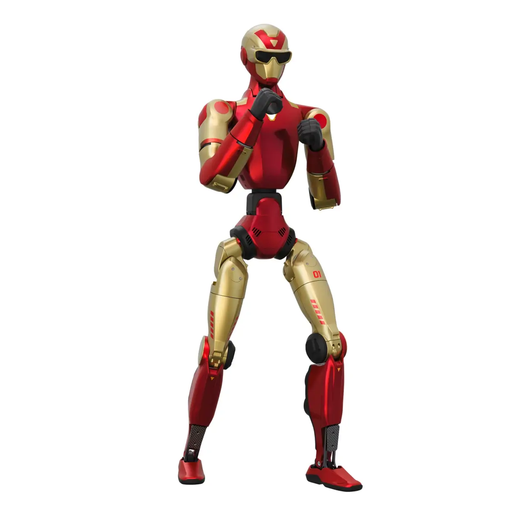
Unitree R1 Edu, Red and Gold, Supports Secondary Development
For robotics groups looking to develop their own programmes or applications; the title and product description state that it supports secondary development.
An open, obstacle-free area of at least 6 m × 6 m is recommended for operation. Do not touch the robot while it is moving; joints such as the knees and neck present a trapping hazard.
View at Joybuy
 No image available
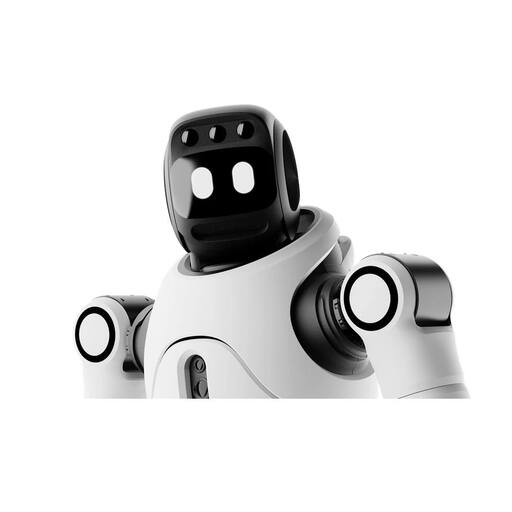
AGIBOT X2 Ultra Humanoid Robot, 31 DoF, RGB-D camera and LiDAR
For development and interaction projects; the product description mentions secondary development and multimodal interaction.
The description lists 31 DoF, an RGB-D camera, LiDAR and an approximate weight of 37 kg for the Ultra version. Keep at least 2 m away during autonomous operation and supervise the device; children should stay clear while it is operating. Remove obstacles from the area before use.
View at Joybuy
Frequently asked questions
Is a CE statement on a retailer’s website enough when buying?
A statement from a retailer alone doesn’t prove that it applies to the specific model variant being supplied. CE marking is required only when the relevant harmonised EU rules require it. For NAO H25600, the Maxtronics data sheet and a manufacturer’s declaration provided by SoftBank Robotics Europe state that it is CE marked; check the documentation against the device on offer.
Does a school always need consent to make image or audio recordings?
There isn’t a simple yes or no that applies to every purpose and institution. A legal basis must be established before personal data is processed, as explained by the European Data Protection Board. For certain image and audio recordings of pupils, Medienberatung NRW refers to consent from the people concerned or their parents. Check the specific use against the requirements of your institution and federal state.
What should I bear in mind when using facial recognition in lessons?
Facial recognition should not be treated as the same thing as an ordinary motion-tracking camera. If biometric processing is used to identify people uniquely, additional data protection requirements may apply. Before planning an activity involving personal data, check the method, purpose and legal basis with the relevant authority.
Can I prepare movements before a lesson without using the robot?
A connection to a virtual robot is documented for Choregraphe. This can help you test software sequences, but it doesn’t prove that movements will work safely or identically on a real device in every teaching environment.
What should I check for maintenance and long-term use?
Ask about the support period, repair process, spare parts, training and recurring licences for the specific model. In the NAO guide, Maxtronics recommends putting the robot into its rest position before carrying it; you should also factor the recommended charging instructions into your operating plan.


