What should you look for when choosing one?
Start by deciding which tasks the robot is actually expected to handle at reception. Then ask for a demonstration of those exact workflows, and clarify data processing, responsibilities and the integration required for your intended setup.
| Requirement |
What to check before buying |
Who should pay particular attention |
| Greetings and enquiries |
Ask for German-language test dialogues, on-screen presentation, answer updates and handover of unanswered questions to be demonstrated. |
If I want the robot to answer common visitor questions clearly, I need well-maintained content and a clear handover process. Around 40 % of consumers put routine enquiries first. |
| Data processing |
For every enabled feature, clarify the data involved, purpose, storage, recipients and deletion options; assess camera use separately. |
If we may handle sensitive data, I want to understand and limit how it is processed during reception duties. Around 30 % of consumers prioritise control over data flows. |
| Operation and integration |
Ask for a clear breakdown of standard workflows, required interfaces, training, and responsibility for content changes and ongoing support. |
If I need to use a solution day to day, I need clear processes for setup, maintenance and handover. Around 20 % of consumers focus primarily on the effort involved in operation and integration. |
| Visitor guidance |
Ask for the intended indoor routes to be demonstrated and confirm whether navigation is included in the version on offer. |
If guests need to be escorted to specific areas, an information point alone will not be enough. Around 10 % of consumers prioritise visitor guidance. |
Humanoid robots at Joybuy
The following Joybuy products are humanoid robots with different development and interaction capabilities. Their product details do not automatically demonstrate that they are suitable as reception systems; check that the dialogue, operational and data protection features you need are available for your intended use.
 No image available
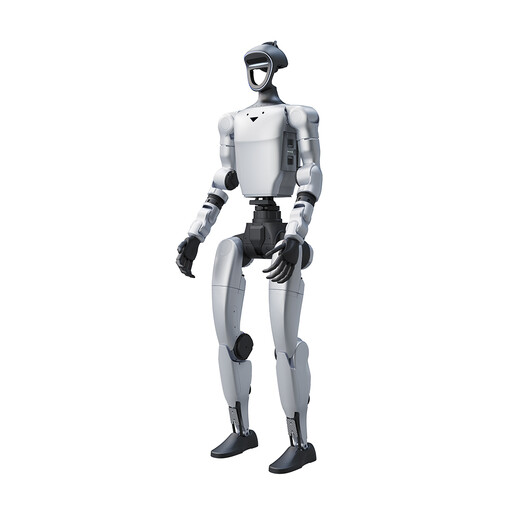
Unitree G1 Pro
The product description lists commercial demonstrations and interactive accompaniment as potential uses.
29 degrees of freedom in total and 16 joint degrees of freedom. According to the product details, no SDK/API is available for this version.
Joybuy
 No image available
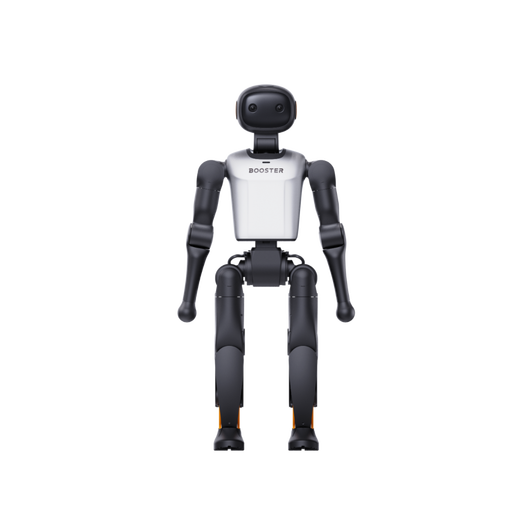
Booster Robotics K1 Geek
The product description positions this version as an embodied AI development platform; check whether it suits your planned reception workflow.
48 TOPS AI and 22-DoF.
Joybuy
No image available
Booster Robotics K1 Edu
The product description lists an education and research development platform; check whether its features are suited to your planned visitor-facing use.
117 TOPS AI and 22-DoF.
Joybuy
 No image available
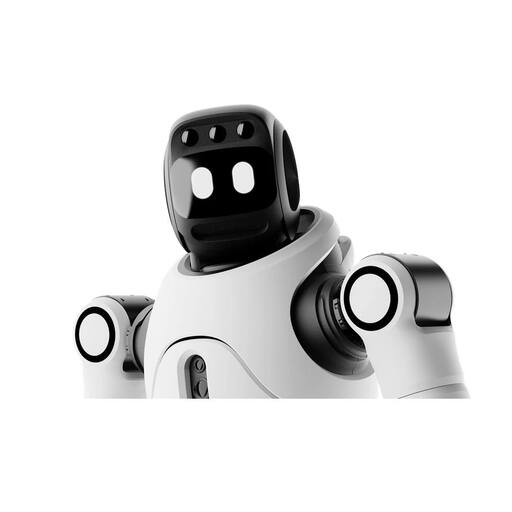
AGIBOT X2 Ultra
A microphone array, speaker and interactive screen are relevant for spoken and on-screen information at reception; clarify the data flows for the features you plan to use.
The product details list autonomous navigation and obstacle avoidance, as well as secondary development.
Joybuy
 No image available
AGIBOT X2
The product description lists voice interaction and an interactive screen; check whether the specific configuration covers your reception workflows.
Other listed features include motion control and one-person operation.
Joybuy
Frequently asked questions about humanoid reception robots
Which features can be set up without bespoke software development?
For uMe, United Robotics Group describes pre-configured skills and the setup of dialogues and workflows through uGo+ without programming knowledge. Ask the supplier to confirm in the specific quote whether the workflow you want can connect to calendars, visitor databases or notifications.
How can you keep answers and reception workflows up to date?
Assign responsibility for site information, set a process for unanswered questions and clarify how enquiries are handed over to staff. Furtwangen University documented specially prepared information for its town hall trial; the time-limited test does not demonstrate maintenance-free ongoing operation.
Is renting automatically cheaper than buying?
There is no general answer without comparable quotes. United Robotics Group offers uMe to buy or rent; compare the same features, including setup, training, support, content updates and contract length.
Can a reception camera record visitors continuously without further checks?
No. If a non-public organisation uses a camera for video surveillance, you must check the applicable data protection requirements. The guidance from the Data Protection Conference covers video surveillance, but it does not approve any particular robot configuration.
Is “local perception” enough for a data protection assessment?
No. United Robotics Group uses this description in relation to uMe's perception functions. Consider speech, image, teleoperation and analytics features individually for your intended use; if personal data is involved, you must also take the relevant data protection requirements and information obligations into account.


