What should you consider when choosing?
Schools, universities and teaching teams should first decide whether the focus is on developing their own software, guided teaching activities or building the robot. For any purchase, the next step is to identify the main priority: development access, supervised operation, ease of use or long-term support.
Ready-to-use development platform
A good fit if: Students are expected to develop their own robotics software across recurring projects.
Consider: Your institution will need to provide more technical support and secure development rights for the exact model. Unitree Robotics recommends the EDU Edition for secondary development with the G1.
Guided platform
A good fit if: You want to run workshops and demonstrations without extensive in-house development.
Consider: The preconfigured features and usage rights available depend on the offer. For the uMe Uno, United Robotics Group also describes an external AI service for spoken dialogue.
Build-it-yourself platform
A good fit if: Building and maintaining the hardware are explicitly part of the course.
Consider: With a platform such as Poppy Humanoid, your institution takes on more responsibility for the build and ongoing support.
| Priority |
What to check before buying |
Who should pay particular attention |
| Development access and continuing projects |
For the exact model, confirm SDK and sensor access, usage rights and the ability to export your own projects in writing. |
If student programmes are to continue next semester, I need reliable access to code and sensor data. Around 33% of prospective buyers are likely to see development access as their main priority. |
| Supervised operation and data processing |
Set out the operating area and supervision arrangements; check how camera, microphone, account and any cloud data will flow in your planned setup. |
When teaching near learners, I need to control movement and clarify how image or audio data will be handled. This is likely to be the main consideration for around 27% of prospective buyers. |
| Practicality in the classroom |
Ask for a demonstration of your planned activity and confirm which features can be used without programming, with your own code or only with help from the supplier. |
For short workshops, I want to demonstrate interaction without having to prepare every session from scratch from a technical perspective. Around 20% of prospective buyers are likely to be looking above all for an easy-to-run teaching session. |
| Procurement and support |
Ask for licences, training, maintenance, spare parts, updates and the terms for continued use after the contract ends to be listed separately in the offer. |
If the platform needs to remain available over several teaching cycles, I need clear responsibilities for support and ongoing operation. This level of forward planning is likely to be the main priority for around 20% of prospective buyers. |
Joybuy products for development projects
These two humanoid models are worth considering for supervised development and teaching projects. Before buying, teaching teams should check the actual software access and the conditions for use with learners for each model on offer.
 No image available
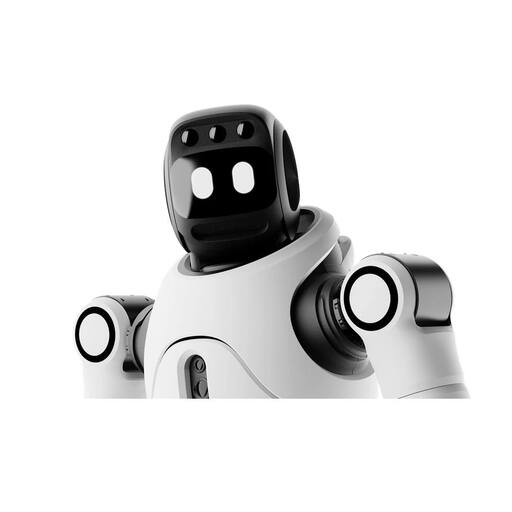
AGIBOT X2 Ultra Humanoid Robot
This model may suit supervised projects involving humanoid movement and navigation. The product title mentions secondary development, so you should check the rights and tools available with the model on offer before buying.
The product information states that children must not operate the robot or play near it, and specifies supervision and a minimum distance of 2 m. If you plan to use it for teaching minors, your institution should assess the specific use case in advance.
View at Joybuy
 No image available
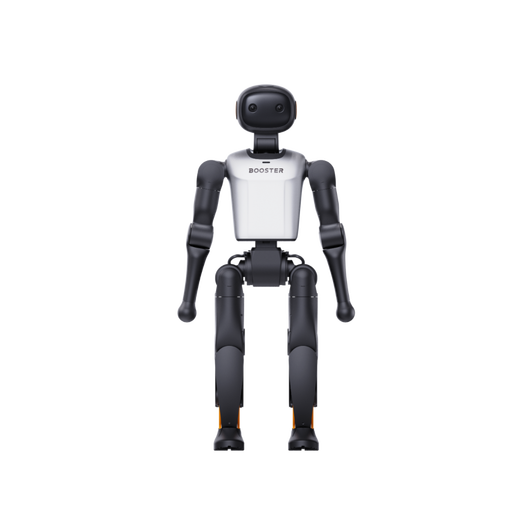
Booster Robotics K1 Edu Humanoid Robot
Described as an education and research platform, the K1 Edu may be suitable for teaching projects using your own software. Make sure the development rights and sensor access you need fit your course plan.
The product title lists 22 degrees of freedom and stated AI computing power of 117 TOPS. These figures alone do not tell you which programmes and interfaces the specific model makes available for course projects.
View at Joybuy
Frequently asked questions
Can we choose the standard Unitree G1 for our own programmes?
For secondary development, Unitree Robotics recommends the G1-EDU Edition; according to the manufacturer, the standard G1 does not support it. Before ordering, teaching teams should check which SDK and sensor rights are included with the exact EDU configuration.
Can we use the camera and microphone in lessons?
Whether this is permitted depends on the specific use and the data being processed. In its guidance on the GDPR, the European Commission explains the principle of data minimisation: only personal data necessary for the relevant purpose should be processed. Before using the robot, your institution should discuss the enabled features, data flows and applicable requirements with its data protection team.
Is local image processing enough to protect data?
No. It does not answer every question about data processing. United Robotics Group describes local processing of certain perception data for the uMe Uno, but also names an external AI service for spoken dialogue. You should therefore also check which voice features, accounts, logs and remote access are actually used.
When might renting be a better option than buying for teaching?
A rental or support model is worth considering if training and ongoing service are particularly important for a specific, time-limited use. United Robotics Group offers both purchase and Robot-as-a-Service for the uMe Uno. The key points to check in the relevant contract are feature rights, support, contract term, data export and the terms that apply when the contract ends.


