What should you look for when choosing one?
Start by defining the learning or development task you have in mind. The label ‘EDU’ alone does not tell you which interfaces are available or whether a model is suitable for its intended use.
| Consideration |
What to check before buying |
Who it matters most to |
| Development access |
Check that the APIs, examples and software versions for the exact model variant match your planned experiment. |
If your own control experiments depend on specific commands or sensor data, verifiable access is essential. Around 33% of buyers put development access first. |
| Exercises and handling |
Check the set-up, space requirements and transport route against the specific variant and the learning activities planned. |
For regular exercises, consider whether the robot can be set up and handled in the way your teaching sessions require. Around 27% of buyers prioritise ease of use for teaching and transport. |
| Safe operation |
Clarify the operating limits, potential hazards, protective measures and any training required for the specific site. |
Anyone planning demonstrations or experiments with staff and learners must take actual use and supervision into account. Around 27% of buyers put safe use and supervision first. |
| Purchase and support |
Compare offers covering the same project period, including usage rights, training, transport, repairs and support. |
For a limited pilot project, the contract term and support arrangements may be especially important. Around 13% of buyers prioritise the purchasing route and support. |
Joybuy products for teaching and development
The models below include programmable development platforms and humanoid robots for education and demonstrations. Check that each variant and its operating conditions are suitable for your intended use.
 No image available
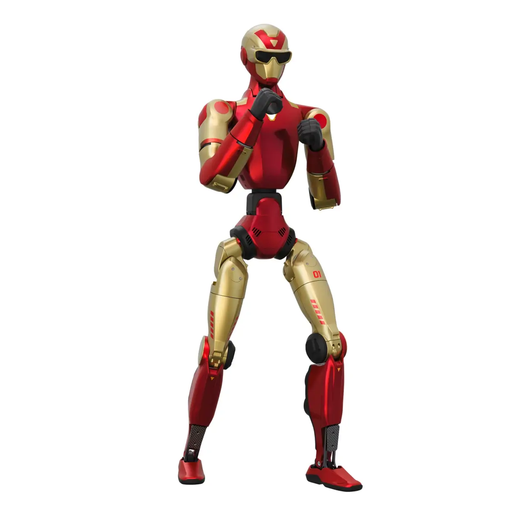
Unitree R1 Edu, Red and Gold
This variant is listed as supporting Secondary Development and is described as being for development and education applications.
According to the product description, operation requires an open, obstacle-free area of at least 6 m × 6 m. Do not touch the robot while it is moving or being transported, and take care around the pinch points at the knee and neck joints.
Private modifications, disassembly and repairs are not authorised, according to the description.
Joybuy
 No image available
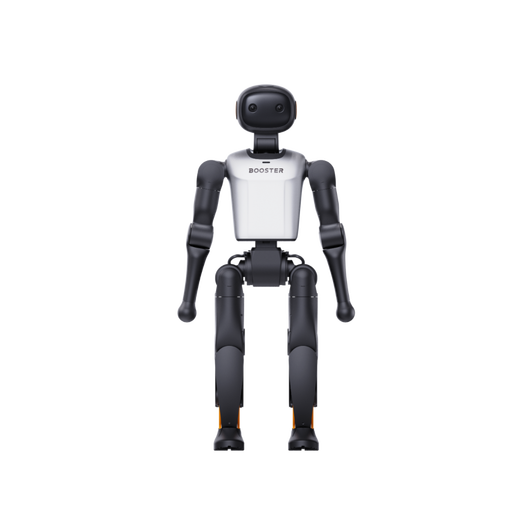
Booster Robotics K1 Geek
The product description positions this model for development tasks and experiments with AI algorithms.
The product title specifies 48 TOPS and 22 DoF.
Joybuy
No image available
Booster Robotics K1 Edu
The description lists software APIs and development tools for programming and AI experiments, and names university labs and STEM programmes as potential settings.
The product title specifies 117 TOPS and 22 DoF.
Joybuy
 No image available
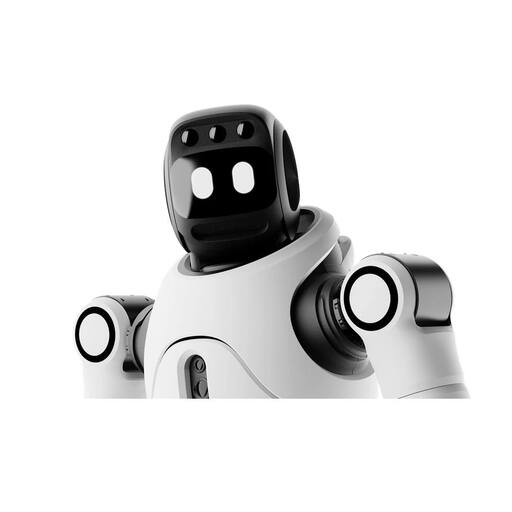
AGIBOT X2 Ultra
The product title mentions support for Secondary Development; the description lists sensors for navigation and obstacle detection.
For the Ultra variant, the description specifies 31 degrees of freedom, 3D LiDAR and an RGB-D camera.
The description requires supervised operation with a clearance of at least 2 m and an area free from hazards. It warns of crushing and impact hazards, as well as obstacles that may not be detected reliably. Children should not operate the robot or play near it while it is running.
Joybuy
 No image available
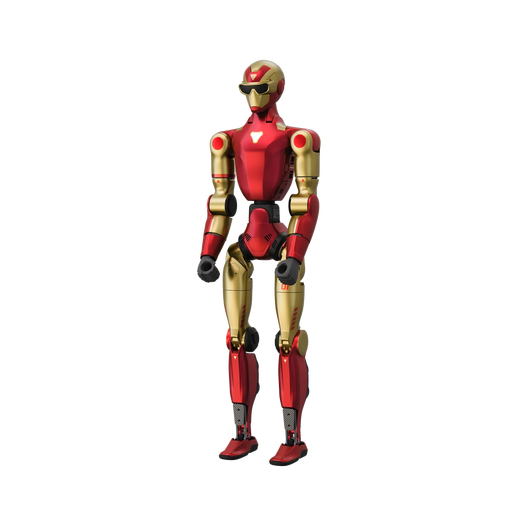
Unitree R1 Air, Red and Gold
The description lists education and development applications; the title specifies a monocular camera and an AI language model.
The product title specifies 20 degrees of freedom. The product description warns against operating the robot near stairs, edges and uneven surfaces, and highlights the risks posed by moving joints, water and high humidity.
Joybuy
Frequently asked questions
Is the ‘EDU’ label enough for developing your own movement programmes?
No. The label alone does not confirm that any particular interface is available. For the variant you are ordering, check that the supported APIs and software versions match your planned experiment. RBTX describes the G1 Basic and G1 Basic EDU differently.
What needs to be considered before running experiments with staff in the room?
When choosing a robot, take the intended operating conditions into account and assess potential hazards and protective measures for how it will actually be used. The BAuA’s TRBS 1116 also covers the qualifications and training of employees. How to organise the presence and supervision of students or school groups will depend on the site and the experiment.
Will the new EU Machinery Regulation already apply to products placed on the market in October 2026?
No. According to the BAuA, Regulation (EU) 2023/1230 applies from 20 January 2027; until 19 January 2027, the Machinery Directive 2006/42/EC remains in force. Check each product to establish whether it and its configuration fall within the relevant scope, and what documentation is required.
Should an institution rent or buy a humanoid robot?
Compare offers for the same platform, task and period of use. The United Robotics Group offers its uMe solution to buy or rent, with installation and training; this does not mean other models offer the same cost or availability benefits.
What should an institution plan for regular use?
Use the documentation for your chosen model to assign responsibility for pre-use checks, charging in line with the manufacturer’s instructions, software versions, faults and repairs. Also check that the documented operating limits are compatible with your planned use.


