What should you consider when choosing one?
Start by defining your research objective, then check that the specific configuration is a good fit for your software environment, lab operations and purchasing model.
| Requirement |
What to check before buying |
Who should pay particular attention |
| Development access |
Check the SDK functions, ROS 2 version, available feedback data and permitted changes for the exact model variant. |
If we’re developing our own control algorithms, we need access to the necessary commands and state data. Around 25% of consumers prioritise development access and software compatibility. |
| Motion experiments and scale |
Define your control objective, required actuator data, fall scenario and lab space before you begin. |
The system’s scale must suit our research question. A large model requires appropriately planned lab space and safe testing. Around 20% of consumers prioritise motion experiments and whole-body dynamics. |
| Grasping and perception |
Ask for the model name, included hands and sensors, and available data and interfaces to be listed individually in the quote. |
If we’re studying manipulation or perception, the required hands, sensors and data access must be included in the configuration we order. Around 20% of consumers prioritise this type of research. |
| Safe teaching activities |
Plan a risk assessment, supervised commissioning, a protected area and training for the specific setup. |
For practical sessions with rotating groups, we need repeatable procedures and protective measures suited to the test environment. Around 20% of consumers prioritise teaching activities that can be organised safely. |
| Maintenance and usage model |
Clarify repair arrangements, spare-part availability and training. For a rental, also confirm programming rights and data access. |
If our project is time-limited or will run over several semesters, planned support and appropriate access to the system matter. Around 15% of consumers prioritise continuity of operation or limited-term use. |
Joybuy products for development and education
The Joybuy products listed here are humanoid platforms for development and education. Before choosing one, check that the specific model variant provides the control access, hands, sensors and data your experiment needs.
 No image available
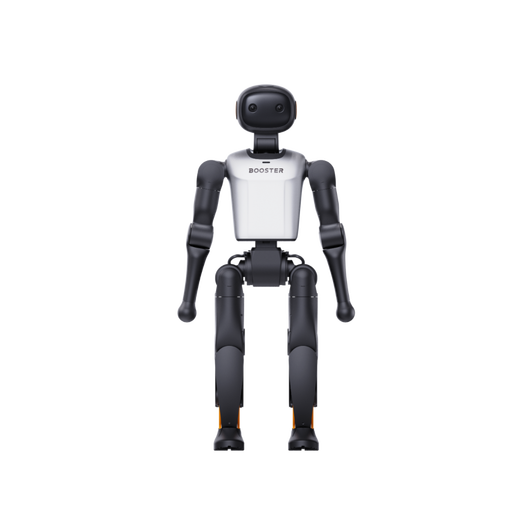
Booster Robotics K1 Geek – 22-DoF, 48 TOPS AI
Its positioning as an embodied AI development platform may appeal to teams looking for a humanoid development platform, but that alone does not confirm access to a particular SDK or ROS.
The product title lists 22-DoF and 48 TOPS AI.
View at Joybuy
No image available
Booster Robotics K1 Edu – 22-DoF, 117 TOPS AI
Its focus on education and research, along with the listed software APIs and development tools, makes this model worth considering for programmable tasks.
The product title lists 22-DoF and 117 TOPS AI. Check that the API functions and interfaces you need are compatible with your test environment.
View at Joybuy
 No image available
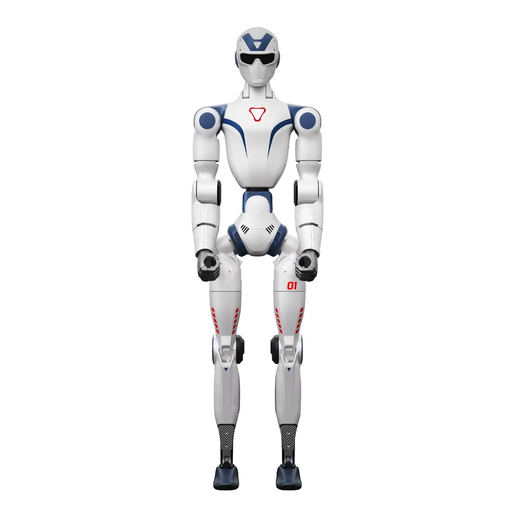
Unitree R1 Air – 20 degrees of freedom, monocular camera
The listed camera may be useful for experiments involving a humanoid system and camera images; the product title does not confirm access to a particular SDK or API.
The product title lists a monocular camera and 20 degrees of freedom.
View at Joybuy
 No image available
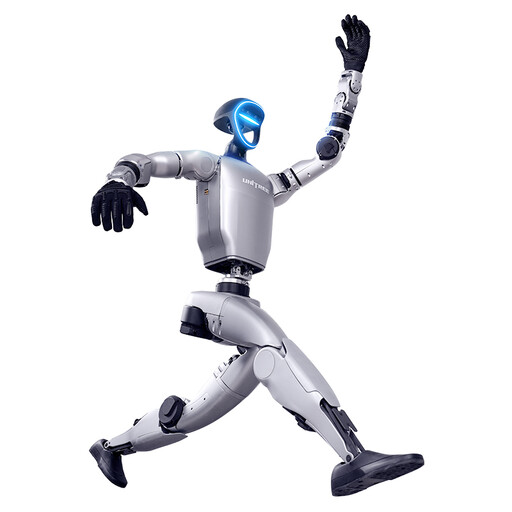
Unitree G1 – force-controlled hands, SDK/API not available
Consider this only if your task does not require SDK/API access. The product title lists force-controlled hands, but no available SDK or API interfaces.
The lack of SDK/API access is a significant limitation if you’re developing your own control system.
View at Joybuy
Frequently asked questions
Is ‘ROS 2 compatible’ enough for our experiments?
No. Check that the messages and control functions you need, and your ROS distribution, are compatible with the specific platform. Unitree documents ROS 2 communication for the G1, lists tested environments and notes that other distributions may require adjustments.
What safety matters should be addressed before the first lab trial?
If employees use the robot as work equipment, a risk assessment must be carried out before use, with protective measures put in place based on its findings. For your specific setup, assess factors including the area of movement, potential collisions, operating states and training. An experimental camera is not automatically a safety function. The Federal Institute for Occupational Safety and Health and the DGUV provide relevant guidance.
Can a rented humanoid be used for our own control research?
Only if the specific agreement allows the changes and data access you need. TONEART’s German rental offer is also aimed at research and education, but only provides supervised operation with an operator and specialist staff.
Which machinery rules apply to a purchase in Germany in October 2026?
According to the Federal Institute for Occupational Safety and Health, the Machinery Directive 2006/42/EC will continue to apply to the placing of machinery on the market in Germany up to and including 19 January 2027. Regulation (EU) 2023/1230 will apply from 20 January 2027. The conformity documents required for a specific system and configuration must be checked on a case-by-case basis. Separately, you should consider the obligations that apply when the system is later operated as work equipment.
What maintenance and service questions should the university settle in advance?
Clarify repair arrangements, spare parts, training and responsibilities for the planned duration of your project. ROBOTIS provides user maintenance documentation for the OP3, but this does not guarantee a particular spare-part delivery time or service commitment in Germany.


