Visitors listening to quiet sections
You want to follow the narration at a moderate volume and make sure the ear tips fit well. Shure and Etymotic describe their respective models as offering passive noise isolation.


First, check whether you’ll be using a museum app on your smartphone or a loan device, and find out which connection is actually available. Then choose ear tips that fit comfortably and provide the level of noise isolation you want at a moderate volume. If you need to hear conversations or announcements in the room, plan to take breaks or check whether a suitable transparency mode is available.
You want to follow the narration at a moderate volume and make sure the ear tips fit well. Shure and Etymotic describe their respective models as offering passive noise isolation.
You’re using a museum app and need to check how the in-ear headphones will connect to your particular phone. museum.de lists smartphone apps and web apps as possible audio guide formats.
You’ll be wearing your headphones for many exhibits, so they need to fit comfortably while still allowing you to hear conversations and announcements. The Deutsches Museum, for example, describes a loan service that provides devices and headphones.
Museums may offer loan devices, listening stations or smartphone guides; museum.de describes these different formats. The WHO points out that both volume and listening duration matter for safe listening.
| Priority | What to check before buying | Who it matters most to |
|---|---|---|
| Understanding quiet speech | Ear tip sizes and fit; listen to a speech recording at a moderate volume. | If you want to understand quiet sections without turning the volume up unnecessarily, a good fit is especially important. Around 29% of consumers say speech clarity is their main concern. |
| Connection compatibility | Ask the museum about the connection and its rules for using your own headphones; check the device’s audio output or your smartphone’s connections. | If you want to use your own headphones, they need to work with the audio guide actually being used. Around 29% of consumers put connection compatibility first. |
| Comfort on longer tours | Ear tip sizes and materials; check the fit with glasses on and while moving around. | If you’re visiting lots of exhibits, your headphones should feel comfortable and stay in place. Around 24% of consumers focus mainly on long-term comfort. |
| Staying aware of your surroundings | Check whether playback can be paused quickly and whether there’s a transparency mode. | If you want to hear conversations or announcements during your tour, you should be able to pause playback or let in the sound around you when needed. Around 18% of consumers prioritise this kind of situational awareness. |
Museum guides may run on different devices. An adapter for your smartphone doesn’t tell you whether the headphones will also connect to a loan device.
Ask the museum you’re visiting whether you can use your own headphones and which connection its device has.
Depending on the connection, you may also need a suitable adapter or a different playback device.
How much noise is actually blocked also depends on the fit. Manufacturer figures for different models aren’t a direct comparison under the same conditions, such as with a quiet museum recording.
Try different ear tips and assess speech clarity at a moderate volume, rather than choosing solely on the basis of a decibel rating.
Transparency mode depends on the model and may need to be switched on. Wireless headphones also need a compatible connection and regular charging.
Check the connection and controls before you buy, and pause the audio guide when you need to talk or listen to important announcements.
Wireless models require extra charging and handling.
The IE 200 is a wired pair of in-ear headphones with a 3.5 mm plug, a replaceable cable and ear tips in several sizes.
The SE215 is a wired model with passive noise isolation and replaceable ear tips. The AONIC 215 Gen 2 is a separate wireless version with transparency mode.
The HEXA is an in-ear headphone with a hybrid driver design, offering another wired option to compare.
The ALBA pairs a 3.5 mm cable with a USB-C audio adapter listed as included with this version.
The ER2XR is an option for buyers considering passive noise isolation and a choice of ear tips.
This selection includes wired in-ear headphones with a 3.5 mm or USB-C connection, as well as wireless Bluetooth models. Before buying, check that the connection, controls and pairing will work with the audio guide at the museum you’re visiting.
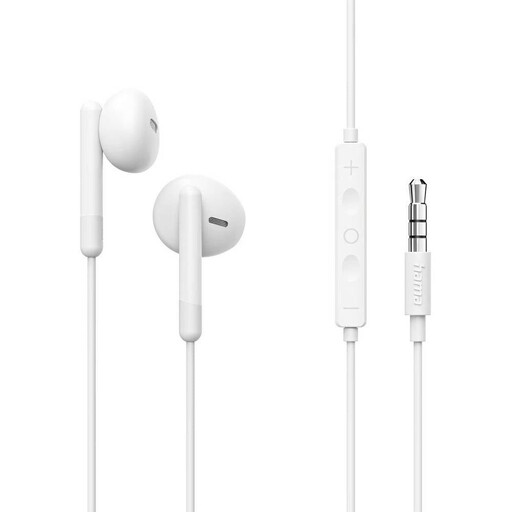 No image available
An option for an audio guide with a compatible 3.5 mm audio output.
The product title specifies a 3.5 mm connection; the product details list ear tips, an in-line remote and a microphone.
Requires a compatible 3.5 mm audio output on your playback device.
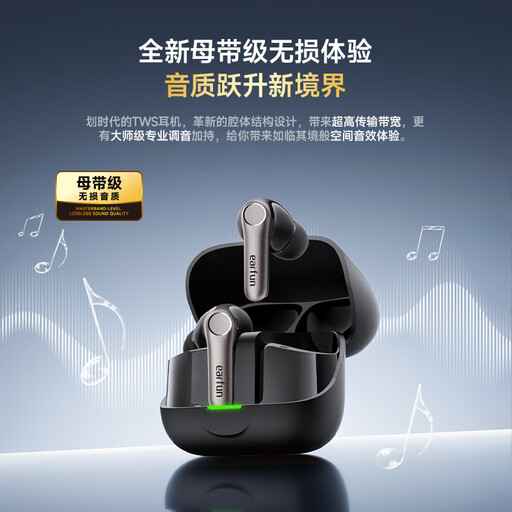 No image available
A wireless option if your audio guide runs on a Bluetooth-compatible device.
The product details list Bluetooth, active noise cancellation and five ear tip sizes, from XS to XL.
Requires a Bluetooth-compatible playback device, and the earbuds and charging case need to be charged.
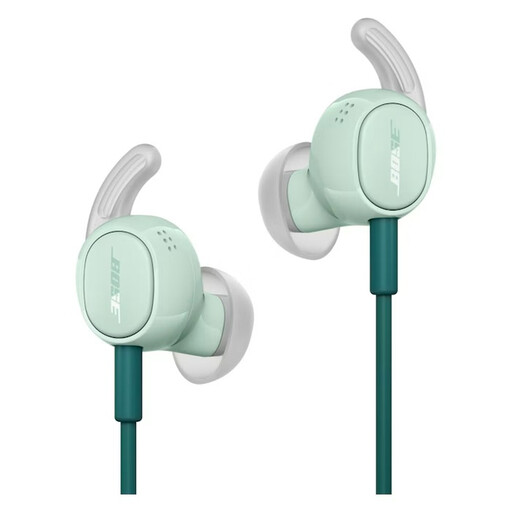 No image available
A wired option for your own smartphone if it has a compatible USB-C audio output.
The product details list USB-C audio, ANC, an Awareness mode and ear tips in S, M and L.
Listed for compatible USB-C devices only; the connection on a museum loan device must also be suitable.
 No image available
A wireless option if you’re using an audio guide with a Bluetooth-compatible device.
The product details list ANC and a switchable transparency mode. Battery life is listed as up to 6 hours with ANC, or up to 7 hours without ANC.
Requires a Bluetooth-compatible playback device and regular charging.
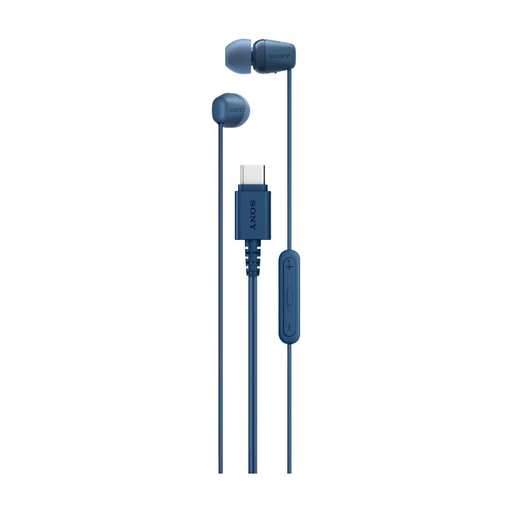 No image available
A wired option for using an app on your own device, provided it has a compatible USB-C audio output.
The product name specifies a USB-C connection; the product details list several ear tip sizes, an in-line remote and a built-in microphone.
Requires a compatible USB-C device with audio output; it won’t connect directly to a museum loan device with a different connection.
No, there’s no single answer. Museums may offer loan devices, listening stations or smartphone guides. The Deutsches Museum Verkehrszentrum, for example, describes a loan service that provides devices and headphones. Ask the museum you’re visiting whether you can use your own headphones and which connection is available.
First, check that the ear tips fit well and keep the volume as moderate as possible. The WHO points out that both sound level and listening duration matter, and recommends well-fitting, noise-reducing headphones so you don’t need to turn them up as much in noisy surroundings. The percentage shown on a volume control doesn’t measure the sound pressure inside your ear.
Try the supplied sizes first, and make sure any replacements are specifically compatible with your model. For example, replacement ear tips are listed for the IE 200. Clean the ear tips according to the manufacturer’s instructions.
The particular model needs to have transparency mode, and you may need to switch it on. Also check that the audio guide runs on a compatible Bluetooth device and that the mode is easy to control. Transparency mode doesn’t guarantee that you’ll understand every announcement in the room.
If you buy from a business seller, contact the seller about your statutory rights. The European Union’s consumer information states that the minimum period is two years from receipt of the goods. This is separate from any additional manufacturer’s guarantee that may be offered.