What to look for when choosing
Wired in-ear monitoring headphones
A good fit if: you usually practise in one place and have a compatible headphone output, and, if needed, an interface with direct microphone monitoring.
The trade-off: the cable limits how far you can move. Shure and Sennheiser describe ear tips that can help block out background noise.
Dedicated wireless in-ear monitoring
A good fit if: you want to move between work areas while listening to a prepared mix of your voice and backing track.
The trade-off: a wireless set needs a transmitter, receiver and power supply in addition to the earphones. Check the frequency variant against the current regulations in Germany.
Bluetooth in-ear headphones with Transparency mode
A good fit if: you mainly want to play a finished backing track wirelessly while still hearing your surroundings.
The trade-off: Apple lists a Transparency mode for the AirPods Pro 3. This does not prove that they can monitor your live singing with minimal latency.
First, decide whether you want to hear just the backing track or your own voice in your ears as well. Then consider how freely you need to move, how much of your surroundings you need to hear and how securely the earphones fit.
| What you need |
What to check when buying |
Who this matters most to |
| Hear your own voice |
Check the microphone input, headphone output and backing-track signal path. If you’re using an interface, check for Direct Monitoring and possible double monitoring through software. |
If I need to hear my own voice alongside the backing track, the complete signal path is key. Around 31% of consumers prioritise monitoring their own voice. |
| Freedom to move |
Consider your movements around the house and cable routing. With wireless sets, check exactly what’s included and how they’re powered. |
When moving between work areas, I don’t want to get tangled in a cable. Around 25% of consumers put freedom of movement first. |
| Hear your surroundings |
Think about which sounds you need to hear for the task at hand. Check whether the specific model offers noise isolation or a Transparency mode. |
While I’m cleaning, I want to stay aware of important sounds and people speaking to me. Around 25% of consumers prioritise awareness of their surroundings. |
| Fit and volume |
Check the sizes of the included ear tips and whether replacements are available. Start at a low monitoring volume, and be mindful of the volume and how long you listen for. |
For longer practice sessions, I need a comfortable fit and want to be able to control the volume. Around 19% of consumers prioritise fit and moderate volume. |
Joybuy products
The selection includes wired headphones, as well as Bluetooth and true wireless models for playing backing tracks. Headphones alone can’t replace a suitable signal path if you want to mix in your own voice live.
 No image available
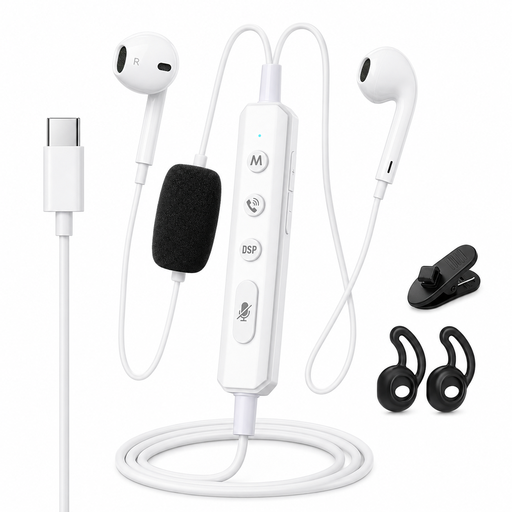
VoxorAI KM08 White Wired Headphones
The product name describes a wired model with a sound card for real-time monitoring. Check whether the sound card can route both your microphone and backing track to the headphone output with your setup.
View at Joybuy
 No image available
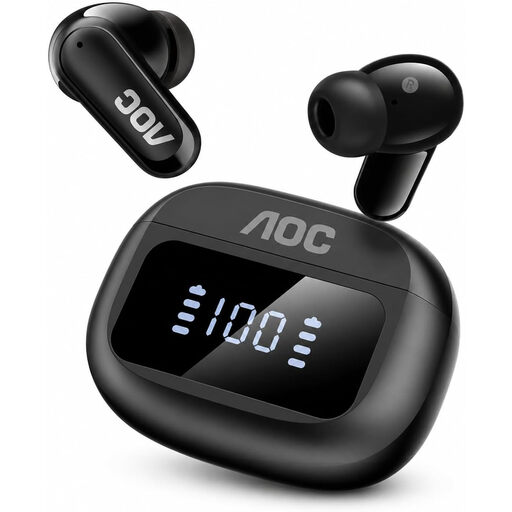
AOC Bluetooth In-Ear Headphones with 6 Noise-Cancelling Microphones
For playing backing tracks wirelessly. Check whether the specific version offers a Transparency mode that lets you hear the sounds you need to be aware of while doing the housework. A mode like this doesn’t prove that your live voice will be fed back to you without distracting latency.
View at Joybuy
 No image available
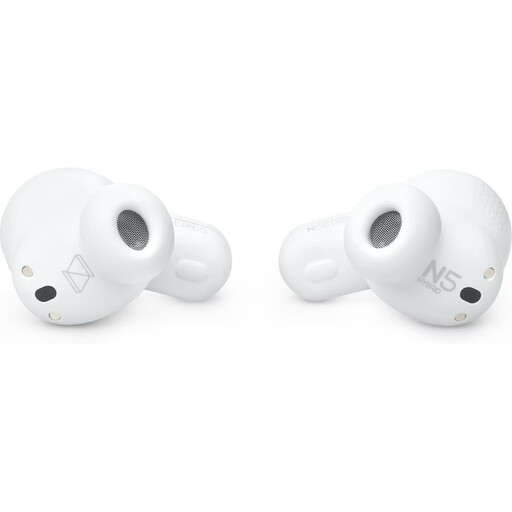
AKG N5 Hybrid True Wireless Earbuds, White
For playing backing tracks wirelessly. The product name lists Bluetooth 5.3 and a 2.4 GHz USB-C dongle. Check that the connection works with your devices and whether your own voice can be mixed in when needed via a suitable signal path.
View at Joybuy
Frequently asked questions
Can I mix my own voice with a practice track using new in-ear headphones alone?
No. You’ll also need a suitable signal path: the microphone signal must go to an interface or mixing desk, then be combined with the playback and sent to the headphone output. Focusrite describes Direct Monitoring on compatible interfaces as routing the input signal; if you hear the signal twice, you may need to turn off additional software monitoring.
What should I bear in mind before practising and when caring for my headphones?
Try different ear tips to find a secure, comfortable fit, start at a low monitoring volume and be mindful of both volume and listening time. Shure lists a choice of tips and a replaceable cable for the SE215; replacement parts and care instructions vary by model.
What other equipment might I need?
If you want to hear your microphone signal live, you may need a suitable microphone, interface or mixing desk, along with the right connections. A wireless set also needs a transmitter, receiver and power supply. The two AAA batteries required for the wired Behringer P2 are not included, according to the manufacturer.
Do I need an individual frequency allocation for a wireless in-ear system in Germany?
There isn’t a single answer for every model and frequency variant. In its general allocation issued in April 2026, the Bundesnetzagentur treats transmitters for body-worn monitoring receivers as radio microphones. Use is subject to the relevant technical and operational conditions. So check the specific transmission frequency and device configuration against the current regulations. The older regulation 2/2015 for 823–832 MHz is no longer the current legal basis.


