If you mainly want to listen to a pre-recorded backing track on a long flight, a well-fitting in-ear monitor with the right connection for your device is the obvious choice. If you also want to hear your live vocal alongside the track, you’ll need a compatible microphone and a monitoring setup – the earphones alone won’t do the job. Keep the volume moderate on board, listen out for crew announcements and follow your airline’s rules.
Who is this solution right for?
Backing vocals with live vocal monitoring
If you want to hear your live harmony part alongside the backing track, you’ll need a complete microphone and monitoring setup. Focusrite describes Direct Monitoring as a way to listen to the input signal alongside the playback track with virtually no additional monitoring delay.
Quiet practice on long-haul flights
If you’ll be listening to prepared harmonies on repeat, a comfortable fit and a volume that doesn’t tempt you to turn it up unnecessarily are key. The World Health Organization notes that both volume and listening time affect your hearing, and you’ll still need to listen out for crew announcements.
Travellers with an existing audio device
If your track is already on a smartphone, laptop or recording device, check the actual audio output and whether you’ll need an adapter for your chosen in-ear monitor. For live vocal monitoring, the microphone and signal routing must also be compatible with your device.
What should you look for when buying?
First, decide whether you’re listening to a finished track or also want to monitor your live vocal. Then consider long-term comfort, a sensible volume and the right connection.
| What you need |
What to check when buying |
Who is it important to? |
| Monitoring your own voice |
A compatible microphone, input and monitoring setup that plays the input signal alongside the backing track. |
If I want to hear my live vocal alongside the backing track, I need more than playback alone; around 31% of consumers have this as their main requirement. |
| Reducing aircraft noise |
Well-fitting ear tips and a moderate listening volume; pause playback during announcements. |
If I want to hear the track over cabin noise without turning up the volume, a good seal matters; around 25% of consumers prioritise this. |
| Comfort during extended wear |
The sizes and materials supplied; try the fit before your trip at a normal listening volume. |
If I’m going to wear in-ear monitors for a long time, a comfortable, secure fit is essential; around 25% of consumers prioritise fit. |
| Connecting to your device |
Check your playback device’s output and any adapter you may need; if you’re buying a replacement cable, check the connector on the earphones. |
If I want to use my existing smartphone, laptop or interface, the connection needs to match my equipment; around 19% of consumers put compatibility first. |
Common misconceptions
-
In-ear monitors automatically let you hear your own voice
Earphones play a signal, but they don’t by themselves route a live microphone signal to your ears.
Before buying, decide whether you only want to play an existing track or also monitor your voice live. To do that, check the microphone, input and monitoring function in your setup.
For live monitoring, you may also need a compatible microphone, interface or recording device, and additional cables.
-
A maximum noise-isolation rating tells you how quiet it will be in your ears
The actual fit is what matters; a manufacturer’s rating doesn’t guarantee the same level of isolation for everyone. Strongly sealing ear tips can also make announcements harder to hear.
Try the different ear-tip sizes before your trip at a moderate volume, and pause playback when the crew makes an announcement.
Depending on the fit, it may be worth bringing suitable spare ear tips.
-
Any detachable cable will fit any in-ear monitor
The models mentioned may use different connector types. A replaceable cable won’t automatically solve a connection issue with your smartphone or recording device either.
Check both your device’s output and the cable connector on the specific earphones before choosing an adapter or replacement cable.
If you don’t have the right device adapter, or your replacement cable has the wrong earphone connector, you may need additional equipment.
Key brands at a glance
Shure
The wired SE215 is an option for existing 3.5 mm playback or a compatible monitor output.
- Shure states that the SE215 reduces ambient noise by up to 37 dB. This is a manufacturer’s claim, not a measurement in your own ears or on a plane. The stated configuration includes several ear-tip options and a detachable MMCX cable.
- The earphones alone don’t provide a microphone signal path. Your playback device needs a suitable output or adapter.
Sennheiser
The wired IE 100 PRO is also designed for singers and comes with silicone and foam ear tips.
- The two ear-tip materials let you compare different fits. Sennheiser states that the IE 100 PRO offers noise attenuation of less than 26 dB; this isn’t a measurement of how much noise it blocks on a plane.
- The verified black version is wired. Check that its connection is compatible with your device.
Audio-Technica
The ATH-E40 is a wired in-ear monitor with a 3.5 mm plug and detachable A2DC cable.
- Four included silicone ear-tip sizes give you options for adjusting the fit.
- When choosing a replacement cable, check that it has an A2DC connector for the earphones. Manufacturer claims about sound or isolation aren’t an independent measurement on a plane.
beyerdynamic
The DT 72 IE is a wired option that the manufacturer positions within its DT in-ear range for guitar and vocals.
- The model has a 3.5 mm plug and is described by the manufacturer as designed for vocals and guitar.
- The manufacturer’s claims about vocal presence and the occlusion effect don’t prove it offers an advantage for practising on a plane. You’ll still need a separate monitoring setup to hear your own voice live.
Joybuy products for pre-recorded backing tracks
These in-ear headphones are intended for listening to pre-recorded backing tracks. To monitor your live vocal, you’ll also need a suitable microphone and a compatible monitoring setup.
 No image available
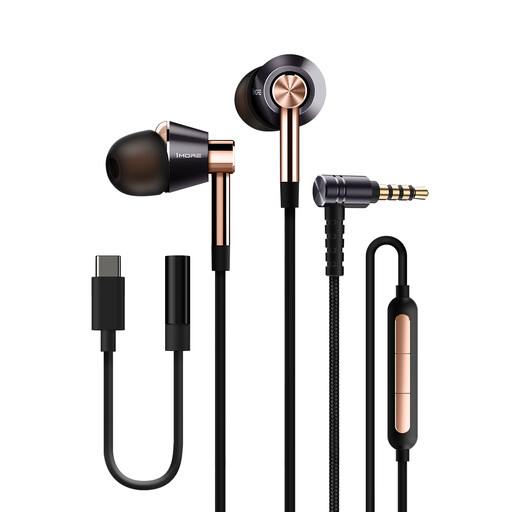
1MORE E1001 Triple Driver, wired, gold
The wired version is an option if you want to listen to a pre-recorded backing track through a compatible device.
The product name lists three drivers, a MEMS microphone, Hi-Res Audio and THX certification. These features alone don’t show that it’s suitable for monitoring a live vocal.
View at Joybuy
 No image available
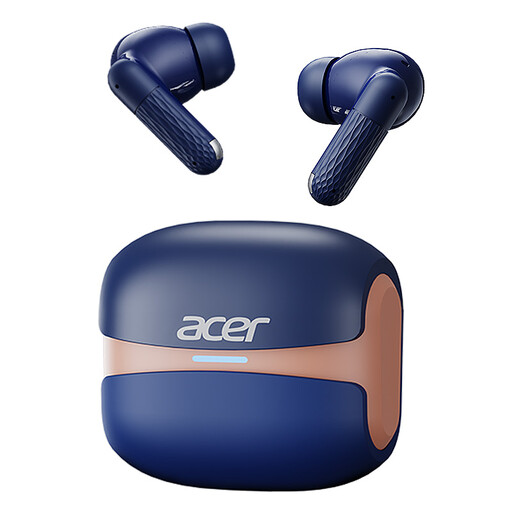
Acer OHR548, wireless, Bluetooth 5.4
Wireless playback may suit you if you want to listen to a pre-recorded track without a cable connecting your headphones to the playback device.
The product name lists Bluetooth 5.4 and a charging case with a Type-C connection. Check your airline’s rules on using devices before you fly; a playback connection alone isn’t enough for live vocal monitoring.
View at Joybuy
 No image available
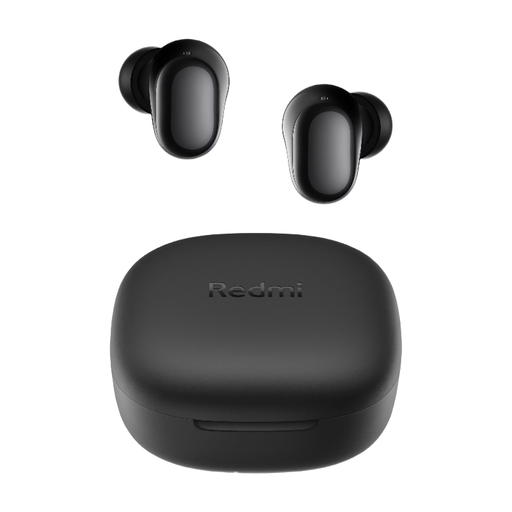
Redmi Buds 6 Play, black
These true wireless in-ear headphones are an option for playing a pre-recorded backing track wirelessly.
The product name lists Bluetooth 5.4, a 10 mm driver and four EQ settings. The stated noise cancellation is for calls and doesn’t prove that they block noise during music playback on a plane.
View at Joybuy
 No image available
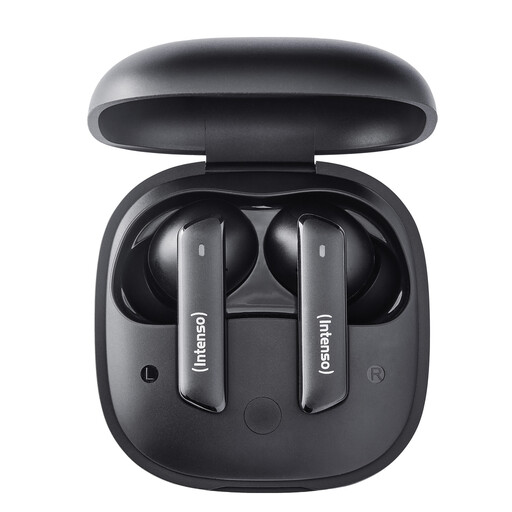
Intenso Buds Pro T500HAE, black
The wireless version is worth considering if you want to listen to pre-recorded tracks without a cable connecting your headphones to the playback device.
The product name identifies the model as the Buds Pro T500HAE. Check compatibility with your device and your airline’s rules on using electronic devices on board.
View at Joybuy
 No image available
Samsung Galaxy Buds4 Pro, true wireless, black
The true wireless design is one way to play a pre-recorded track without a cable.
The product name lists Active Noise Cancelling. This doesn’t tell you how much noise the headphones will block in your ears or on a plane. You’ll also need a suitable microphone and monitoring setup to hear your live vocal.
View at Joybuy
Frequently asked questions
Can I use in-ear headphones alone to monitor my live backing vocal?
No. To hear a live microphone signal alongside the backing track, you need a compatible input and a monitoring setup. Focusrite describes Direct Monitoring as a way to hear the input signal alongside the playback track with virtually no additional monitoring delay; check that your equipment supports this feature.
Can I use headphones and audio devices throughout the flight?
This depends on the rules of your airline and the crew’s instructions. The European Union Aviation Safety Agency notes that the airline decides whether portable electronic devices can be used; follow the crew’s instructions throughout the flight.
How can I avoid listening at too high a volume on a long flight?
Keep playback at a moderate level and take listening breaks. The World Health Organization identifies volume and listening time as factors in hearing risk. It also notes that well-fitting, noise-isolating headphones in a loud environment can help reduce the urge to turn the volume up.
How should I choose ear tips and clean my in-ear headphones?
Choose an ear-tip size based on fit and comfort, not just a noise-isolation rating. For the IE PRO series, Sennheiser warns against letting liquid reach the electronics; follow the care instructions for your specific model.


