
Lieferung heute & morgen

Qualitätsgarantie

Willkommens-Angebote freischalten: KOSTENLOSE Lieferung | Bis zu 80 % RABATT | Kostenlose 30-Tage-JoyPlus-Testphase
App herunterladen
Choosing an indoor security camera often comes from the desire to keep an eye on your home, family members, or pets when you're away. However, with the vast array of models and features available, the selection process can quickly become overwhelming. This guide is designed to provide you with clear direction. We'll explain the most important criteria for making your choice and present a selection of cameras for various use cases to help simplify your decision.
Before you decide on a model, there are several technical features you should consider, as they significantly determine the camera's utility and functionality.
Image quality is a crucial factor. A higher resolution provides more detailed images, which can be helpful for identifying people or specific details.
Recordings need to be stored so you can view them later. There are two primary methods for this:
Modern indoor Wi-Fi cameras offer much more than just recording. A camera with motion detection and an app will send a notification to your smartphone as soon as activity is detected. This allows you to check in real-time to see what's happening at home. Other useful features include:
Here is a selection of models that cater to different needs and budgets.
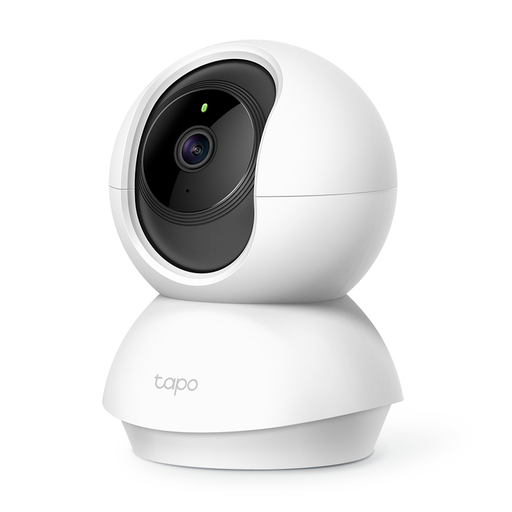
Why It Stands Out: The Tapo C200 is a versatile entry-level model that reliably handles basic surveillance functions. With its pan and tilt capabilities, it provides complete room coverage and eliminates blind spots.
Key Features:
Who Is It For? This model is an excellent choice for budget-conscious users looking for a reliable pet camera or a simple home security camera. It's ideal for those who need a straightforward solution for basic monitoring.
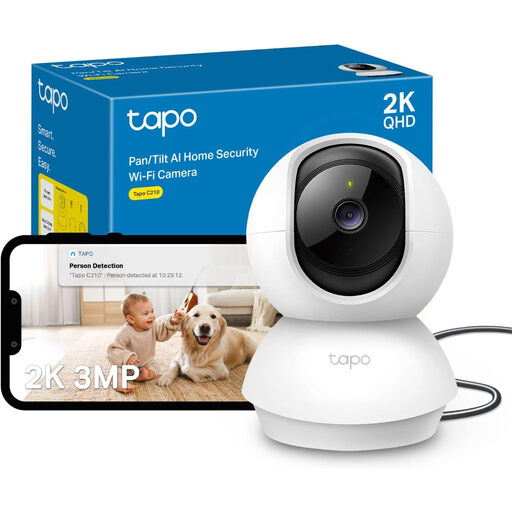
Why It Stands Out: The Tapo C210 takes image quality to the next level. With its 2K (3MP) resolution, it captures more detail than conventional 1080p cameras, making it a great option for more demanding surveillance tasks.
Key Features:
Who Is It For? The Tapo C210 is aimed at users who want higher image quality for more detailed monitoring, such as for use as a baby monitor with a camera or for watching over larger living areas. It offers a great balance of performance and price.
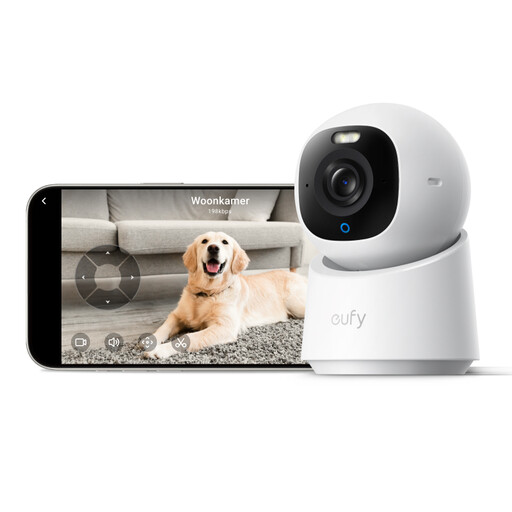
Why It Stands Out: The eufy Indoor Camera E30 is an advanced model for users with high standards for image quality and functionality. Its 4K UHD resolution and AI-powered features enable precise monitoring.
Key Features:
Who Is It For? This indoor IP camera is ideal for tech-savvy users who value the highest image quality and intelligent features. It is particularly well-suited for detailed indoor surveillance or for users who want seamless integration into their smart home system, especially Apple HomeKit.
Didn't find the right model for your specific needs in our selection? The market offers a wide range of devices with different specializations.
Discover our full range of indoor security cameras and find the perfect solution for your home.
1. What are the legal considerations for using an indoor security camera? When installing a camera in your own home, the privacy rights of other individuals must be respected. Recording should be limited exclusively to your private property. Areas outside your property, such as public sidewalks or neighboring properties, must not be captured. Visitors, tenants, or domestic staff should be informed about the presence of a camera.
2. Do I always need a cloud subscription for an indoor Wi-Fi camera? No, a subscription is not mandatory. Many cameras, including the models featured here, offer the option of local storage on a microSD card. This is a cost-effective method as it involves no ongoing fees. Cloud storage is typically an optional add-on service for users who want an off-site backup of their data.
3. How does a camera with motion detection and an app work? A camera with this feature uses sensors to register movement in its field of view. As soon as motion is detected, the camera begins recording and sends a push notification to the companion app on your smartphone. Through the app, you can then immediately access the live feed or watch the recorded video clip to see what triggered the alert.