
Lieferung heute & morgen

Qualitätsgarantie

Willkommens-Angebote freischalten: KOSTENLOSE Lieferung | Bis zu 80 % RABATT | Kostenlose 30-Tage-JoyPlus-Testphase
App herunterladen
Choosing an indoor security camera serves many purposes today: keeping a watchful eye on the nursery, monitoring pets while you're away, or for general home security. An indoor IP camera with Wi-Fi and 360-degree panning capabilities offers maximum flexibility, as it can cover an entire room without any blind spots.
This article serves as your guide. It explains the key features to look for when making your selection and presents a curated list of models with different specialisations. Our goal is to provide you with an objective foundation for your purchasing decision.
The range of models is vast. To find the right security camera for your home, several technical features are crucial.
Resolution determines the level of detail in the footage. While 1080p (Full HD) is sufficient for many applications, a 2K security camera offers noticeably higher sharpness, which can be helpful for identifying details.
360-degree coverage is achieved with a PTZ (Pan-Tilt-Zoom) camera. This feature allows you to pan the lens horizontally and tilt it vertically via app control. This lets you survey the entire room live without needing to install multiple cameras.
A key consideration is how video recordings are stored. There are two common methods:
For users who prioritise data privacy and cost control, a camera with a local storage option is often the preferred choice.
Modern cameras offer more than just video recording. The following features are particularly practical:
Based on the criteria mentioned, we have compiled a selection of cameras that cater to different needs.

Why it stands out: This model combines a high 2K resolution with flexible connectivity, supporting both 2.4 GHz and 5 GHz Wi-Fi networks. A unique feature is its integrated 2.8-inch screen and one-touch video call function, which simplifies interaction, for example, with elderly relatives.
Features:
Best for: Users looking for a camera with high image quality, flexible Wi-Fi connectivity, and direct communication features.
View Details for the JOOAN 2K Camera
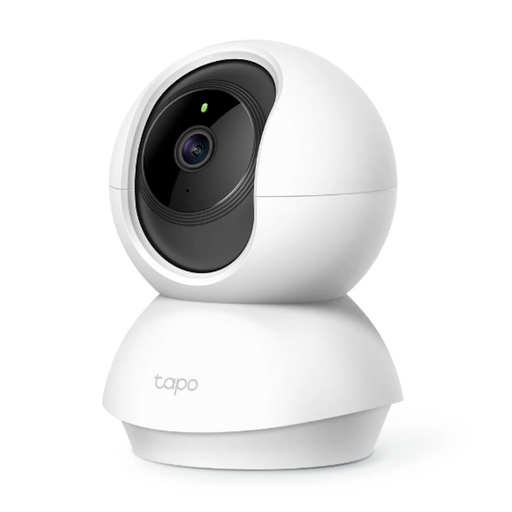
Why it stands out: The Tapo TC70 is a straightforward and reliable model for basic indoor monitoring. It offers a solid 1080p HD resolution and all the essential features like motion detection, night vision, and two-way audio. The setup and control via the Tapo app are known for being particularly user-friendly.
Features:
Best for: Beginners and budget-conscious users looking for an easy-to-use pet camera or a basic security solution with no recurring costs.
View Details for the Tapo TC70 Camera
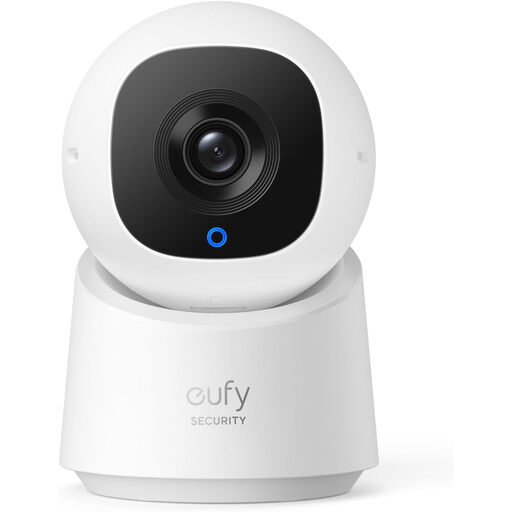
Why it stands out: The eufy C220 places a strong emphasis on smart features and data privacy. With its 2K resolution and integrated AI person detection, it can specifically track human movement. The privacy mode, which physically turns the lens away, and its consistent focus on subscription-free local storage appeal to users who prioritise data security.
Features:
Best for: Tech-savvy users, parents, or pet owners who want high image clarity, smart tracking features, and maximum control over their data.
View Details for the eufy C220 Camera
The cameras featured here cover common use cases. However, if you're looking for different specifications or designs, you might find a suitable alternative in our broader selection.
Discover More Smart Motion Cameras
1. What does PTZ mean for a security camera? PTZ is an acronym for Pan, Tilt, and Zoom. A PTZ camera can remotely move its lens horizontally and vertically to cover a larger area. The zoom can be digital or optical. For most indoor cameras, it is a digital zoom.
2. Do I need a subscription for an indoor Wi-Fi camera? Not necessarily. Many models, including those featured here, support storage on a local microSD card. This allows you to use all basic functions like recording, live view, and notifications subscription-free and without monthly fees. A subscription is usually only required for advanced cloud storage features or additional AI analytics.
3. How secure is the data on a camera with local storage? With a camera that stores footage exclusively on a microSD card, the video data remains physically on the device. Access is typically handled via an encrypted connection through the app. As long as your Wi-Fi network and app account are secured with strong passwords, this method offers a high degree of control and data privacy, as the data is not stored on external servers.