
Lieferung heute & morgen

Qualitätsgarantie

Willkommens-Angebote freischalten: KOSTENLOSE Lieferung | Bis zu 80 % RABATT | Kostenlose 30-Tage-JoyPlus-Testphase
App herunterladen
An indoor security camera can provide a reassuring sense of security, whether it's for monitoring your home, serving as a modern baby monitor with a camera, or keeping an eye on beloved pets. But the market is confusing and full of marketing promises that often don't deliver. Before you make a decision, it's crucial to understand the most common pitfalls that can lead to frustration and unnecessary expenses.
As your Joybuy Product Recommendation Officer, I'll help you define objective criteria for your selection. We'll focus on the facts so you can make an informed decision.
The 2 Most Common Cost Traps with Indoor Cameras:
To find a suitable indoor Wi-Fi camera, you shouldn't be guided by advertising slogans, but by verifiable technical specifications. Three parameters are particularly important.
The image resolution determines how detailed the recorded video is. This is especially relevant when you need to zoom in on the image to recognise faces or details.
The type of storage has a direct impact on ongoing costs and data privacy.
A static camera has a fixed viewing angle. For monitoring entire rooms, a camera with pan-tilt-zoom (PTZ) functionality is the more flexible choice.
Here are some models tailored to specific needs that take the aforementioned pitfalls into account.
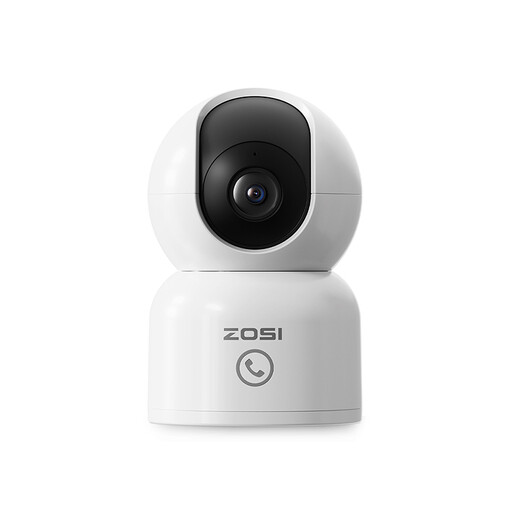
Why This Fits Their Persona: Ideal for users who need reliable basic monitoring for a room without high initial investment or recurring costs. Perfect for checking if everything is okay at home.
Supports local storage on a microSD card (up to 256 GB), eliminating mandatory subscription fees for recording.
The 360° pan-and-tilt function allows for complete room coverage without blind spots, controlled via the app.
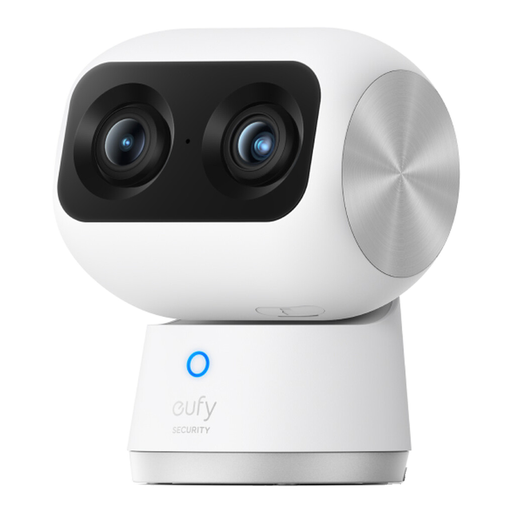
Why This Fits Their Persona: For users who want maximum image quality and advanced AI features for detailed monitoring of children, pets, or for securing their home.
Offers a high-quality night vision camera and full functionality with local storage, thus bypassing the subscription trap. The image quality lives up to its promise.
The dual-lens system combines a 4K wide-angle lens with a 2K telephoto lens, enabling an 8x hybrid zoom for exceptional detail recognition.
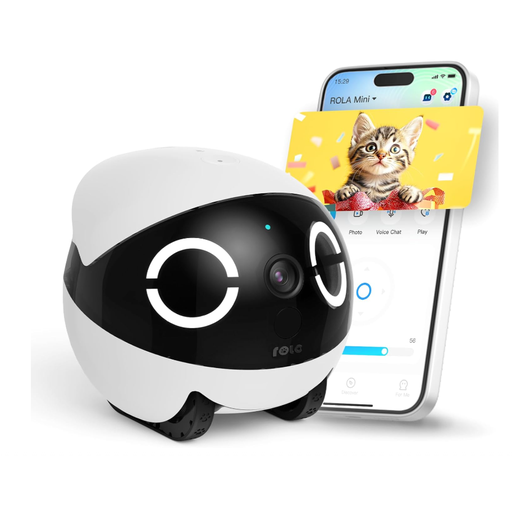
Why This Fits Their Persona: For pet lovers who don't just want to watch passively, but actively interact with their pet, even when they're not at home. This is more than a camera; it's a mobile companion.
This niche product has a clear focus on interaction. It comes with a 32 GB microSD card, so local recording is possible immediately and at no extra cost.
The wheel-based mobility allows it to follow the pet around the apartment. The "One-Touch-Call" feature enables instant two-way communication.
There are specialised models available, especially for monitoring pets. We have compiled a list of products tailored to the needs of pet owners.
No. Many models, especially those advertised as a subscription-free camera, work perfectly with a local microSD card. You can save recordings and access most features without paying monthly fees. A cloud subscription is usually an optional add-on for users who want an external backup of their recordings.
Security depends on several factors. Choose manufacturers that provide regular security updates. Always enable two-factor authentication for your user account and use a strong, unique password. A camera that stores recordings locally on an SD card does not necessarily transmit the data to the internet, which provides an additional layer of privacy. Also, look for a privacy mode that physically covers the lens or deactivates the camera via the app.
Yes, many modern indoor cameras are well-suited to be used as a baby monitor with a camera. They offer advantages such as high resolution, remote access via an app, and often a two-way audio function. Some models even have special sound detection that reacts to a baby's cry. However, keep in mind that such a solution depends on a stable Wi-Fi connection and does not come with a separate parent unit like classic baby monitors.