
Lieferung heute & morgen

Qualitätsgarantie

Willkommens-Angebote freischalten: KOSTENLOSE Lieferung | Bis zu 80 % RABATT | Kostenlose 30-Tage-JoyPlus-Testphase
App herunterladen
An indoor security camera offers a simple and effective way to keep an eye on your home. Whether you want to check if your pet is doing well, monitor a sleeping baby, or simply enhance your security when you're away, a modern Indoor Wi-Fi Security Camera delivers the peace of mind you need, right to your smartphone.
This guide is designed to help you understand the features that truly matter. We will provide objective criteria and present a selection of models that cater to different needs, enabling you to make an informed decision.
The market is filled with a wide variety of models. To find the perfect camera for your needs, you should consider a few key technical features.
The resolution determines how detailed the video image is. While Full HD (1080p) is sufficient for many applications, cameras with 2K or 4K resolution offer a significantly sharper picture. This is particularly useful if you want to zoom in on the image to identify details.
The field of view indicates how much of the room the camera can capture. A wide-angle lens is often adequate for smaller rooms. For comprehensive coverage of larger areas, a pan-and-tilt security camera is ideal. Such models, often referred to as a 360-degree indoor camera, can be controlled horizontally and vertically via an app to minimise blind spots.
A reliable Wi-Fi camera with night vision is essential for capturing clear images even in complete darkness. Most cameras use infrared LEDs for this purpose. For monitoring bedrooms or nurseries, models with invisible 940nm IR LEDs are preferable, as they do not produce a visible red glow that could be disruptive.
Two-way audio, which includes an integrated microphone and speaker, allows for communication through the camera. This enables you to talk to family members, soothe a pet, or address an unwanted visitor.
You generally have two options for storing your video recordings:
For use in private residential spaces, privacy protection features are crucial. Look for models with a physical privacy mode (a cover that blocks the lens) or the ability to define private zones in the app that are excluded from recording.
Based on the criteria mentioned above, we have compiled a selection of cameras suitable for various use cases.
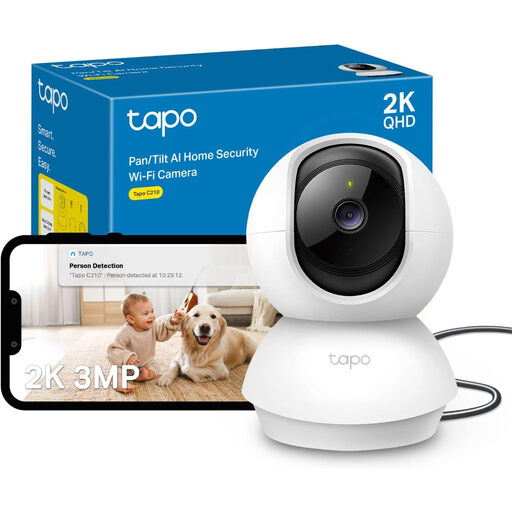
What sets it apart: The Tapo C210 combines a high 2K resolution with a flexible pan-and-tilt function. It offers a comprehensive package of core features for general home monitoring at an accessible price point.
Advantages:
Who is it for? This model is an excellent choice for users looking for a reliable and flexible pet camera or a general security camera with an app for living spaces, who also value excellent value for money.
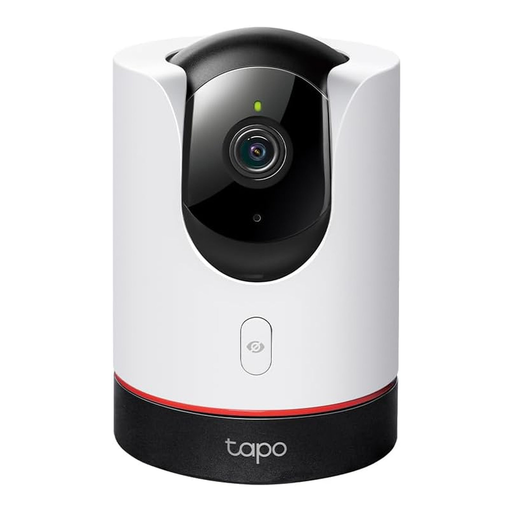
What sets it apart: The Tapo C225 stands out with its thoughtful privacy features and specialised detection algorithms. The physical lens cover and invisible night vision make it particularly suitable for sensitive areas like bedrooms and nurseries.
Advantages:
baby monitor with a camera.Who is it for? Ideal for parents and anyone who places the highest priority on privacy. Its specialised features and HomeKit integration will appeal to tech-savvy users looking for an advanced monitoring solution.
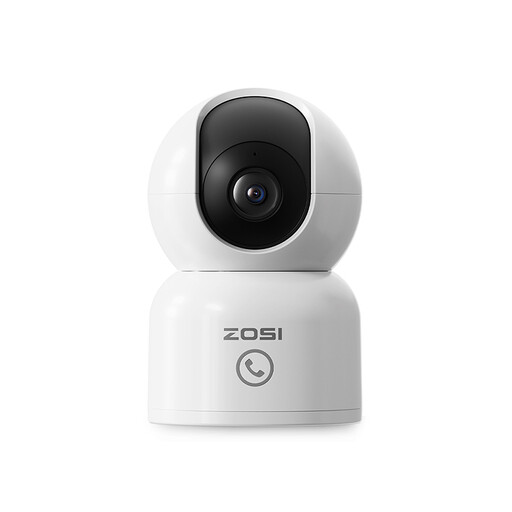
What sets it apart: This camera from ZOSI focuses on active object tracking and easy communication. The "One-Touch Call" function is a unique feature that simplifies interaction between people at home and the app user.
Advantages:
Who is it for? Perfect for users with active pets or small children who want to track their movements around a room. The call function also makes it a practical communication aid in households with elderly relatives.
The models presented here already cover many common use cases. However, if you are looking for cameras with different specifications, such as for outdoor use or with special connections, it's worth taking a look at our wider selection.
Discover more models in our IP Security Cameras category.
The security of an indoor IP camera depends on several factors. Look for models that support modern Wi-Fi encryption (WPA2 or WPA3). If available, enable two-factor authentication (2FA) for your user account. Always use a strong, unique password to access the camera app. Features like a physical privacy mode provide an additional layer of security.
An active internet connection is required for the initial setup, remote access via the app, and receiving notifications. However, many cameras can continue to record to a local microSD card even without an internet connection. In this case, you can view the recordings by removing the memory card and reading it on a computer. The smart features, however, will not be available.
Yes, many modern Wi-Fi cameras are well-suited to be used as a baby monitor with a camera. Important features for this purpose include good night vision (preferably with invisible IR LEDs), two-way audio to soothe the child, and a function to detect sounds like crying. A stable Wi-Fi connection and a reliable app are also crucial.