
Lieferung heute & morgen

Qualitätsgarantie

Willkommens-Angebote freischalten: KOSTENLOSE Lieferung | Bis zu 80 % RABATT | Kostenlose 30-Tage-JoyPlus-Testphase
App herunterladen
Anyone looking to buy Inkcloud compatible toner cartridges with chip is usually searching for a replacement cartridge that the printer will recognise, delivers reliable results and keeps running costs manageable. At first glance, choosing one seems straightforward: enter the toner reference, select the colour and place your order. In practice, however, problems often arise because the model match is not precise or the stated page yield is unclear.
This buying guide explains what individuals, home-office users and smaller offices should look out for when choosing compatible toner cartridges.
References such as HP 415A W2030A toner, HP 207A toner or Canon CRG-054H toner relate to specific cartridge series. Not every device from the same brand uses the same series. Before ordering, you should therefore make sure that at least the following details match:
An offer described as “for HP printers” is therefore not sufficient proof of compatibility.
An XL high-yield toner cartridge is a useful option for regular printing tasks. However, the actual page yield depends on the cartridge fill level, print coverage and the printing standard used. A page containing a small amount of text uses considerably less toner than a full-page colour document.
Where available, compare the stated yield of the standard and XL versions. A smaller cartridge may be the sensible choice for occasional printing, while an XL version is more suitable for frequent invoices, reports or dispatch documents.
A toner cartridge with chip can support communication between the cartridge and printer, for example by enabling cartridge recognition or displaying the toner level. However, the chip does not make a cartridge universally compatible. The model list and reference number remain decisive.
When installing the cartridge, follow the printer manufacturer’s instructions. Remove all protective strips and avoid touching the contacts or imaging drum. With laser printers, it is also important not to inhale toner dust and not to open the cartridge.
For a compatible toner cartridge for HP, Brother and Canon, a two-step check is recommended. First, search for your printer model, then compare the cartridge reference. Examples from the range include:
A compatible black toner cartridge is suitable for plain text documents. If you print colour graphics or presentations, you will also need the correct combination of cyan, magenta and yellow. Check whether the offer includes a single cartridge, a twin pack or a complete set.
For example, the HP 415A offer lists a set containing 1 black, 1 cyan, 1 magenta and 1 yellow cartridge. Other offers cover just one colour.
Toner cartridges should be stored in a dry place, protected from direct sunlight and in accordance with the information provided in the offer. Cartridges must not be exposed to naked flames or disposed of with general waste. Follow local requirements for disposing of electrical and chemical waste. After installation, it is advisable to print a test page before starting larger print jobs.
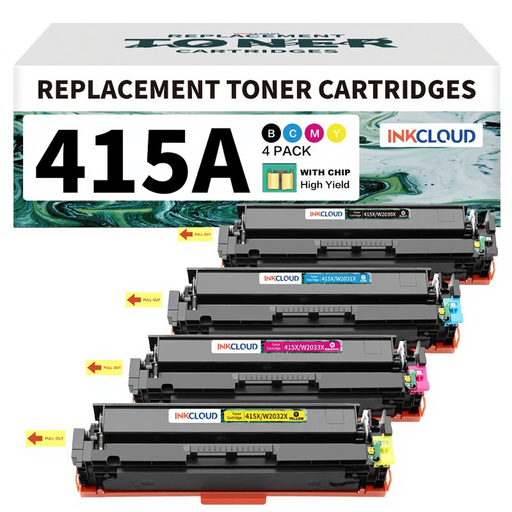
Why this product suits this profile: The complete colour set is suitable for users who want to equip their compatible HP printer with black, cyan, magenta and yellow cartridges.
The product description lists the compatible HP models and reference W2030A. The four-colour pack contents are also clearly stated.
Complete 415A colour set; with chip according to the product description.
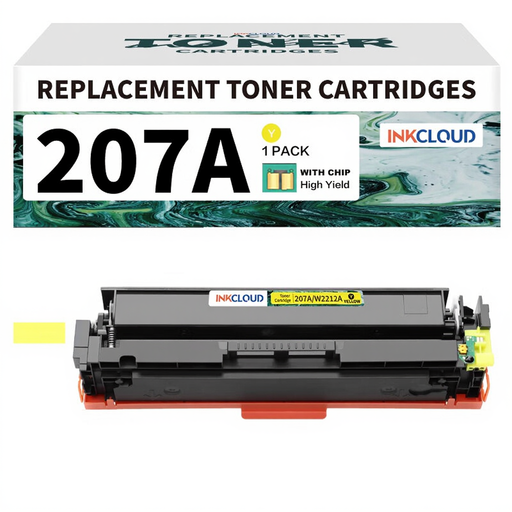
Why this product suits this profile: The individual yellow cartridge is aimed at users who want to replace one specific colour and avoid unnecessary duplicate purchases.
The model names and 207A series are explicitly listed in the offer. The integrated chip is also specified.
Individual yellow cartridge; chip pre-installed according to the product details.
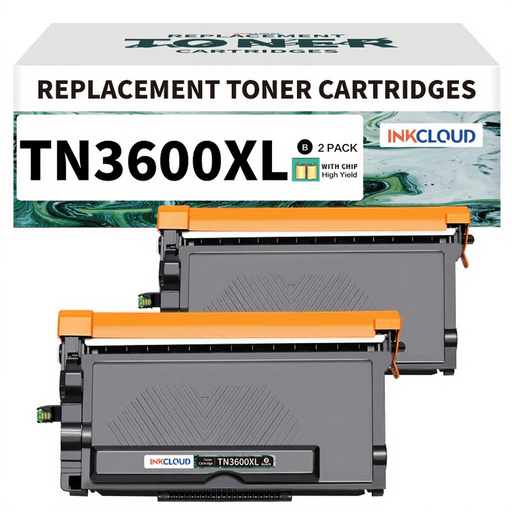
Why this product suits this profile: The XL version with two black cartridges is designed for workplaces with regular text-printing requirements.
Compatibility is limited to specific Brother models, making it easier to check than a general brand reference.
XL version; twin pack with black cartridges and integrated chip according to the product description.
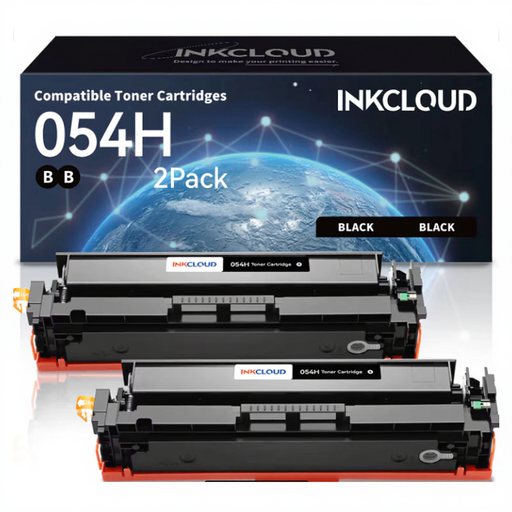
Why this product suits this profile: The twin pack of black toner may suit offices that regularly print text documents on Canon devices.
The offer specifies the CRG-054H reference, the colour black and the compatible Canon models.
Twin pack of black cartridges; listed for Canon LBP622Cdw and MF644Cdw.
Depending on the printer model, the following options may also be suitable:
For offers with similar model numbers, check whether they refer to toner or ink. An inkjet model such as an HP OfficeJet generally does not use a laser toner cartridge. The product series must match the device’s printing technology.
We have put together a complete, regularly updated list of products that fully meet these strict selection criteria and the safety regulations applicable in the EU.
This depends on the specific cartridge and printer model. The offers mentioned above specify a pre-installed chip. Nevertheless, you should make sure that the model number and toner reference match exactly before buying. After installation, you may need to restart the printer or confirm the cartridge on the printer display.
Service life depends on the stated yield, print coverage and printing volume. XL cartridges are designed to offer greater capacity, but you should always refer to the relevant product page for a binding page count. Printing many full-page graphics will reduce the yield compared with printing simple black-and-white text.
They can be a sensible choice if the compatibility, pack contents and chip specifications are clearly stated. When choosing, consider not only the purchase price but also the yield, the required colour and the number of cartridges. If you print only occasionally, an individual cartridge may be more economical than a complete set.