
Lieferung heute & morgen

Qualitätsgarantie

Willkommens-Angebote freischalten: KOSTENLOSE Lieferung | Bis zu 80 % RABATT | Kostenlose 30-Tage-JoyPlus-Testphase
App herunterladen
The search for the right printer cartridges can quickly become overwhelming. An empty cartridge often interrupts your workflow right when you need to print an important document. However, a quick search for a replacement can lead to several pitfalls, resulting in unnecessary costs or even problems with your printer. As your Joybuy Product Recommendation Officer, I'm here to help you navigate these challenges and make an informed decision.
The most common problems when buying printer supplies are:
To ensure you find the right product for your needs, three criteria are crucial. These will help you objectively evaluate performance and cost.
The most important step is to identify the correct cartridge number. You can find this either on the old cartridge, in your printer's manual, or on the inside of the printer cover. Common designations include HP cartridges like the HP 305 or Canon cartridges like the Canon PG-545.
When choosing compatible cartridges, make sure the manufacturer uses an up-to-date chip. This chip communicates with the printer and transmits information such as the ink level. Printer manufacturers regularly update their device software (firmware), which can cause older third-party chips to be blocked. Products that explicitly advertise an "advanced chip system" or the "latest chip version" offer greater security.
When buying printer supplies online, you generally have three options:
The decision depends on your budget and quality requirements. For printing important documents or photos, an original cartridge may be worthwhile, while for everyday use, affordable printer cartridges from third-party manufacturers are often sufficient.
The page yield indicates how many pages a cartridge can print. This value is typically determined according to the ISO/IEC standard, based on 5% coverage per page. A page with 5% coverage is equivalent to a short business letter. A full-page photo or a dense page of text has significantly higher coverage and will reduce the yield accordingly.
Therefore, don't just compare the price of the cartridge; calculate the cost per page. Cartridges labelled "XL" or "High Yield" contain more ink or toner and often offer better value for money, especially for users who print regularly.
To make your choice easier, we have compiled a selection of products for typical use cases.
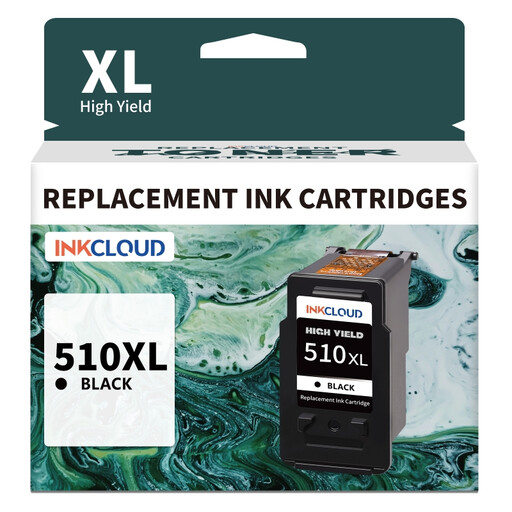
Why it's a great fit: Perfect for printing school assignments, recipes, or occasional documents. This remanufactured cartridge offers a cost-effective solution for popular entry-level Canon printers found in many households.
As it's a remanufactured original casing, the mechanical fit is guaranteed. The XL fill volume ensures a high page yield, bypassing the trap of misleading claims on low-cost alternatives.
Significant cost savings compared to the original. Reusing cartridge casings also reduces plastic waste.
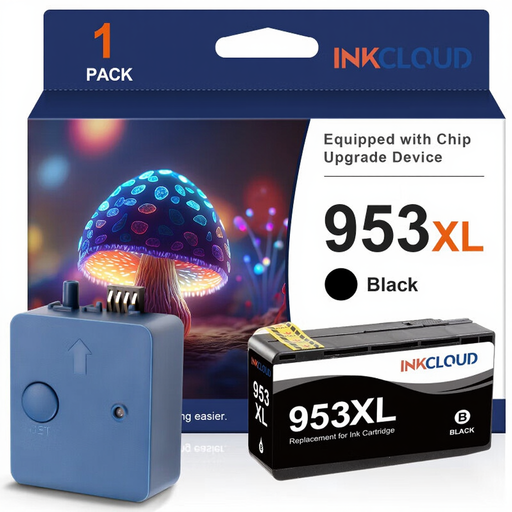
Why it's a great fit: For users in home offices or small businesses who regularly print invoices, reports, and documents. This cartridge is designed for high-performance HP OfficeJet Pro printers.
The product advertises an "advanced chip system," which reduces the risk of incompatibility from printer firmware updates. The XL capacity ensures a low cost per page for high-volume printing.
High page yield for uninterrupted work. Sharp, smudge-proof text printing, essential for business documents.
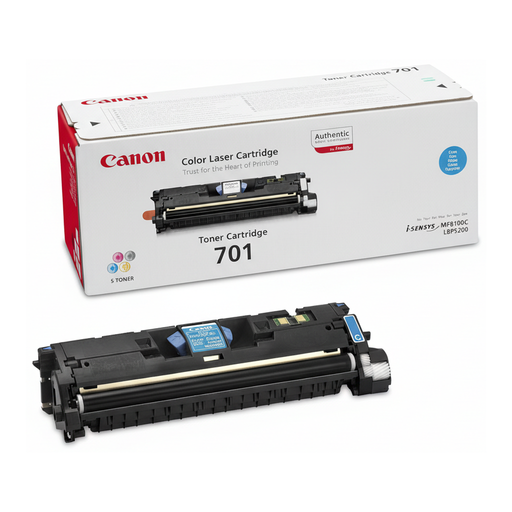
Why it's a great fit: For users who refuse to compromise on quality for colour prints, presentations, or graphics. This original Canon toner cartridge is designed for laser printers.
As an original (OEM) product, all risks related to compatibility, fit, and print quality are eliminated. The stated page yield of up to 4,000 pages is a reliable manufacturer figure.
Maximum reliability and manufacturer-guaranteed print quality. The all-in-one cartridge integrates the toner and drum, making replacement clean and simple.
We have compiled a complete, up-to-date list of products that fully meet these strict selection criteria and local regulations.
Under current EU law, a printer's statutory warranty cannot be voided solely because third-party cartridges were used. However, if a faulty third-party cartridge can be proven to have caused damage to the printer, the manufacturer may refuse to cover the repair costs. Reputable suppliers of compatible cartridges often offer their own warranty for such cases.
Ink cartridges should remain in their sealed original packaging until use to prevent them from drying out. Store them upright in a cool, dry, and dark place. Toner cartridges should also be stored in their packaging and kept horizontal to prevent the powder from settling unevenly. Extreme temperatures and direct sunlight are harmful to both product types.
Ink cartridges contain liquid ink and are used in inkjet printers. They are well-suited for colour printing and photos. Toner cartridges contain a fine powder (toner) and are used in laser printers. They are ideal for quickly printing large volumes of text documents and are known for producing smudge-proof prints.
With this information, you are well-equipped to make a targeted choice the next time you need to buy ink cartridges or toner.
Your Joybuy Product Recommendation Officer