Choose the tape based first on the surface of your instrument case, then pick a device that supports that tape format. Standard tapes are suitable for smooth surfaces, while specially designed extra-strong adhesive versions are available for textured surfaces. If your case is delicate, test the adhesion and removal on an inconspicuous area first. Then decide whether you’d rather create your labels on the device or using a smartphone.
Which system is right for you?
Owners of textured cases
If your case is made from textured plastic, you’ll need to weigh readability and adhesion against the potential risk of damage when removing the label later. Brother offers extra-strong adhesive TZe tapes for rough or textured surfaces, and warns that removing them could damage the surface.
Anyone labelling lots of instruments
If you need to repeat names or symbols, consider whether you’d rather create them directly using a keyboard or through an app. Brother offers different ways to operate its devices, including the PT-D210 with a keyboard and the PT-P300BT with app control.
Users with delicate cases
If you might want to remove a label later, stronger adhesion isn’t necessarily an advantage. Brother warns that removing its extra-strong adhesive tapes could cause damage.
What should you look for when buying?
Start by considering the case surface and how easily you want the label to come off. Then look at the space available for the label, your preferred way of operating the device and compatible replacement cassettes.
| Consideration |
What to check before buying |
Who should pay particular attention? |
| Adhesion and removability |
Assess the surface, check the tape type and device compatibility, and test removal on a hidden area. |
If my case is delicate or textured, I want a suitable level of adhesion without risking unwanted changes when I remove the label. Around 36% of consumers put adhesion and removability first. |
| Readability on a small surface |
Measure the available space and check it against the tape width supported by the exact device. |
If an instrument name needs to be easy to read on a narrow part of the case, the label must fit the space available. Around 29% of consumers prioritise label readability. |
| Ease of use |
Check whether a keyboard or app suits the way you work and the mobile device you own. |
If I’m creating lots of names or symbols, I want to enter text in a way that suits how I work. Around 21% of consumers prioritise the way the device is operated. |
| Tapes and power supply |
Check the cassette type, supported width, what’s included and the power supply for the exact model. |
If I only label things occasionally, I want to plan ahead for compatible replacement tapes and any accessories I’ll need. Around 14% of consumers pay particular attention to tape compatibility and ongoing running costs. |
Avoid common buying mistakes
-
Stronger adhesion isn’t always better
On a delicate instrument case, removing a strongly adhesive tape later could damage the surface.
Choose a tape to suit the case surface and test how easily it comes off on a hidden area first.
-
Comparing the device but not the tape system
TZe, D1 and LT cassettes belong to different tape systems. The tape width must also be compatible with the device.
Before buying, make a note of the exact cassette type, supported widths and what’s included with the product.
-
Assuming a durable print will stick securely
A claim about print durability doesn’t prove that the adhesive will stick to every textured or coated case surface.
Assess the print material and adhesive suitability separately, and check the material details against your case surface.
Key brands at a glance
Brother
P-touch devices use TZe tapes. Models such as the PT-D210 and PT-P300BT offer different ways to operate them.
- Brother recommends laminated standard tapes for smooth, flat surfaces, and extra-strong adhesive versions for rough or textured surfaces.
- Brother warns that removing extra-strong adhesive tape could damage the surface. Check how it works with your specific case.
DYMO
LabelManager devices use D1 cassettes, while LetraTag devices use separate LT cassettes.
- DYMO describes D1 standard tape as suitable for clean, flat surfaces, and D1 Durable as an option for more demanding surfaces.
- The material descriptions don’t confirm how a tape will stick to your particular instrument case. D1 and LT cassettes are different systems.
Phomemo
The manufacturer describes the P12 Pro as a Bluetooth device you can design labels for on your mobile, with support for direct thermal and thermal transfer materials.
- App control and a choice of materials may be useful when creating your labels.
- The right material depends on the specific label. The manufacturer’s information doesn’t confirm how well it will stick to your case.
NIIMBOT
The manufacturer distinguishes between compact thermal printers in the D Series and thermal transfer printers in the M Series.
- The different technology ranges can help you narrow down your choice of device and label material.
- The range overview alone doesn’t tell you whether a particular tape is suitable for instrument cases.
Joybuy product selection
This selection includes smartphone-controlled label printers for creating custom labels. Check that the supported label format fits the space available on your case, and that the printing material on offer is suitable for the type of label you want to make.
 No image available
Phomemo M110 label printer with 1 roll of labels
App control is useful if you regularly create labels using your smartphone.
The product details list Bluetooth, templates and batch printing. Supported label widths: 20–50 mm. Check that the format fits the case surface.
View at Joybuy
 No image available
Phomemo P15 2-in-1 Satin Ribbon Printer with 1 label refill
Before choosing this model, check that the specified satin ribbon is suitable for the type of label you want to use on your case.
Bluetooth connectivity and control through the Print-Master app are listed; you’ll need the app to create the labels described. The device is described as an inkless label printer.
View at Joybuy
 No image available
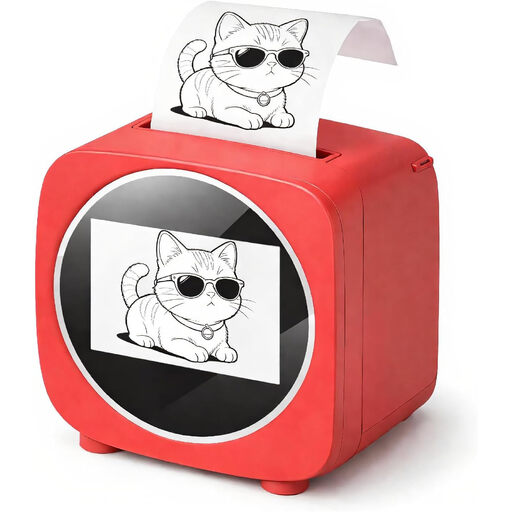
Bluetooth label printer with 2.4-inch colour display
If you’re creating labels in an app, the listed templates and design features are worth considering.
Bluetooth and a 2.4-inch colour display are listed. The product description specifies thermal paper rolls as the printing material. Check that they’re suitable for the type of label you want to make.
View at Joybuy
 No image available
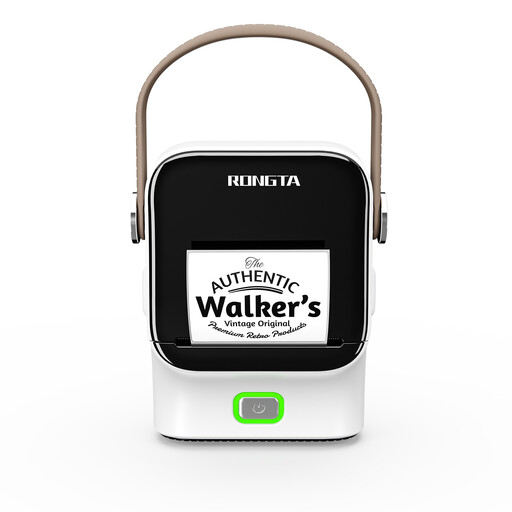
Rongta R22 Bluetooth label printer
If you want to create labels in an app, check that the supported roll format fits the case surface.
The product details list roll widths of 16–54 mm and a maximum print width of 48 mm.
View at Joybuy
 No image available
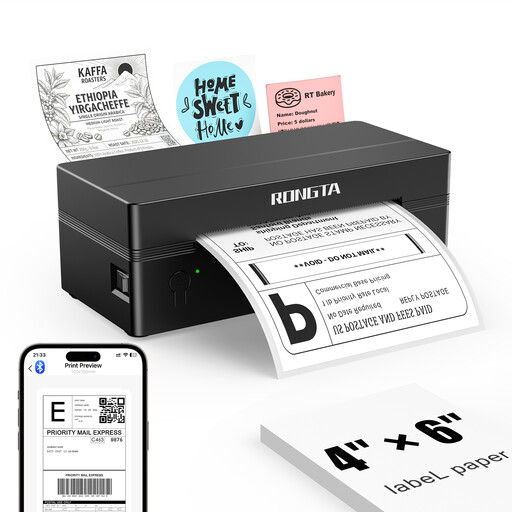
Rongta RP425 portable 4-inch label printer
As the product description specifies the device for shipping labels, check the format and intended printing material before choosing it for an instrument case.
Supported label sizes: 2–4 inches. App templates and printing from iOS or Android devices are listed.
View at Joybuy
Frequently asked questions
Can I safely put a strong adhesive label on a valuable case?
You shouldn’t assume that it’s safe. Brother warns that removing extra-strong adhesive tapes could cause damage. Test how easily the tape comes off on an inconspicuous area before applying it to a visible part of the case.
What should I check if a tape jams in my DYMO LabelManager?
First, check the power supply and make sure the cassette is fitted correctly. DYMO Support also recommends checking the print head and roller for dirt. For other models, follow the relevant device instructions.
What ongoing costs should I consider before buying?
Check the compatible cassette type, tape length and what’s included. The Brother PT-D210 product sheet specifies six AAA batteries or an optional mains adapter; neither is included with the device version described there.
Can I put a worn-out label maker in household waste in Germany?
No. The German Environment Agency advises that waste electrical and electronic equipment must be collected separately. If you can do so easily, remove the batteries or rechargeable batteries before returning the device, and take them separately to a suitable collection point.


