When labelling an instrument case, first choose a tape that suits its surface, then select a device that uses that tape system. Brother Germany lists TZe-S121 as suitable for textured plastic; with extra-strong adhesive tapes, removing the label may damage the surface. For a few short names, you can type them directly on the device, while an app can be useful if you want to design labels on your mobile phone.
Who labels instrument cases?
Owners of textured cases
If you want to label a case made from rough or textured plastic, you’ll need to weigh up the tape’s stated suitability against the potential risk of damaging the surface when removing it later. Brother Germany lists TZe-S121 as suitable for textured plastic and warns that removing extra-strong adhesive tapes may damage the surface.
Occasional, quick labellers
For a few short case names, typing directly on the device may be all you need. Brother describes the PT-H110 as having a QWERTZ keyboard and using TZe tapes; the DYMO LabelManager 160 uses D1 cassettes.
Anyone designing several labels
If you want to design labels on your smartphone, check the app workflow and compatible labels together. Brother describes the P-touch CUBE as a Bluetooth device with an app, while Phomemo presents the P12 as an option for printing from mobile devices.
What to consider when choosing
First, check whether the surface is smooth or textured, and whether you’ll want to remove the label later. Then, based on the compatible tape family, decide whether you’d prefer to type directly on the device or design labels using an app.
| Buying consideration |
What to look for when buying |
Who is it important to? |
| Adhesion to the case surface |
Brother Germany lists TZe-S121 as suitable for textured plastic; DYMO recommends clean, flat surfaces for standard D1 labels. Check the surface of your own case. |
If my case has a textured surface, I want a tape that’s rated for it, without risking unnecessary damage when removing it later. Around 36% of consumers say adhesion to the case surface is their top priority. |
| Quick input without a smartphone |
Compare the keyboard layout and tape widths: the Brother PT-H110 accepts QWERTZ input and uses TZe tapes from 3.5 to 12 mm; the DYMO LabelManager 160 uses D1 cassettes in 6, 9 or 12 mm. |
If I’m only printing a few short case names, I want to type them directly on the device rather than having to use a smartphone. Around 29% of consumers prioritise direct input. |
| Designing labels with an app |
Check the app, connection and compatible labels: Brother specifies Bluetooth, the Design&Print app and TZe tapes for the P-touch CUBE; Phomemo describes the P12 as suitable for printing from mobile devices. |
If I want to design several labels on a mobile device, I need a workflow that suits my devices and the labels I plan to use. Around 21% of consumers prioritise designing labels with an app. |
| Compatible replacement tapes |
Before choosing a device, check the tape family, required width and material. The PT-H110 is specified for TZe tapes, the LabelManager 160 for D1 cassettes, and the LetraTag 100H uses LT cassettes. |
If I want to use a device for a long time, I want to know in advance which cassettes it takes. Around 14% of consumers consider compatible replacement tapes their most important requirement. |
How to avoid common buying mistakes
-
Choosing the strongest adhesive tape without considering the case surface
A tape rated for textured plastic won’t automatically be the right choice if you want to remove the label gently later. Brother warns that removing extra-strong adhesive tapes may damage the surface they’re attached to.
Check the surface and how easy you want the label to be to remove before choosing a tape. If the case is delicate, test removing the label on an inconspicuous area first.
-
Looking only at the device price
Devices don’t necessarily use the same cassettes. The DYMO LabelManager 160 is specified for D1 cassettes, the LetraTag 100H for LT cassettes and the Brother PT-H110 for TZe tapes.
Before buying, compare the tape family, required width and material with the model.
Compatible replacement cassettes are an ongoing consumable cost for the device.
-
Assuming app-based printers are interchangeable
App-based operation alone doesn’t tell you which labels a device can use, or whether they’ll stick to a particular instrument case.
First decide what type of label you need, then check compatibility between the device, app and labels.
Key brands to consider
Brother
Options for labelling cases include the PT-H110 keyboard device and the app-operated P-touch CUBE. Both are specified for TZe tapes.
- Brother Germany lists TZe-S121 as suitable for rough and textured plastic surfaces.
- The manufacturer warns that removing extra-strong adhesive tapes may damage the surface they’re attached to. This doesn’t apply to every Brother tape.
DYMO
The LabelManager 160 and LetraTag 100H use different cassette families: D1 and LT respectively.
- DYMO describes standard D1 labels as suitable for clean, flat surfaces.
- This doesn’t guarantee reliable adhesion to any particular textured instrument case.
Phomemo
Phomemo describes the P12 as an app-based option for printing from mobile devices.
- According to Phomemo, the P12 supports direct thermal and thermal transfer printing.
- This manufacturer information doesn’t confirm how durable every available P12 label type will be on every case surface.
Joybuy products
The following Joybuy products are described as suitable for app-controlled or mobile label printing. Before choosing, check that the stated label widths and types are right for your cases.
 No image available
Phomemo M110 mobile label printer with 1 label roll
For anyone who wants to design labels on a mobile device: Bluetooth and the Print Master app are specified. Label widths of 20 to 50 mm are listed, and the product name also mentions a label roll. Check that the width suits the case labels you have in mind.
Joybuy
 No image available
Phomemo P15 2-in-1 satin ribbon printer with gift box and 1 label refill roll
For anyone considering a device that combines label printing with personalised satin ribbon printing: both uses are mentioned in the product name. Bluetooth and the Print Master app are specified for operation; check that the labels you need are compatible with the device.
Joybuy
 No image available
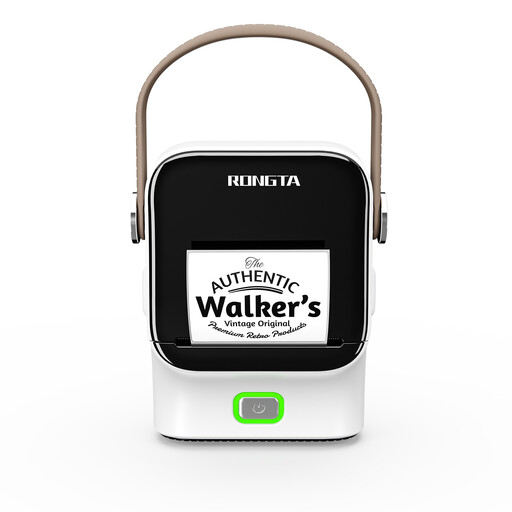
Rongta R22 Bluetooth label printer
For anyone who wants to design labels using an app: Bluetooth and app control are specified. The stated label rolls are 16 to 54 mm wide; the product name also lists a 1500 mAh battery capacity. Check that the format is suitable for your case labels.
Joybuy
 No image available
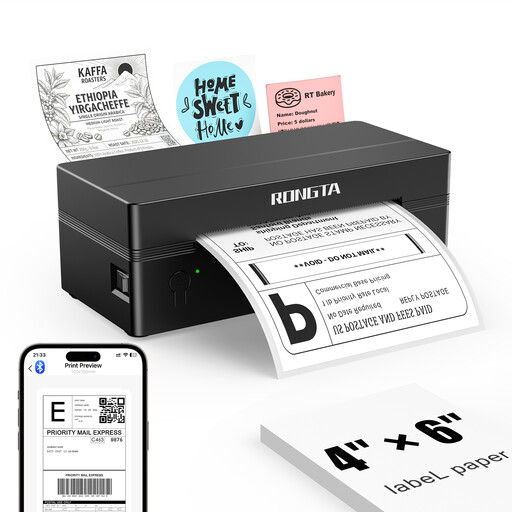
Rongta RP425 mobile 4-inch label printer
For anyone who wants to print on the go and needs larger labels: the stated label width range is 2 to 4 inches. Other listed features include top-loading, an external roll holder and printing via the RT ELabel app on iOS or Android devices. Check that the format suits the case surface.
Joybuy
 No image available
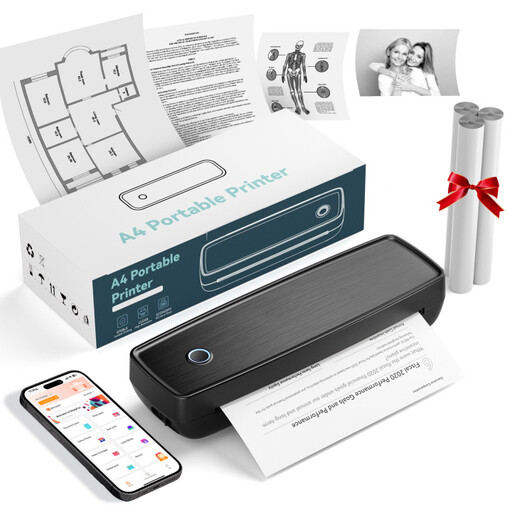
Portable thermal printer with Bluetooth and USB-C
For anyone who wants to print labels on the go: thermal printing, Bluetooth and USB-C are specified. The product description also lists thermal paper rolls and fanfold paper as printing materials; check that the label material you plan to use is compatible.
Joybuy
Frequently asked questions
Which tape should I check first for a smooth plastic case?
Start by checking a tape specified for clean, flat plastic surfaces that’s compatible with your device. DYMO lists these surfaces for standard D1 labels, but that doesn’t guarantee adhesion to your particular case.
Can a particularly strong label damage the case?
Yes, it’s possible when removing it. Brother warns that extra-strong adhesive tapes may damage the surface they’re attached to. If your case is delicate, first test how easily the label comes off in an inconspicuous area.
Are label tape cassettes interchangeable?
No, the devices mentioned use different tape families. The DYMO LabelManager 160 uses D1 cassettes, the LetraTag 100H uses LT cassettes, and the Brother PT-H110 uses TZe tapes in the specified widths.
What should I check when choosing an app-based label printer for cases?
Check that the app and connection work with your mobile device, and find out which labels the specific model uses. Brother lists Bluetooth, an app and TZe tapes for the P-touch CUBE; information about app operation alone doesn’t confirm that every label will stick to every case.


