
Lieferung heute & morgen

Qualitätsgarantie

Willkommens-Angebote freischalten: KOSTENLOSE Lieferung | Bis zu 80 % RABATT | Kostenlose 30-Tage-JoyPlus-Testphase
App herunterladen
If you’re looking to buy an intelligent robot, you’ll find devices designed for a wide range of tasks, from a robot vacuum with mopping function to a mobile companion robot, humanoid robot or robot dog. The key question isn’t which feature sounds most cutting-edge, but whether it will work reliably in your day-to-day life.
Figures such as 10,000 or 25,000 Pa of suction power are only part of the picture. On hard floors, navigation, brush design and edge cleaning may matter more. For carpets, automatic suction adjustment and sufficient ground clearance are also important. A robot vacuum cleaner with powerful suction isn’t necessarily right for every home.
A robot vacuum with an auto-empty station means you won’t need to empty the dust container every day. However, water tanks, filters, brushes, mops and sensors still need regular care. With stations that wash mops with hot water or dry them with hot air, you’ll also need to consider where to place the station, its power supply and whether children or pets could come into contact with it.
The term AI robot alone tells you little about what a device can actually do. Check specifically whether it can detect obstacles, create maps, set no-go zones or is simply controlled through an app. For cameras and microphones, privacy, local storage and controlled access are particularly important. A pet monitoring robot should only be used indoors and set up in a way that means housemates and guests aren’t recorded unexpectedly.
Start by deciding what you need the robot to do:
For cleaning robots, measure the clearance under your furniture as well as the space available for the station. For example, the ECOVACS DEEBOT T30C OMNI Gen2 station is listed as measuring 53 × 35 × 47 cm. The base also needs clear space in front of and beside it so the robot can return safely.
Laser navigation, LiDAR, structured light and cameras all serve different purposes. LiDAR can map rooms and plan routes, while cameras or 3D sensors can help detect cables, objects and pets. Even so, you should remove loose cables, small objects and breakables before starting the robot.
Also look out for:
Don’t compare the purchase price alone. Ongoing costs can include dust bags, filters, mop pads, cleaning products and, where needed, replacement brushes. A bagless station can reduce the need for consumables, while a station with a dust bag may make disposal easier.
Follow the manufacturer’s safety instructions for devices with lithium-ion batteries, hot wash cycles or powerful joint motors. Products with cameras should only be used where recording is legally and practically appropriate. Before buying, check the details of the responsible person in the EU, the user manual and the age rating.
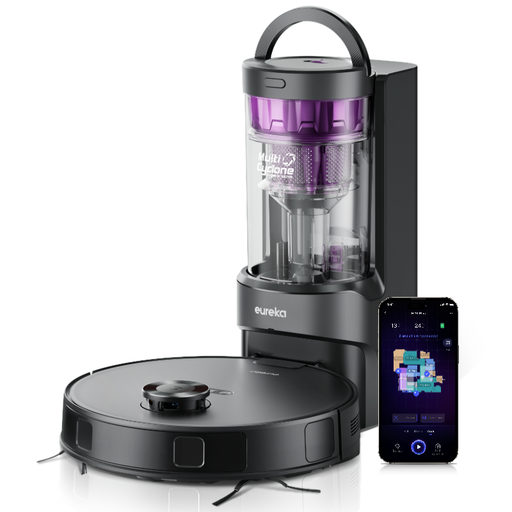
Why this product suits this profile: This robot combines 8,000 Pa of suction power, 180 minutes of runtime, LiDAR navigation and a bagless station. Its 10 mm mop lift is useful in homes with both hard floors and carpets.
The bagless station means you won’t need to buy dust bags regularly. The app supports schedules, restricted areas and virtual walls.
8,000 Pa of suction power, a 2-litre dust container and DuoDetect 3D obstacle detection, according to the product details.
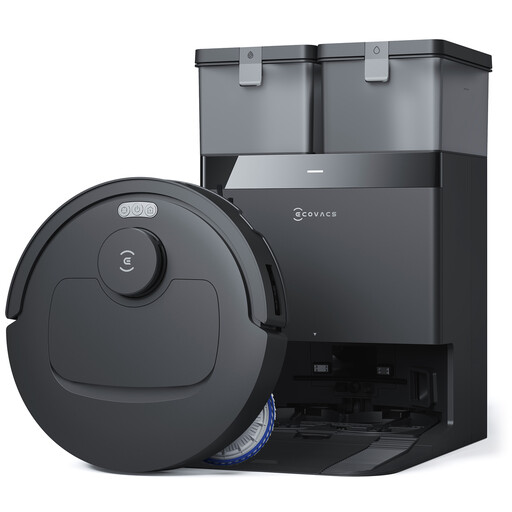
Why this product suits this profile: The OMNI station takes care of emptying the dust container, washing the mops and drying them. Four suction settings and laser navigation let you customise its setup through the ECOVACS Home app.
The product details list automatic mop lifting on carpets and ZeroTangle 3.0 to reduce hair tangles.
Claimed suction power of 25,000 Pa, 75°C mop washing and up to 180 minutes of runtime, according to the product description.

Why this product suits this profile: This mobile companion robot is designed for indoor use. It offers app control, a 2K camera, infrared night vision and two-way audio for interacting with family and pets.
Its use is clearly limited to indoors. A 32 GB microSD card allows local storage, but camera and audio access should still be set up carefully.
2K camera, night vision, motion detection, push notifications and automatic return to the charging station, according to the product details.
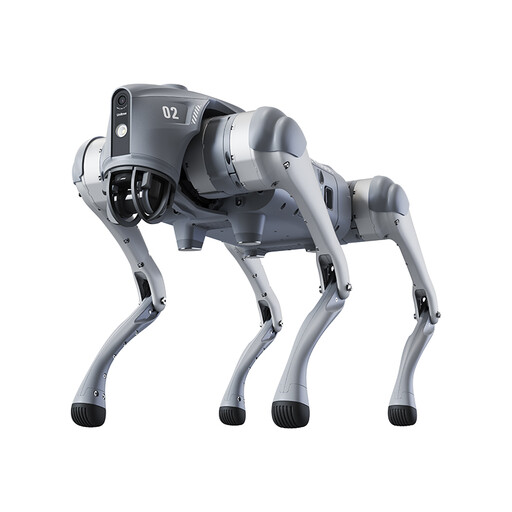
Why this product suits this profile: This robot dog is aimed at robotics enthusiasts, educational institutions and users who need it for demonstrations or controlled inspection scenarios. It features LiDAR, a camera, app connectivity and a remote control.
The minimum age of 14 and the warning that the device is not a toy make its intended use clear. Children and pets need to be supervised around it.
360-degree LiDAR, 4G and Wi-Fi connectivity, map transfer via the app and a stated battery life of 1 to 2 hours.
We’ve put together a complete, regularly updated list of products that meet these strict selection criteria and fully comply with the safety regulations in force in the EU.
First, download the manufacturer’s official app, place the charging station on a level surface and connect the device to the Wi-Fi network specified. Many models only work with 2.4 GHz Wi-Fi. Remove cables and small objects before starting the initial mapping. You can then set up rooms, cleaning schedules and restricted areas.
Its lifespan depends on battery care, how often it’s used, the type of flooring and how well it’s maintained. Clean the brushes, filters and sensors as instructed. A lithium-ion battery is a wear part, so its actual lifespan can’t be judged from the stated runtime per charge alone.
Cleaning robots may need dust bags, filters, mop pads, brushes and cleaning products. For a humanoid robot, robot dog or companion robot, you should also factor in possible costs for accessories, replacement batteries, software or servicing. Before buying, check what’s included, the warranty terms and the availability of spare parts.