What should you look for when buying?
Steam lists games with controller support as well as titles that require text input, while Sony, Microsoft and Nintendo each specify conditions for headphone connections. So check the game itself first, then look at how the controller and headphones connect.
| What matters |
What to check before buying |
Who should pay particular attention? |
| Game and platform compatibility |
The platform, the specific game’s controller support details and any text input you may need. |
If my text adventure requires free-form commands, I’ll still need a suitable way to enter text. That’s why around 36% of consumers put game and platform compatibility first. |
| Headphone audio connection |
Check how your existing headphones connect, the platform and the controller’s connection type together. |
I want to hear game audio reliably through my existing headphones and know where to plug them in. That’s why around 29% of consumers prioritise a working headphone audio connection. |
| Ease of use while reading |
Check the button layout for making choices, moving through text and going back, as well as how the directional pad feels to use. |
If I’m often reading passages and making decisions, I want the buttons I need to be easy to reach. That’s why around 21% of consumers prioritise easy navigation when reading and making choices. |
| Cable reach and freedom of movement |
Consider your seating distance, USB port, stated cable length and the separate connection you plan to use for your headphones. |
If I sit further away from my gaming device, it matters whether a cable will get in the way or a supported wireless connection is available. That’s why around 14% of consumers prioritise freedom of movement and cable reach. |
Controllers at Joybuy
Joybuy controllers for games with gamepad support. Before buying, check compatibility with your game and device, as well as the headphone audio connection you want to use.
 No image available
Razer Wolverine V3 Tournament Edition White
For supported gamepad games on Xbox or Windows PC; the stated wired connection suits a wired setup.
Detachable 3 m USB-C cable; four rear paddles and six assignable buttons.
View at Joybuy
 No image available
Gaming controller for Switch and PC
For games with gamepad support on the platforms listed; plan your headphone connection separately.
Bluetooth; up to 10 hours of play time; gyro controls and two vibration motors.
View at Joybuy
 No image available
BIGBIG WON Rainbow 3 Wireless Controller
For gamepad games on the platforms listed in the product name; check that it suits your particular device and headphone setup.
Platforms listed: PC, Switch 2, iOS and Android; 3.5 mm audio jack; 6-axis gyroscope.
View at Joybuy
 No image available
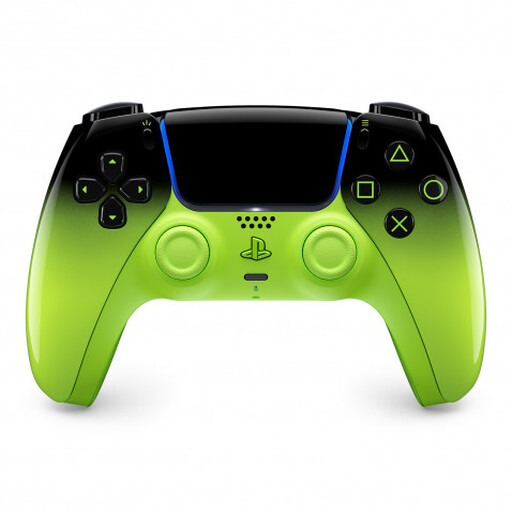
PlayStation DualSense Wireless Controller V3, Remix Green
For supported games on the devices listed; according to Sony, the headset jack can only be used on PC and Mac when the controller is connected by cable.
Devices listed: PS5, PC, Mac, Android and iOS; 3.5 mm jack and USB cable connection.
View at Joybuy
 No image available
PlayStation DualSense Wireless Controller Midnight Black
For supported games on PS5 and PC; according to Sony, using the headset jack on PC and Mac requires a wired controller connection.
3.5 mm audio jack; USB cable included, as listed.
View at Joybuy
Frequently asked questions
Do I need a controller for every text adventure?
No, as controls vary from game to game. Steam lists full Xbox controller support for Bury Me, My Love, while Oremus requires free-form keyboard input. Check the details for the specific title you want to play.
Can I use headphones with a DualSense connected to my PC over Bluetooth?
Sony requires a wired controller connection to use the DualSense headset jack on PC and Mac. If you use the controller over Bluetooth, plan to use another headphone audio connection that’s suitable for your PC.
How do I use Bluetooth headphones with a Switch controller?
Connect your headphones through the Switch console’s Bluetooth Audio settings. Nintendo lists a limit of two wireless controllers connected at once, possible audio delay and Bluetooth audio being disabled in local mode.
Who is responsible if a controller bought online is faulty?
The seller, not the manufacturer, is generally responsible for your statutory rights. The Verbraucherzentrale explains that for a consumer purchase, retailers are generally responsible for the goods being free from defects for two years from purchase or delivery. This is separate from any voluntary manufacturer’s warranty. Online purchases generally come with a 14-day right to cancel, but check the conditions and exceptions that apply to your situation.
Can an old controller go in household waste in Germany?
No. The German Environment Agency advises that old electrical equipment must be disposed of separately and must not go in general or packaging waste. Find out where your nearest suitable collection point is.


