For interactive fiction on a small desk, start by checking the actual dimensions of the screen and stand, as well as whether the text is easy to read from your usual seating position. A 23.8-inch QHD model such as the AOC Q24G2A/BK offers more pixels than a Full HD monitor of the same size. However, whether the text is easier to read also depends on scaling in the game and operating system. A particularly high refresh rate is mainly worth prioritising if you also use the monitor for fast-paced games.
Who is this buying guide for?
Gamers with limited desk space
If your screen, stand and peripherals all need to fit on a small desk, width and depth matter. PC Monitors points out that a more compact screen can make sense when space is limited. However, screen size alone doesn’t tell you how much room the whole monitor will take up.
Players who focus on text
When reading longer passages of interactive fiction, consider resolution, font size and viewing distance together. More pixels don’t automatically make in-game text appear larger or easier to read.
Players who enjoy different genres
If you also plan to use the same monitor for fast-paced games, weigh refresh rate against desk space and text clarity. The refresh rate you need also depends on what your game and connected device support.
What should you look for when buying?
| What matters when buying |
What to check |
Who is it important to? |
| Space and positioning |
Check the available desk width and depth, along with the monitor’s dimensions, including the stand. If you’re using a VESA mount, also check that the mount and desk are suitable. |
If your screen, stand and peripherals need to fit into a tight space, usable desk area comes first. Around 33% of consumers prioritise the space a monitor takes up. |
| Readable in-game text |
Consider resolution, font and interface settings in the games you play, and your viewing distance, together. |
If you read long stretches of dialogue, you’ll want a font size that’s comfortable to make out from where you sit. Around 27% of consumers put text readability first. |
| Adjustable screen position |
Check which adjustments the stand offers. If you’re using a separate mount, make sure its load capacity and clamp range are suitable for both your desk and monitor. |
If you want to adjust the screen height or position for longer reading sessions, getting the setup right matters. Around 20% of consumers prioritise screen positioning. |
| Fast-paced games |
Check which refresh rates your game and connected device support. A high refresh-rate figure doesn’t guarantee a particular level of gaming performance. |
If you regularly play fast-paced games as well as interactive fiction, take their requirements into account too. Around 13% of consumers give these secondary games particular weight. |
| Connecting to your gaming device |
Check that your PC or console’s video output matches the monitor’s input and supports the resolution and refresh rate you need. |
If you plan to connect a device you already own, make sure the signal path has the connections you need. Around 7% of consumers focus primarily on this compatibility. |
Common buying misconceptions
-
Comparing screen size alone
Even a compact screen and stand can take up space you need for your keyboard or mouse.
Measure the usable desk area and check the monitor’s dimensions, including the stand. A VESA mount is only an option if it’s suitable for both the monitor and your desk.
-
Assuming more pixels mean larger text
The higher QHD resolution of a 23.8-inch model doesn’t automatically mean that text will appear larger in every game.
Before you buy, check whether you can adjust the font and interface to suit you in your operating system and the games you prefer.
-
Making refresh rate or advertised response times your top priority
High refresh rates are mainly relevant to fast-paced games; they don’t make up for text that’s too small or an unsuitable setup. PC Monitors also advises caution when assessing advertised response times in milliseconds.
If you mainly play interactive fiction, check readability and desk space first. Give refresh rate more weight if you’ll genuinely use the monitor for fast-paced games too.
Key brands at a glance
AOC
The gaming range includes the Q24G2A/BK, a 23.8-inch QHD option.
- AOC lists IPS, 2560 × 1440 pixels, 165 Hz and a height-adjustable stand for this model.
- QHD doesn’t automatically make text larger. Check scaling, viewing distance and how much room the stand takes up.
Dell
The Plus S2425HSM is a 23.8-inch Full HD option with a height-adjustable stand.
- Dell lists IPS, 1920 × 1080 pixels, 144 Hz and integrated speakers for this model.
- Compared with the 23.8-inch QHD model mentioned above, the lower pixel count alone doesn’t tell you how easy you’ll find the text to read.
ASUS
The VA24EHF from the Eye-Care range is a 23.8-inch Full HD option with VESA mounting support.
- ASUS lists IPS, 100 Hz, Adaptive-Sync and VESA mounting for this model.
- You’ll need to check separately that the mount is suitable for your setup and that the font size is comfortable for you to read.
Philips
The Evnia range includes the 24M2N3200A/00, a 23.8-inch Full HD option.
- Philips lists IPS and 180 Hz for this model.
- A high specified refresh rate isn’t automatically an advantage for reading interactive fiction. Also check how much room it will take up on your desk.
Joybuy models to compare
The Joybuy models below are gaming monitors in a range of sizes and resolutions. Compare their specifications with your available space, game settings and device connections.
 No image available
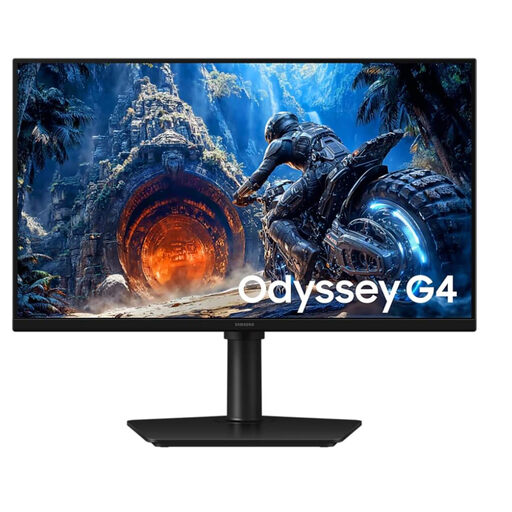
Samsung Odyssey G4 LS25HG402EUXEN, 25-inch, Full HD, 300 Hz, IPS
An option if you’re also choosing a monitor for fast-paced games; check that the 25-inch screen will fit on your desk.
Listed in the product title: Full HD, IPS and 300 Hz.
Joybuy
 No image available
KOORUI MB24V29FS4, 24-inch, Full HD, IPS, 120 Hz
A 24-inch option if you’re considering Full HD and VESA mounting; check that a suitable mount will work with your desk.
Listed in the product title: IPS and 120 Hz.
Joybuy
 No image available
TCL Gaming Monitor 25G54, 25-inch, Full HD, 144 Hz, IPS, Mini LED
An option if you also play fast-paced games; check that the 25-inch screen will fit in your available space.
Listed in the product title: Full HD, IPS and 144 Hz.
Joybuy
 No image available
KTC H24B9S, 24-inch, Full HD, 144 Hz, IPS
A 24-inch Full HD option for gaming when desk space is limited; check that the refresh rate and connections suit your games and device.
Listed in the product title: IPS and 144 Hz.
Joybuy
 No image available
UPERFECT 16-inch, 2K, 144 Hz portable monitor
A portable 16-inch model is worth considering if you’re looking for a smaller screen; check that the connections are compatible with your device.
Listed in the product title: 2560 × 1600 pixels, QLED and VESA compatibility.
Joybuy
Frequently asked questions
Is QHD at 23.8 inches automatically easier to read than Full HD?
No. AOC lists the Q24G2A/BK at 2560 × 1440 pixels; the Dell S2425HSM is listed at 1920 × 1080 pixels. How easy you find in-game text to read also depends on font size, scaling and viewing distance. Check the settings in the games you actually play.
What should I check before mounting a monitor arm?
Check that the mount is compatible with your monitor, and that its load capacity and clamp range are suitable for both the mount and your desk. ASUS lists VESA mounting support for the VA24EHF, but that doesn’t mean every mount will fit every desk.
How can I compare the power consumption of different monitors?
Compare the EU energy labels for the specific models, using the same information for each. The European Commission also provides information on electronic displays in HDR mode. To work out your own electricity costs, you’ll also need to factor in how long you use the monitor and your electricity tariff.
What are my rights when buying a monitor online in Germany?
Consumers who buy online generally have the right to cancel, usually within 14 days of receiving the goods. Exceptions and the circumstances of the specific contract should also be taken into account. The Verbraucherzentrale also distinguishes between statutory rights for faulty goods and a voluntary guarantee.
Do workplace screen rules also apply to my gaming setup at home?
The German Federal Institute for Occupational Safety and Health’s ASR A6 applies to the workplaces and home-working environments it describes. It isn’t a general statutory minimum requirement for private screen use outside a home-working environment. Its ergonomic guidance is therefore no substitute for checking your own viewing distance, readability and setup.


