
Lieferung heute & morgen

Qualitätsgarantie

Willkommens-Angebote freischalten: KOSTENLOSE Lieferung | Bis zu 80 % RABATT | Kostenlose 30-Tage-JoyPlus-Testphase
App herunterladen
Interactive robots bring together play, technology and learning. Depending on the model, they can be programmed, controlled by remote, operated via an app or used for specific activities such as chess training. There’s a wide choice, from simple robot toys for children aged 5 and over to AI robots with voice interaction and motion sensors.
Marketing descriptions can make a product sound more capable than it is in practice. Before buying, families should check which features will genuinely be useful in everyday life.
Terms such as AI, voice control and programming don’t tell you much about how easy a robot is to use. What matters is whether a child can use its features without a complicated set-up. For a programmable robot, check how many actions it can store and whether programming is done using buttons, a remote control or an app.
Range is another factor to consider. A remote-controlled robot with a short infrared range is better suited to the living room than larger spaces or outdoor use.
A robot controlled by an app may offer extra play modes and learning content. At the same time, buyers should check whether a smartphone or tablet is essential, which operating systems are supported and whether an internet connection is required.
For an interactive learning toy, it’s also important to consider whether the controls are suitable for the child’s age. A feature-rich app may appeal to teenagers, but it could be an extra hurdle for younger children.
Battery life, charging time and the type of batteries required all affect how often a robot can be used. Keep hands, hair and loose clothing well away from products with motors or moving arms. Small components and accessories may pose a choking risk to children under 3.
Check the specific age rating, warnings and manufacturer’s information. Adult supervision is advisable when younger children play with robot toys, particularly when using programmable movements or projectiles.
Check which types of control are actually available:
For a robotic dog, it’s also worth checking the difference between walking and wheeled modes. A model with both types of movement may suit different surfaces to different degrees.
For children aged 5 and over, simple remote-control functions, lights and pre-set movements are usually easier to use. A model with 48 programmable functions may be more appealing to tech-minded children who want to spend more time creating sequences and exploring movement patterns.
A learning robot for children should have easy-to-understand controls and provide clear feedback. With kits such as a Star Wars robot, you’ll also need to allow time for assembly and consider whether an adult may need to help.
Check the dimensions, weight and amount of space needed for play. A 40 cm-tall robot needs considerably more room to move than a small desktop robot. Use moving models on a stable, level surface.
Electronic products must not be submerged in water. For a remote-controlled tank that uses water-gel beads, also check the guidance on small parts, storage and protecting the eyes and face.
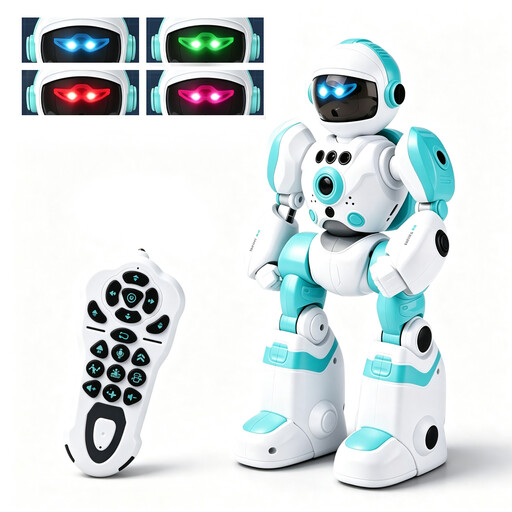
Why it suits this profile: This model combines a 2.4 GHz remote control, gesture recognition, voice recording, music, dancing and simple programming. It gives beginners several ways to play in one compact robot for children.
The features are clearly specified: four LED eye colours, obstacle detection, recording and programmable action sequences. You should still follow the age and supervision guidance.
Remote and gesture control; voice recording, music and dancing, plus customisable movement sequences.
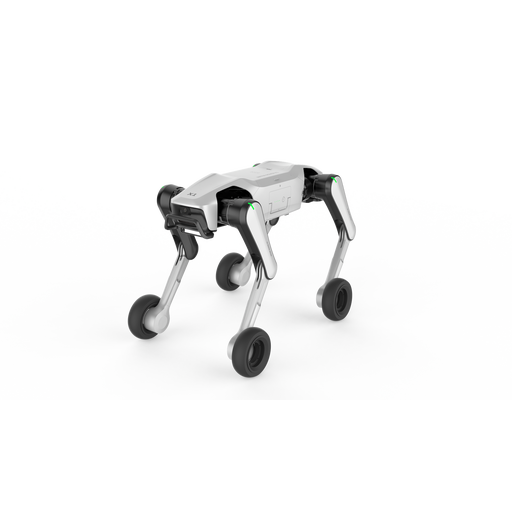
Why it suits this profile: This robotic dog is aimed at users looking for advanced sensors, voice interaction, quadruped movement and a wheeled mode.
The product name highlights specific features: UWB and vision-follow, plus voice interaction. Before buying, check the space required, set-up and compatibility.
Combines wheeled and legged modes; vision and UWB follow, according to the product details.
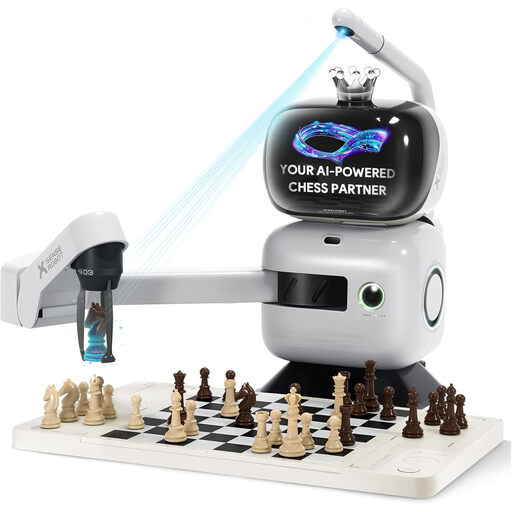
Why it suits this profile: This AI chess robot is designed for adults, families and chess players who want to combine a physical board with an automated robotic arm and digital training options.
The product details list 25 difficulty levels, over 1,200 training exercises, endgame training and app synchronisation. A one-off Wi-Fi set-up is required.
A robotic arm makes the moves; the product description lists training exercises, endgame practice and classic games.
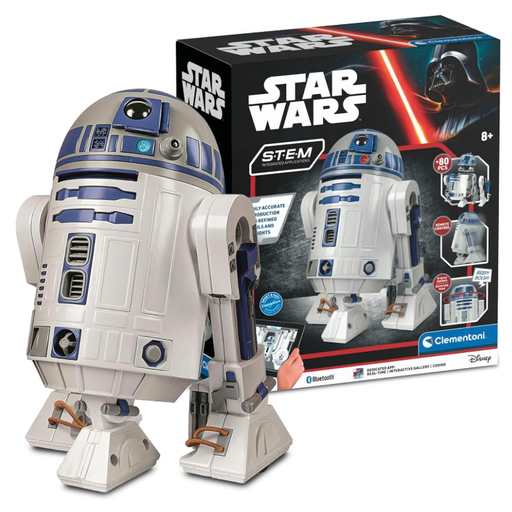
Why it suits this profile: This kit combines building an R2-D2 model with app control, an introduction to coding and interactive responses. It’s designed for children aged 8 to 14.
The contents and features are clearly set out: more than 50 components, app control, a coding mode, and LED lights and sound effects. Batteries are not included.
A kit with over 50 parts; three app modes, including control, coding and a reaction gallery.
We’ve put together a complete, regularly updated list of products that meet these strict selection criteria and the safety regulations in force in the EU.
It depends on the child’s age and learning goals. For children aged 5 and over, models with remote control, gesture control, music and pre-set movements are worth considering. Older children may prefer a programmable robot or an app-controlled kit. Check the age guidance, small parts and supervision advice before buying.
Not every model needs a constant Wi-Fi connection. Some apps use Bluetooth or work partly offline once set up. More complex AI robots and chess robots may need Wi-Fi for set-up, synchronisation or updates. Always check the details for the specific product.
Typical costs include batteries, electricity for charging and, where necessary, replacement parts. For app-based or learning features, check whether the content is available without a subscription. The SenseRobot product description says its training content is available without a monthly plan; however, app, network or update requirements may still apply depending on how you use it.