Joybuy controllers for PC and console
The Joybuy picks below include wired and wireless controllers for PC and console set-ups. Before buying, also check that your specific interactive game supports gamepad input.
 No image available
The G-Lab K-PAD-HELIUM-WL Wireless Gaming Controller
If you want to play wirelessly on a compatible PC, the product description lists a 2.4 GHz USB receiver.
The product title lists PC, 2.4 GHz wireless and two rear buttons; the product details list Windows 10/11 and PlayStation 3 as compatible platforms.
View at Joybuy
 No image available
Microsoft Xbox Wireless Controller, Deep Pink
If you’re looking for a wireless controller for a supported Xbox or PC game, the product details list Xbox One, Xbox Series X/S and PC as compatible platforms.
The product title specifies the Deep Pink colour and a wireless design. The product description also mentions customisable button mapping.
View at Joybuy
 No image available
BIGBIG WON Rainbow 3 Wireless Controller
If you’re looking for a wireless gamepad for one of the listed platforms, the product title names PC, Switch 2, iOS and Android.
The product title lists capacitive joysticks, 16 mechanical buttons and a 6-axis gyroscope.
View at Joybuy
 No image available
PlayStation DualSense Wireless Controller, Midnight Black
If your game supports controller input on PS5 or PC, the product details list both platforms.
The product title specifies a wireless design in Midnight Black and an included USB cable. According to the product details, some features require support from the game.
View at Joybuy
 No image available
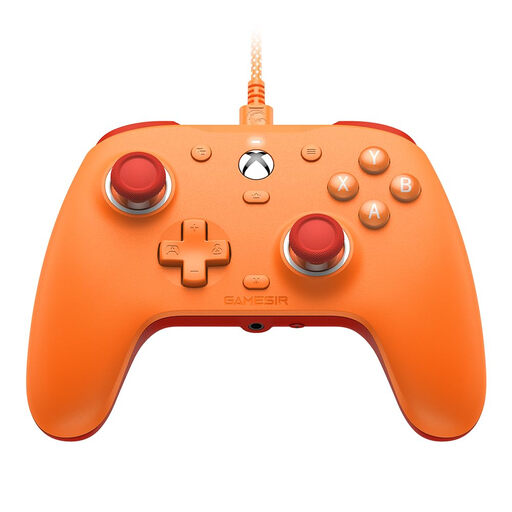
GameSir G7 SE Wired Gaming Controller, Orange
If you want to play using a wired connection to an Xbox or Windows device, the product details list Xbox Series X/S, Xbox One and Windows 10/11.
The product description lists a 3 m USB-C cable, Hall Effect sticks and a 3.5 mm audio jack.
View at Joybuy
Frequently asked questions
Can I play every interactive text-based game entirely with a gamepad?
No, it depends on the inputs required by the specific game. Some interactive stories list controller support, while other text adventures require you to type in your own commands. Valve notes that controller-only input styles work only in supported games.
What can I adjust when playing on a Switch in a bright room?
According to Nintendo, in handheld and tabletop mode you can adjust screen brightness automatically to suit your surroundings or set it manually. This is a console setting, not a feature of a separately purchased controller.
How do I connect and look after a controller?
Follow the instructions for the exact model. For the Xbox Wireless Controller on Windows, Microsoft describes Bluetooth pairing and recommends checking the battery level and updates if you have connection problems. GameSir describes the wired connection and calibration for the G7 SE; these steps don’t apply to all controllers.
What are my rights if a controller is faulty?
When you buy goods in the EU, the rules explained by the EU provide at least a two-year legal guarantee from the seller, starting when you receive the goods. A voluntary manufacturer’s warranty doesn’t replace this. For an ordinary online purchase, you generally also have a 14-day right to cancel; conditions and exceptions apply.
What should I check for product safety when buying a wireless controller in Germany?
For products within its remit, Germany’s Federal Network Agency lists CE marking, product and manufacturer identification, German-language information and declarations of conformity among the points to check. These general criteria don’t confirm that an individual listing is compliant.


