
Lieferung heute & morgen

Qualitätsgarantie

Willkommens-Angebote freischalten: KOSTENLOSE Lieferung | Bis zu 80 % RABATT | Kostenlose 30-Tage-JoyPlus-Testphase
App herunterladen
An internal SSD can make a desktop PC, laptop or PlayStation 5 significantly more responsive. However, a high MB/s figure does not automatically mean a worthwhile upgrade. In many cases, it is not the theoretical peak speed that matters, but the combination of interface, form factor, cooling and storage capacity.
This buying guide from the Joybuy Product Recommendation Officer explains what private users, gamers, content creators and professional users should look out for before buying.
A PCIe 5.0 SSD can only achieve its stated transfer rates in a compatible M.2 slot with PCIe 5.0. In a PCIe 4.0 or PCIe 3.0 system, it will generally run at a reduced speed. This does not automatically make the drive unusable, but some of the additional cost may go to waste.
An NVMe SSD will not fit every M.2 slot either: some M.2 connections support SATA only. Before ordering, you should therefore check your motherboard manual or the laptop’s technical specifications.
The widely used M.2 2280 form factor stands for 22 mm in width and 80 mm in length. Many modern PCs and laptops use this size, but not all of them do. Compact devices may require shorter formats or single-sided drives.
If you are buying an SSD with a heatsink, you must also check whether there is enough room beneath the existing M.2 cover. An integrated heatsink must not simply be installed beneath a cover that is too low.
An SSD 1TB is suitable for the operating system, applications and a manageable collection of games. For large media libraries, several modern games or 4K video projects, an SSD 2TB provides more headroom. The capacity actually available is always slightly lower than the manufacturer’s stated figure because of formatting and system areas.
According to the product specifications, a SATA SSD in the 2.5-inch format typically achieves read speeds of up to around 550 MB/s. It is therefore an attractive option if you have an older desktop PC or laptop with a 2.5-inch bay and SATA connections.
An M.2 NVMe SSD, on the other hand, uses PCI Express. Depending on the model, a PCIe 4.0 SSD can reach several thousand MB/s and is suitable for modern PCs, gaming systems and many workstations. A PCIe 5.0 SSD offers higher theoretical transfer rates, but requires compatible hardware and usually carefully planned heat dissipation.
An M.2 SSD can become warm during large file transfers, video editing or lengthy game installations. If a specified temperature is exceeded, the electronics may reduce the speed. A motherboard heatsink, an integrated heatsink or good case ventilation can be beneficial in these situations.
Power consumption is also relevant for an office laptop. Models offering a balanced combination of performance and power consumption may be better suited to the device during mobile use.
The TBW figure describes the total amount of data the manufacturer states can be written to the drive. It is a technical guideline, not a guarantee of a particular service life. Regular backups are still essential, as even an internal SSD can fail without warning.
Before buying, you should also check the warranty details, available management software and firmware updates. When upgrading, important data must be backed up before installation.
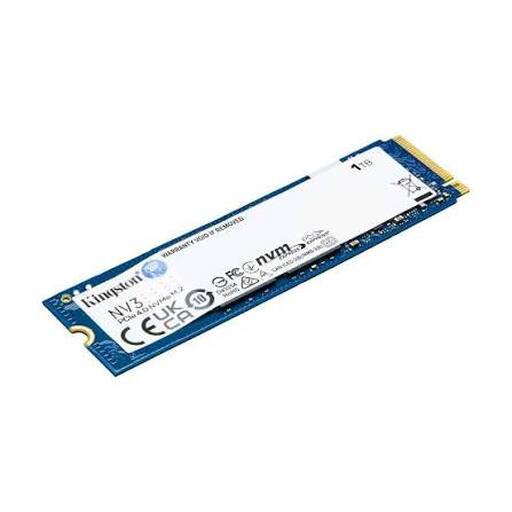
Why this product suits this profile: This M.2 NVMe SSD offers 1 TB of storage and PCIe 4.0 support for compatible PCs and laptops. According to the product specifications, it can achieve read speeds of up to 6,000 MB/s and write speeds of up to 4,000 MB/s.
The interface and form factor are clearly specified. This makes it easy to check before buying whether an M.2 PCIe slot is available.
M.2 2280, PCIe 4.0 x4, NVMe and variants up to 4 TB according to the manufacturer’s specifications.

Why this product suits this profile: This PCIe 4.0 SSD combines 2 TB of capacity with read speeds of up to 7,450 MB/s and write speeds of up to 6,900 MB/s according to the product specifications.
The integrated heatsink helps manage heat during sustained workloads. For the PS5, the height must be checked against the console’s specifications.
2 TB, PCIe 4.0 x4, integrated heatsink and Samsung Magician management software.
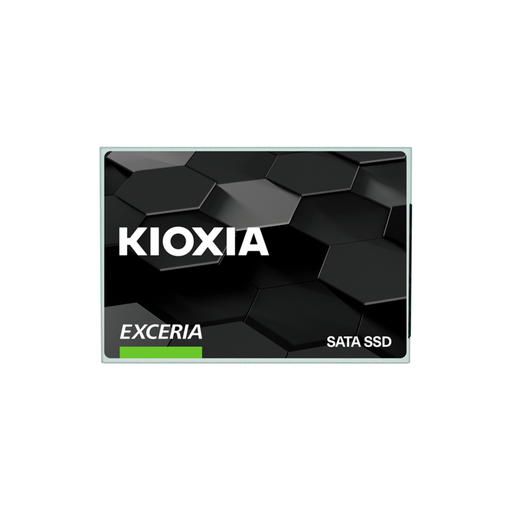
Why this product suits this profile: This 2.5-inch drive is designed for desktops and laptops with a SATA connection. According to the product specifications, it achieves read speeds of up to 555 MB/s and write speeds of up to 540 MB/s.
It is not incorrectly marketed as an NVMe drive. Before buying, you simply need to check whether a 2.5-inch bay and SATA data and power connections are available.
2.5-inch form factor, 7 mm height, SATA 6 Gbit/s and 960 GB capacity.
We have compiled a complete, regularly updated list of products that fully meet these strict selection criteria and the safety regulations applicable in the EU.
It depends on the slot and the chassis. Check whether your laptop has an M.2 2280 NVMe slot, an M.2 SATA connection or a 2.5-inch SATA bay. The maximum height, single- or double-sided configuration and supported PCIe generation are also relevant.
1 TB may be enough for the operating system, programmes and several games. If you regularly install large games, store video files or would rather not constantly manage your free space, you should consider an SSD 2TB. Having sufficient free storage space is also beneficial for system performance.
There is no single service-life figure that applies to every drive. The key factors are the amount of data written, NAND technology, temperature, power supply and usage profile. The manufacturer’s TBW figure provides guidance. Regardless, important documents, photos and projects should be backed up to separate storage.