
Lieferung heute & morgen

Qualitätsgarantie

Willkommens-Angebote freischalten: KOSTENLOSE Lieferung | Bis zu 80 % RABATT | Kostenlose 30-Tage-JoyPlus-Testphase
App herunterladen
An internal SSD can make an older PC or laptop feel significantly more responsive. However, choosing based solely on speed specifications often leads to unsuitable purchases. Manufacturers generally quote maximum sequential speeds under ideal conditions. In everyday use, the interface, cooling, memory type, capacity and compatibility with the device are equally important.
This buying guide from the Joybuy Product Recommendation Officer explains the key criteria and shows which storage solution best suits different usage profiles.
An NVMe SSD with read speeds of 7,000 MB/s handles large, contiguous files considerably faster than a SATA SSD with approximately 500 to 550 MB/s. When launching office applications or opening small files, however, the difference is not always noticeable to the same extent. The operating system, processor, memory and random-access performance also affect actual responsiveness.
A PCIe 5.0 SSD exceeding 14,000 MB/s also requires a compatible motherboard and suitable cooling. In a PCIe 4.0 slot, it will generally operate at reduced speeds.
M.2 primarily describes the form factor. Depending on the device, an M.2 SSD may use either SATA or PCIe/NVMe connectivity. Before purchasing, check the PC or laptop manual to determine whether the slot supports M.2 PCIe, M.2 SATA or both standards.
On a desktop motherboard, the available PCIe lanes and the specific slot are also important. Not every M.2 connector supports the same generation or boot functionality.
An SSD 1TB provides enough space for an operating system, applications and a selection of games. For large game libraries, 4K video projects or extensive data collections, an SSD 2TB or SSD 4TB is more practical. Usable capacity is always lower than the advertised raw capacity because storage is reserved for formatting and system functions.
Fast PCIe 4.0 and PCIe 5.0 models can become hot under sustained workloads. Without sufficient airflow or an M.2 heatsink, the electronics may temporarily reduce performance. The SSD for PS5 must also meet Sony’s requirements for dimensions, speed and heatsink. A model without suitable heat dissipation should not be used in the console.
With an M.2 2280 SSD, the numbers refer to a width of 22 mm and a length of 80 mm. This form factor is common in desktop PCs and many modern laptops. In a laptop, you must also check whether there is sufficient clearance for the drive’s height or an existing heatsink.
A 2.5-inch SATA SSD requires not only a data cable but also a power connection. When upgrading from an internal hard drive, check whether the required mounting bracket and cables are available.
TLC and QLC NAND differ, among other things, in write performance and specified endurance. The TBW (Terabytes Written) rating indicates the amount of data the manufacturer specifies for the drive to write. It is not an exact expiration date and does not replace a backup.
Anyone who renders large video files daily or runs virtual machines should consider TBW, thermal management and warranty terms in addition to speed. For documents, photos and occasional gaming, a model with a lower endurance rating is often sufficient.
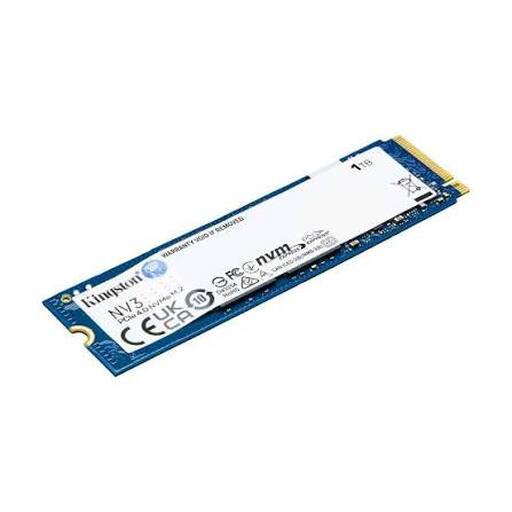
Why this model is a good fit: Its 1 TB capacity and M.2 2280 form factor make it suitable for compatible PCs, laptops and compact systems with a PCIe 4.0 connection.
Before installation, consult the motherboard or laptop manual to verify that the M.2 slot supports PCIe/NVMe.
PCIe 4.0 x4, NVMe, M.2 2280 and read speeds of up to 6,000 MB/s according to the product specifications.
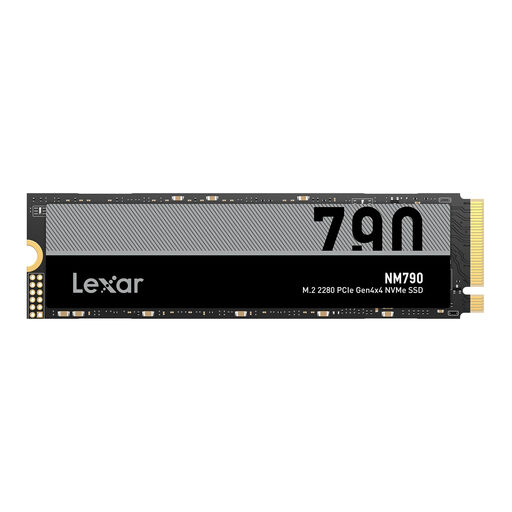
Why this model is a good fit: The 4 TB capacity is ideal for extensive game libraries, video projects and large local data collections.
The drive requires a suitable PCIe 4.0 NVMe slot. According to the product specifications, PS5 use requires a compatible heatsink.
M.2 2280, PCIe 4.0 x4, read speeds of up to 7,400 MB/s and write speeds of up to 6,500 MB/s according to the manufacturer.

Why this model is a good fit: The combination of 2 TB, PCIe 4.0 and an integrated heatsink makes it well suited to gaming, 4K video editing and data-intensive PC workloads.
The heatsink is integrated. For PS5 use, however, the drive dimensions and the console’s requirements must still be checked.
According to the product specifications: read speeds of up to 7,450 MB/s, write speeds of up to 6,900 MB/s, M.2 form factor and Samsung Magician software.
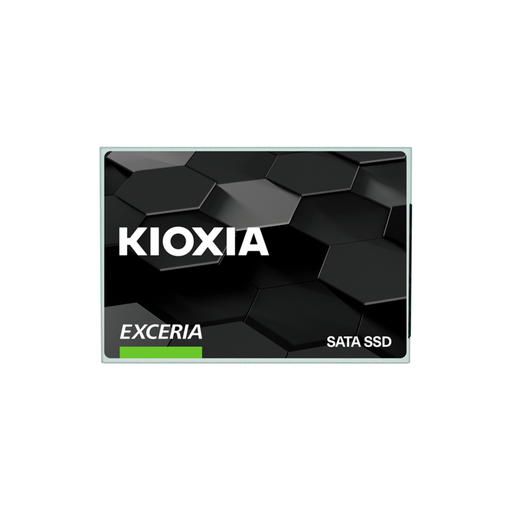
Why this model is a good fit: The 2.5-inch form factor is compatible with many older desktops and notebooks featuring a SATA connection.
This model uses SATA 6 Gb/s and is therefore not an NVMe solution. That distinction helps prevent confusion with an incompatible M.2 slot.
2.5-inch format, 7 mm height, TLC flash, read speeds of up to 555 MB/s and write speeds of up to 540 MB/s according to the product data.
Our complete selection includes internal storage solutions for PCs, laptops, gaming systems and NAS applications. Check your device’s technical specifications before purchasing.
For a NAS, a NAS hard drive with CMR recording and an appropriate workload rating is often more suitable than a standard internal SSD. The Synology HAT3300-6T, for example, offers 6 TB, a 3.5-inch form factor, SATA, 5,400 rpm and CMR. The HAT3310-12T and HAT3310-16T are designed for larger storage pools. These models are magnetic hard drives, not SSDs, and are suitable for central file storage, backups and media archives. Check the NAS manufacturer’s compatibility list before purchasing.
An SSD is not a substitute for a backup. For important documents, maintaining at least one additional backup on a separate storage medium is recommended.
Lifespan depends on the volume of data written, temperature, power supply and model. TBW ratings provide technical guidance but do not guarantee a specific operating life. Regular backups remain essential.
No. The laptop requires a compatible M.2 PCIe slot, as well as the correct height and length. An M.2 SATA connector or an unsupported form factor may prevent use.
For an operating system and a few applications, an SSD 1TB is often sufficient. With several large games, recordings and video files, an SSD 2TB provides more headroom. An SSD 4TB is particularly worthwhile for extensive game or project libraries.